


Interactive Training Dashboard Template for KPI Visualization
Original price was: $48.33.$37.53Current price is: $37.53.
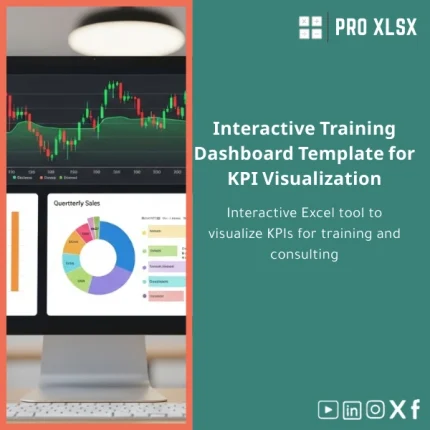
An editable Excel training dashboard template that turns raw attendance, assessment, and cost data into clear, interactive KPIs and charts — built for accountants, data analysts, and companies that need fast, reliable reporting for training and consulting programs.
Key benefits & value for accountants, analysts and managers
Convert data into decisions — faster
This training dashboard template is engineered to reduce the time between raw exports and actionable reports. Instead of building charts from scratch, you get a structured workbook where commonly used KPIs are pre-calculated and presented in an interactive layout suitable for monthly board packs or operational reviews.
Save hours on routine reporting
- Automated KPI formulas and pivot-ready tables cut manual aggregation by 60–90%.
- Standardized layouts make it easier for finance and HR to share consistent reports.
- Printable summary page for management and detailed drill-down sheets for analysts.
Reduce errors — increase auditability
The template separates raw data from calculated sheets, with both formula transparency and a short documentation sheet. That structure improves audit trails and makes reconciliations straightforward for auditors and accountants.
Use cases & real-life scenarios
Monthly training ROI report (Finance + HR)
Example: an Egyptian mid-size company imports LMS participant lists and training invoices. Within 15 minutes the dashboard calculates cost per participant, average score, certification rate, and a trend chart to show whether training investments are improving performance.
Consulting engagements — deliverable-ready dashboards
Consultants use the template to present program health and KPIs to clients without heavy BI tools. Customize branding, add client-specific KPIs, and export the printable report for client deliverables.
Internal operations — utilization and scheduling
Training managers track trainer utilization, session fill rates, and waitlists. Built-in filters let managers identify underperforming courses and reallocate resources quickly.
Who is this product for?
The training dashboard template is designed for:
- Accountants and finance teams preparing training cost reports and ROI analysis.
- Data analysts who need a fast, Excel-only KPI visualization without moving to cloud BI.
- Consultants and trainers who deliver clear, repeatable dashboards to clients.
- HR and L&D managers in companies that prefer editable Excel tools and local control over data.
How to choose the right template & options
Choose this template when you need a balance between ease-of-use and analytical depth. Consider the following:
- If you require branded deliverables or data connectors, order the hourly customization service after purchase.
- If you have large datasets (100k+ rows), request a performance review — we can optimize formulas and suggest a split model.
- If you want automation (scheduled imports, macros), choose the VBA-enabled option and confirm Excel desktop compatibility.
Quick comparison with typical alternatives
Practical choices for teams evaluating options:
- Custom BI tools (Power BI/Tableau): more powerful for enterprise-scale analytics but require licenses and setup. Our template is faster and lower-cost for departmental reporting.
- Ad-hoc Excel spreadsheets: cheap but error-prone. This template standardizes structure and reduces manual work.
- Full custom development: ideal for very specific needs but with higher time/cost. Use our services for a middle ground — template + targeted customization hours.
Best practices & tips to get maximum value
- Keep a raw-data tab untouched — always load new exports to this sheet and use the provided “Refresh” instructions.
- Define 6–8 KPIs only; dashboards are more persuasive when focused.
- Use consistent date formats and IDs to speed imports (we include a mapping guide).
- Save a monthly snapshot before changes to maintain version history for audits.
- If you need automation, start with 2 hours of customization to wire your exports and test imports end-to-end.
Common mistakes when buying/using dashboards — and how to avoid them
- Buying a generic dashboard and expecting it to match your data. Solution: use our customization service or follow the mapping guide included.
- Mixing raw data and calculated sheets — which makes auditing harder. Solution: keep separation and use our template structure.
- Overloading the dashboard with vanity metrics. Solution: align KPIs to a short list tied to business objectives.
Product specifications
- File format: .xlsx (Excel 2016 and later recommended). Compatible with Excel for Windows and Mac (some VBA features limited on Mac).
- Sheets included: ReadMe, Raw Data, Mappings, Calculations, KPI Dashboard, Charts, Printable Report.
- Key features: interactive slicers/filters, dynamic charts, printable summary page, documentation & mapping guide.
- Optional: VBA automation package (ordered separately), hourly customization and data-mapping service.
- Delivery: instant download after purchase + optional hourly execution by ProXlsx consultants.
- License: single-company use; contact us for multi-site or reseller licenses.
FAQ
Is this template compatible with my Excel version?
Yes — the template is built for Excel 2016 and newer on Windows. Core functionality (formulas, pivot tables, charts) works in Excel for Mac; VBA automation is limited on some Mac versions. If you need confirmation, send a short description of your Excel environment and we’ll advise.
Does the template use macros (VBA)? Is it safe?
The base template does not require macros to work. VBA automation is provided as an optional package and clearly documented. All macros are signed by our team on request and we include instructions to review or disable them.
Can you customize the dashboard to use our company colors and KPIs?
Yes. ProXlsx offers hourly customization services — from simple color/branding updates to data-connector setup and KPI additions. Typical turnaround for minor customizations is 1–3 business days depending on scope.
What if the template doesn’t fit our data structure?
The download includes a mapping guide to adapt common exports. If your data is different, we recommend ordering 1–2 hours of mapping assistance to make the template plug-and-play. This is faster and more cost-effective than full custom development.
Ready to standardize your training KPIs?
Purchase the Interactive Training Dashboard Template and start producing clean, auditable reports today. If you need help integrating your exports or branding the report, add our hourly customization service after checkout.
Related products

Budget Planner Excel Template for Actual and Variance Analysis

Comprehensive Accounting Program in Excel Template

Excel Cash Flow Template for Tracking Inflows and Outflows

Excel Journal Entries Template with Auto GL Mapping

Excel Payroll Calculation Template for Deductions and Taxes

Indirect Manufacturing Costs Allocation Template in Excel

Interest Calculation Template for Excel with Cash Discounts
An Excel-ready interest calculation template that computes simple and compound interest, generates early‑payment cash discount schedules, and converts those results into clear reports and cashflow tables — built for accountants, data analysts, and finance teams who need reliable, fast answers without custom development.

Reviews
Clear filtersThere are no reviews yet.