


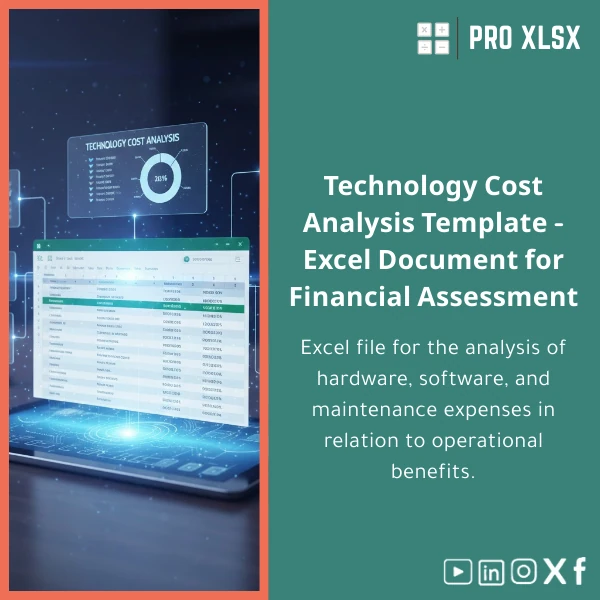
Technology Cost Analysis Template for IT Benefit Evaluation
Original price was: $48.33.$37.53Current price is: $37.53.
A ready-to-use technology cost analysis template that lets accountants, data analysts, and business teams quantify IT spending, compare technology cost vs benefit, and produce board-ready reports in Excel — fast, auditable and customizable.
Key benefits & value for accountants and analysts
This technology cost analysis template turns raw IT spending and operational metrics into defensible financial results. It removes manual reconciliations and spreadsheet clutter so you can:
- Prepare accurate IT budgeting spreadsheets with categorized costs and recurring vs one-time flags.
- Demonstrate technology cost vs benefit with monetized productivity and cost-avoidance calculations.
- Generate NPV/IRR and payback period automatically for investment approvals.
- Run scenario and sensitivity analysis to show best/worst-case outcomes during vendor negotiations.
- Save time: build the business case in hours instead of days — or hand it to our hourly team for full setup.
Outcome: faster decisions, clearer audits, and a stronger business case for IT investments.
Use cases & real-life scenarios
1. Budget submission for a new ERP
Accountants use the template to combine software licenses, implementation services, hardware upgrades, and annual maintenance into a single model that calculates cash flow impact and ROI over a 5-year horizon.
2. Cost-benefit for cloud migration
IT teams compare on-premises TCO versus cloud subscription models including transition costs, downtime risk, and ongoing operational savings — then present results as charts in the dashboard.
3. Vendor evaluation and negotiation
Procurement and finance run scenario analysis to test price, discount and performance assumptions, giving negotiators quantified targets and break-even points.
4. Monthly IT cost control
Data analysts integrate monthly actuals to track budget vs actual, flag overruns, and allocate costs to departments for chargeback reports.
Who is this product for?
The template is designed specifically for:
- Accountants preparing capital and operational budgets for IT expenditures.
- Financial analysts and CFOs who need fast investment appraisals.
- IT managers evaluating projects, migrations or third-party services.
- Consultants and auditors who require auditable, transparent Excel models.
- Companies in Egypt and MENA seeking practical Excel solutions without heavy ERP tools.
How to choose the right version
We offer an out-of-the-box Excel workbook plus optional custom services. Choose based on your needs:
- Standard template — if you want a fast, downloadable IT cost analysis template for immediate use.
- Template + Documentation — includes a step-by-step user guide and example datasets.
- Custom setup (hourly) — ProXlsx team imports your data, adjusts cost categories, adds local currency formats and configures dashboards.
If you’re unsure, download the standard version and request a one-hour setup to adapt it — this hybrid approach keeps costs low while ensuring fit.
Quick comparison with typical alternatives
When deciding between a dedicated tool, custom development or this template, consider:
- Dedicated software: high integration but higher cost and longer deployment.
- Custom development: fully tailored but expensive and time-consuming.
- Technology cost analysis template (this product): fast, low-cost, auditable Excel model you can adapt or have customized by our team.
For many SMEs and accounting teams, the template delivers the optimal balance of speed, clarity and price.
Best practices & tips to get maximum value
- Start with accurate cost categories — separate CapEx and OpEx for clear reporting.
- Populate actuals for the last 12 months to calibrate forecasts and assumptions.
- Use the scenario module: present at least a base case, conservative case, and optimistic case to stakeholders.
- Keep backup sheets for assumptions and source documents to maintain auditability.
- If you use macros, enable only signed macros and keep a copy of the macro-free workbook for auditors.
Common mistakes when buying/using IT templates — and how to avoid them
- Buying a template without checking compatibility — ensure Excel version compatibility before purchase.
- Underestimating implementation time — allocate time to map your accounts to the template categories.
- Mixing forecasts and actuals without clear separation — keep separate sheets to avoid accidental overwrites.
- Expecting a one-size-fits-all model — use our custom hourly service to align the template with your chart of accounts.
Product specifications
- File format: .xlsx (Excel workbook). Optional macro-enabled .xlsm version available on request.
- Compatibility: Microsoft Excel 2016 and later (Windows & Mac). Some features may be limited in Excel Online.
- Sheets included: Input (costs), Benefits (monetization), Cashflow & Metrics, Scenarios, Dashboard, Printable Report.
- Built-in formulas: NPV, IRR, payback, sensitivity tables and automated charts.
- Localization: Currency and date formatting ready. Arabic/Egyptian localization available via customization.
- Support: Basic installation notes included. Hourly setup, data import, and VBA automation services available from ProXlsx.
Frequently asked questions
Is this template compatible with Excel Online and Google Sheets?
It is built for desktop Excel (2016+). Charts and formulas work in Excel Online, but advanced features and any VBA macros require desktop Excel. Conversion to Google Sheets is possible but may require adjustments; ProXlsx offers conversion as an hourly service.
Can I customize fields, add cost categories or change currency?
Yes. The template is editable: you can add categories and change currency formats. If you prefer, ProXlsx will perform these customizations for you on an hourly basis to ensure accuracy and preserve formulas.
Are macros safe and are they included?
A macro-enabled version is available on request for automation (buttons to refresh scenarios, print reports, etc.). Macros are signed when provided by ProXlsx; keep a macro-free copy for audit purposes if needed.
What support do you offer after purchase?
Purchase includes a short user guide and one email support contact for setup questions. For hands-on configuration, data import, or bespoke dashboards, hourly services are available.
Ready to quantify your IT investments?
Get the Technology cost analysis template now and start presenting robust, auditable IT investment cases to your leadership. If you need it tailored, our ProXlsx experts are available by the hour to import data, add dashboards, or automate reports with VBA.









Reviews
Clear filtersThere are no reviews yet.