


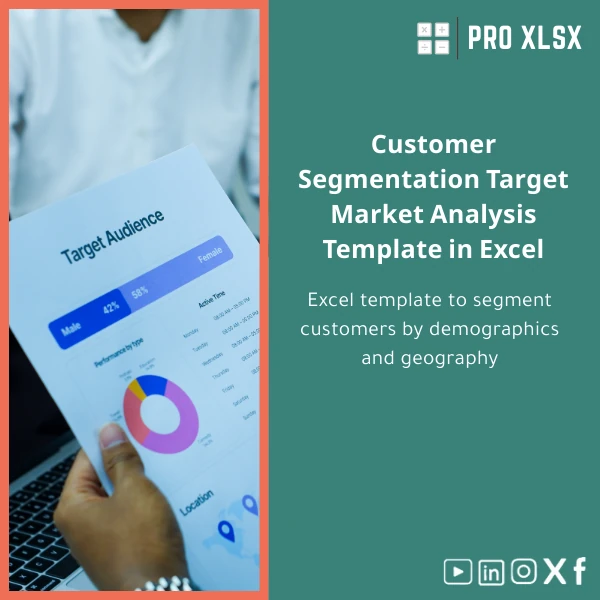
Customer Segmentation Target Market Analysis Template in Excel
Original price was: $37.53.$26.73Current price is: $26.73.
A ready-to-use Target Market Analysis template that turns raw customer data into meaningful segments — by demographics, geography and behaviour — so accountants, analysts and operations teams can make faster, evidence-based marketing and portfolio decisions without complex BI systems.
Key benefits & value for buyers
This Target Market Analysis template is designed to deliver measurable time and cost savings while improving segmentation accuracy. It converts messy customer lists into verified segments and ready-to-use reports without extra software.
Features translated into business value
- Pre-configured segmentation rules: Drop in customer tables and get consistent segments (age, income bracket, region, lifetime value) — reduces manual classification mistakes.
- Interactive dashboard: Decision-ready charts and filters for quick presentations to managers and clients.
- RFM & behavioral flags: Identify high-value and at-risk customers for retention campaigns.
- Audit trail & documentation: Each calculation sheet includes comments and a ‘how it works’ guide — useful for compliance and client reports.
- Light automation (optional): VBA macros available in the Pro edition to refresh imports, update charts and export segment lists automatically.
Use cases & real-life scenarios
Below are practical examples of how different teams use the target audience analysis sheet day-to-day.
For an accounting firm preparing client advisory
Combine sales ledgers with customer attributes to show clients which customer segments provide the highest margin. Use the exportable segment lists to propose targeted pricing or service bundles.
For an e‑commerce data analyst
Run monthly segmentation to measure campaign lift by segment. Filter by region and purchase frequency to create precise audiences for paid channels.
For an SMEs marketing manager
Quickly identify under-served regions and high-potential age brackets. The template’s dashboard makes it simple to present findings to leadership and justify marketing budgets.
Who is this product for?
Designed specifically for professionals and organisations that need reliable Excel-based analysis without the complexity of full BI systems:
- Accountants and auditors who must validate customer-related revenue and segment-based profitability.
- Data analysts seeking a fast, repeatable target market analysis Excel workflow.
- Small and medium companies wanting an affordable way to convert CRM or POS data into marketing segments.
- Consultants and freelancers delivering client-ready segmentation reports.
How to choose the right version
We offer multiple delivery options so you only pay for what you need:
- Basic template: Manual refresh, no macros — best if you prefer formula-only sheets and full control.
- Pro template: Includes safe VBA macros for automated imports, refresh and export routines — ideal for analysts who refresh data often.
- Enterprise + Hourly Service: Template plus on-demand customization by the ProXlsx team (localization, new segment rules, dashboard tweaks) billed hourly.
Choose Basic if you need a low-cost, transparent workbook. Choose Pro if you want automation. Choose Enterprise if you need a tailored solution or rapid implementation support.
Quick comparison with typical alternatives
How this template compares to other common approaches:
- Manual spreadsheets: Faster and less error-prone — template enforces structure and removes repeated setup work.
- Full BI tools: Lower cost and faster deployment — no training or server setup; works inside Excel that teams already use.
- Hiring a data consultant: Cheaper and faster for recurring tasks — consultants are useful for one-off projects, but this template plus occasional hourly support is more cost-effective over time.
Best practices & tips to get maximum value
- Standardise input columns (CustomerID, DOB, Region, LastPurchaseDate) before importing for clean results.
- Run the template on a copy of your data first to validate segmentation logic with stakeholders.
- Use the Pro macros only after enabling macro security policies in your organisation — macros are digitally signed in the Pro edition.
- Document assumptions (e.g., age brackets, revenue thresholds) in the ‘Notes’ sheet to keep analysis reproducible.
- Schedule monthly refreshes and export segment lists directly to your marketing platform for faster campaigns.
Common mistakes when buying/using similar products and how to avoid them
- Buying the wrong edition: If you need automation, avoid the Basic edition. Read the features list before purchase.
- Using inconsistent data: Garbage in leads to garbage out — clean your customer table first or use our hourly data-cleaning service.
- Ignoring documentation: The template includes a step-by-step guide — follow it to preserve auditability and speed adoption.
Product specifications
- File type: .xlsx (Basic) / .xlsm (Pro with macros)
- Excel compatibility: Microsoft Excel 2016+, Excel for Microsoft 365; limited functionality on Excel for Mac (Macros supported on Excel for Mac 2016+ for licensed versions)
- Sheets included: Data Import, Cleanse, Segmentation Logic, RFM Analysis, Dashboard, Exports, Documentation
- Languages: English (editable), easy to localise date and currency formats
- Support: 30-day email support for troubleshooting; hourly customization available
- Delivery: Instant digital download after purchase
Frequently asked questions
Is this template compatible with Excel for Mac and Google Sheets?
Can ProXlsx customise the template to our business segments?
How fast is delivery and what about refunds?
Is my customer data safe if I use the template?
Ready to convert your customer lists into actionable segments?
Buy the template that accountants and analysts trust to produce reliable, repeatable target market analysis. Instant download and optional customization by ProXlsx experts.
Includes documentation, 30-day email support and optional paid customization. Choose Basic, Pro (with automation), or Enterprise + Hourly Service at checkout.






Reviews
Clear filtersThere are no reviews yet.