


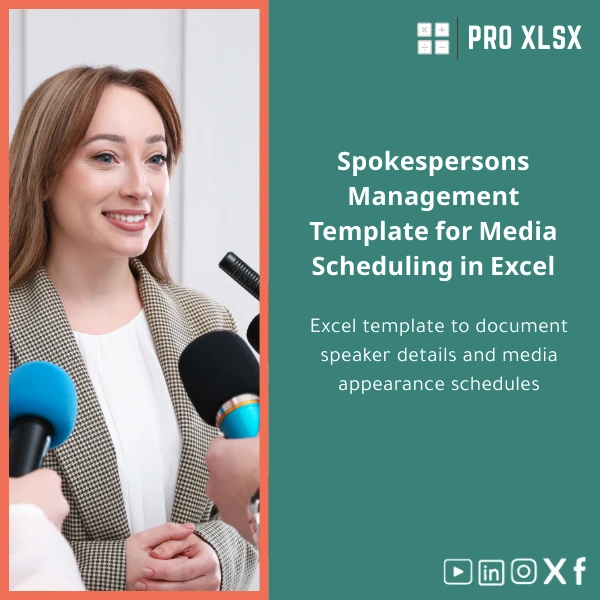
Spokespersons Management Template for Media Scheduling in Excel
Original price was: $37.53.$26.73Current price is: $26.73.
A practical, ready-to-use spokespeople database and media appearance schedule in Excel — built for accountants, data analysts, and companies that need reliable, auditable records of speaker details, availability, and media bookings without complex software.
Key benefits & value for the buyer
The Spokespersons management template converts scattered contact lists and calendar invites into a single, traceable system. For accountants and data analysts this means:
- Faster reconciliations: link appearance records to cost centers and invoices for accurate month-end reports.
- Reduced scheduling conflicts: built-in checks prevent double-booking and flag availability issues before confirmations.
- Consistent reporting: exportable summaries and pivot-ready data let finance teams produce monthly KPIs with minimal manual work.
- Lower overhead: no new software or subscriptions — use your existing Excel licence and keep control of your data locally.
- Flexible delivery: download a ready template or order hourly customization from ProXlsx to match internal workflows or branding.
Use cases & real-life scenarios
Scenario 1 — Corporate communications at a mid-sized company
A communications manager uses the template to maintain a verified list of spokespeople (subject, preferred phrasing, clearances). When a TV request arrives, they filter speakers by availability and expertise, generate the appearance sheet, and send a confirmation — all from the same file.
Scenario 2 — Accounting & billing for outsourced PR
An accounting team links appearance entries to client codes and hourly rates. At month-end they pivot appearances into billable items and reconcile with bank statements. The template’s standardized layout reduces time spent cleaning data for invoices.
Scenario 3 — Data analyst building dashboards
A data analyst pulls the template into Power Query to join with media spend data and produce dashboards. Because the template is designed with normalized columns it integrates quickly with reporting pipelines.
Who is this product for?
The template is targeted at:
- PR teams and corporate communications departments who manage multiple speakers and appearances.
- Accountants and finance teams who need auditable appearance records and simple cost allocation.
- Data analysts and BI teams who require clean, pivot-ready tables for reporting and dashboards.
- Consultants and agencies serving Egyptian and regional clients who prefer Excel-based workflows.
How to choose the right version
Choose based on Excel compatibility and desired automation:
- Basic (XLSX): No macros, safe for locked-down environments and cloud editors. Use if your organization forbids VBA.
- Advanced (XLSM): Includes optional VBA scripts for auto-reminders, ICS export, and one-click printable schedules. Choose this for automation and local Excel desktop use.
- Customization (Hourly): Order a ProXlsx hourly service to add custom fields, integrate with your chart of accounts, or localize language formats.
Quick comparison with typical alternatives
Consider the common options and why this template may be the fastest, lowest-cost solution:
- Manual spreadsheets: prone to errors and inconsistent layouts — our template standardizes fields and includes validation rules.
- Custom databases or SaaS: offer scale but often require licenses, training, or integration projects. The template keeps costs low and delivers immediate value.
- In-house development: can be powerful but slow and costly. ProXlsx provides a professional template plus optional hourly customization to bridge the gap quickly.
Best practices & tips to get maximum value
- Map your existing fields before importing to avoid duplicates. Use the included sample import sheet to prepare CSVs.
- Keep the master file in a controlled shared folder and publish weekly “read-only” snapshots for wider teams.
- Use the pivot-ready “Appearances” sheet for monthly reporting — do not alter the raw data columns to keep formulas intact.
- If you need automated reminders, choose the XLSM version and have ProXlsx adapt the VBA to your email system.
Common mistakes when buying/using similar templates and how to avoid them
- Mistake: Choosing a macro-enabled file when macros are blocked — Fix: verify your IT policy and pick the XLSX variant if necessary.
- Mistake: Importing messy contact lists directly — Fix: clean and map fields using the provided import sheet.
- Mistake: Editing core columns used by formulas — Fix: use the “Notes” column for ad-hoc info and keep core fields consistent.
Product specifications
- File formats: XLSX (no macros) and XLSM (with optional VBA automation)
- Compatibility: Excel 2016, 2019, 2021, Microsoft 365 (desktop); basic XLSX viewable in Excel Online
- Sheets included: Master Spokespersons Database, Media Appearance Schedule, Monthly Summary (pivot-ready), Import Template, User Guide
- Language: English (Arabic localization available via customization)
- Delivery: Instant download after purchase — zipped file with user guide
- Optional services: Hourly customization, data import, VBA automation, and dashboard creation provided by ProXlsx on request
- Security notes: No external connections; macros are optional and clearly documented
Frequently asked questions
Is this template compatible with Excel Online and Google Sheets?
The XLSX version opens in Excel Online and in Google Sheets for viewing and basic editing. The advanced XLSM version includes VBA macros which require Excel desktop (Windows/Mac). If you need cloud-only compatibility we recommend the XLSX variant.
Can you customize the template for our chart of accounts and internal codes?
Yes — ProXlsx offers hourly customization. Typical customization tasks include adding account mappings, client codes, branded print layouts, and integrating export formats for accounting systems.
How does the template help with audit and finance reporting?
The template keeps a standardized record of appearances and includes fields for cost center, approval status, and confirmation timestamps. This creates a clear audit trail that accountants can tie to invoices or payroll entries.
What support is included after purchase?
Each purchase includes a user guide and a support email for setup questions. For hands-on help (data import, automation), ProXlsx provides paid hourly services to implement changes quickly.
Ready to organize your media scheduling and spokesperson database?
Start using a structured, audit-friendly spokespeople management template today — no complex onboarding, fast results for finance and communications teams. Choose the format that fits your environment (XLSX or XLSM) and add customization as needed.
Buy this template now
or contact ProXlsx for hourly customization to match your internal processes.








Reviews
Clear filtersThere are no reviews yet.