




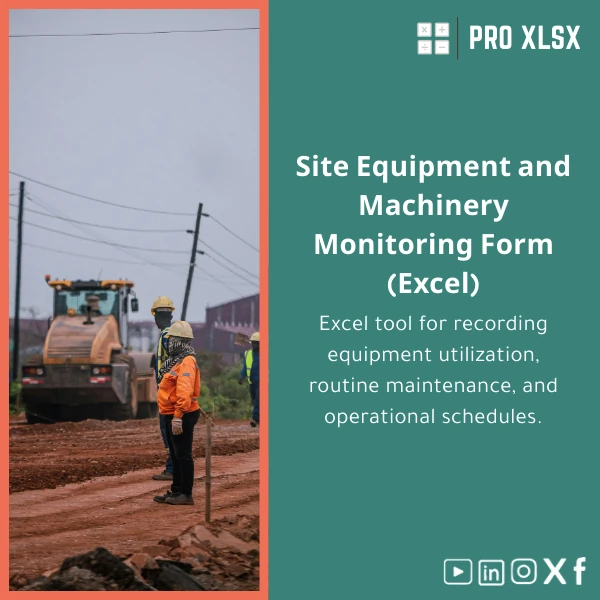
Site Equipment Tracking Template for Machinery Utilization
Original price was: $37.53.$26.73Current price is: $26.73.
A ready-to-use Excel template to log machinery runtime, monitor utilization rates, plan preventive maintenance (PM) schedules and produce clear reports — designed for accountants, data analysts and site teams who need fast, reliable operational control without heavy ERP systems.
Key benefits & value for your team
This site equipment tracking template converts day-to-day machine logs into actionable metrics. It reduces time spent on manual consolidation and gives accounting and operations teams a single source of truth for utilization, maintenance and cost reporting.
What you get — translated into business value
- Accurate utilization figures: Stop guessing — know machine availability and utilization % to optimize fleet size and reduce rental costs.
- Lower downtime: Scheduled PM and alerts reduce unexpected breakdowns and emergency repairs.
- Faster month-end close: Standardized logs and pivot-ready tables make hours validation and accruals quicker for accountants.
- Better project costing: Allocate machine hours per job for precise job-costing and profitability analysis.
- Scalable reporting: Use dashboards or export clean tables to BI tools — no reformatting required.
Use cases & real-life scenarios
Examples of how customers use the site equipment tracking template on-site and in the office:
- Daily site logs: Site supervisors enter start/stop times and fuel or meter readings; the Excel sheet calculates daily runtime and flags exceptions.
- Monthly utilization reports: Equipment managers consolidate weekly sheets into a fleet-level dashboard to decide whether to rent, buy or reassign machines.
- PM planning: Maintenance teams generate a list of upcoming services and filter by priority or site to plan technicians.
- Accounting integration: Accountants use the template to produce month-end machine-hour accruals and link to payroll or subcontractor invoices.
- Data analysis: Analysts import the template into Power Query or Power BI for trend analysis (inputs are structured for immediate use).
Who is this product for?
This product is made for:
- Accountants and finance teams needing reliable machinery-hours records for accruals and cost allocation.
- Data analysts who want clean, pivot-ready tables to build dashboards and forecasts.
- Construction companies and contractors managing mixed fleets across multiple sites.
- Maintenance planners who require a simple PM schedule tied to actual runtime.
- Consultants and auditors who need exportable logs and evidence for compliance checks.
How to choose the right version
Choose based on your fleet size and level of automation required:
- Small site (1–10 machines): Basic sheet with runtime logging, PM due dates and simple project allocation.
- Medium fleet (10–50 machines): Multi-sheet workbook with consolidation, dashboard, and summary reports per site.
- Large operations (50+ machines): Full automation package with VBA macros for imports, scheduled consolidation and printable maintenance schedules. Optional customization service available by the hour.
If unsure, select the medium option — templates are designed to scale and ProXlsx offers customization services to adapt fields, GL mapping or local reporting standards.
Quick comparison with typical alternatives
Common choices and why this template is often a better fit:
- Paper logs: Prone to loss and error. This template standardizes input and protects data integrity with validation rules.
- Generic timesheets: Not optimized for machine hours and PM triggers. This template includes equipment-specific fields and utilization formulas.
- Full fleet management systems: Powerful but costly and slow to deploy. The Excel template gives immediate control at a fraction of the cost, with the option to upgrade later.
Best practices & tips to get maximum value
- Define a single point of entry per site (site supervisor or admin) to avoid duplicate rows.
- Use meter readings instead of estimated hours when possible for greater accuracy.
- Schedule weekly consolidation and a monthly review between operations and accounting to reconcile differences early.
- Leverage the included pivot-ready layout to build a simple Power BI dashboard for executive reporting.
- Use the optional ProXlsx hourly service to tailor the template to your chart of accounts or Arabic/English bilingual fields.
Common mistakes when buying/using equipment tracking templates — and how to avoid them
- Buying the most complex option immediately: Start with a simpler workbook and scale; customization is available if needed.
- Neglecting data validation: Activate the template’s validation lists to avoid inconsistent machine names or project codes.
- Forgetting backups: Save weekly copies or use cloud storage to protect historical logs.
- Not training users: Provide a 30‑minute walkthrough for site staff — small training prevents 80% of input errors.
Product specifications
- File format: .xlsx (Excel 2016 and later), compatible with Office 365.
- Sheets included: Daily Log, Fleet Summary, PM Scheduler, Project Allocation, Dashboard, Import/Export.
- Automation: Optional VBA macros for consolidation, export to CSV and printable reports.
- Language: English (custom bilingual options available on request).
- Delivery: Instant download after purchase. Editable and unlocked except for protected formula cells.
- Support: Documentation included + 3 days email support; paid hourly customization available via ProXlsx services.
- Intended use: Construction equipment tracking, machinery log template Excel, site equipment utilization sheet.
Frequently asked questions
Is the template compatible with Arabic and right-to-left data?
Yes. The workbook supports Arabic text entry. Labels are in English by default to match accounting standards, but fields are editable — ProXlsx offers paid bilingual customization for full Arabic UI and RTL layout if needed.
Will this replace a dedicated fleet management system?
Not always. For companies needing telematics, GPS or automated machine telemetry, a dedicated system is appropriate. This Excel template is ideal where manual logging and cost allocation are primary needs or as a low-cost interim solution before investing in full fleet software.
Can I integrate the template with my accounting system?
The template provides clean export formats (CSV) and a chart-of-accounts mapping sheet to ease import. For direct integrations, ProXlsx offers hourly services to customize export layouts to your ERP or accounting package.
What support comes with the purchase?
Instant download includes user guide and 3 days of email support for setup questions. Additional customization or training sessions can be purchased by the hour.
Ready to start tracking utilization and reducing downtime?
Get immediate access and start logging equipment hours, scheduling maintenance and producing accurate cost reports today. For Egyptian companies that want quick deployment and local support, ProXlsx combines practical templates with on-demand customization.
If you need help choosing the right version or want custom integration, contact ProXlsx for hourly implementation support after purchase.
Related products

Break-Even Analysis Template for Cost and Profit Estimation
A ready-to-use Break-Even Analysis template in Excel to calculate the sales volume needed to cover costs, model profit scenarios, and produce clear management-ready charts and a margin of safety calculator. Designed for accountants, analysts, and companies who need fast, reliable decision support without complex systems.







Reviews
Clear filtersThere are no reviews yet.