




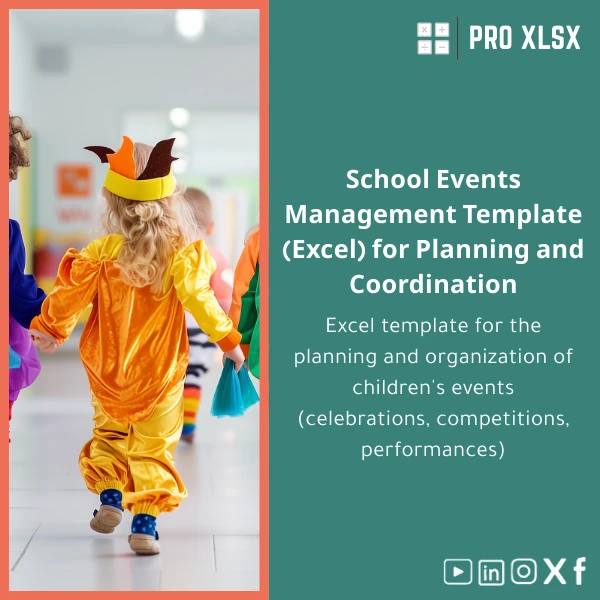
Excel School Events Management Template for Kids’ Celebrations
Original price was: $18.63.$13.23Current price is: $13.23.
A ready-to-use, analyst-grade Excel school events planner that lets accountants, data teams and school operations managers plan, budget, and report on children’s celebrations, contests and shows — fast, accurate and auditable.
Key benefits & value for buyers
This School events management template in Excel converts informal checklists into an auditable, repeatable process. It’s not a decorative planner — it’s a working tool built to save time, reduce cost overruns and integrate event data with accounting systems.
Concrete outcomes
- Reduce planning time by 50%: pre-built timelines, task owners and notifications (via conditional formatting) shorten coordination cycles.
- Control budgets and approvals: expense categories, vendor quotes and an automated variance report help you avoid overspend.
- Produce management-ready reports: pivot-ready sheets and exportable summaries for finance reviews and audit trails.
- Scale across events: reusable templates for recurring celebrations (sports day, recital, end-of-year show) with consistent KPIs.
Use cases & real-life scenarios
Case 1 — School finance team
Accountants use the budget sheet to consolidate vendor quotes, record deposits, and produce a final cost statement per event — ready for the school’s accounting package. The template’s clear formulas make reconciliations faster and reduce month-end queries.
Case 2 — Event coordinator
Coordinators schedule rehearsals, assign volunteers, track equipment and manage attendance on dedicated sheets. Conditional formatting highlights overdue tasks and low inventory so you can act before the day of the event.
Case 3 — External agencies & data analysts
Companies that run events for multiple schools consolidate multiple templates into a single dashboard for KPI comparisons — cost per child, average vendor rating, and on-time delivery rates. Analysts can import these sheets into Power BI or other tools for higher-level reporting.
Who is this product for?
While designed for school celebrations, this school event management sheet is specifically aimed at professional users who need accuracy, auditability and repeatability:
- Accountants and internal auditors managing event budgets and vendor contracts.
- Data analysts consolidating operational metrics across events.
- Schools, educational foundations and service providers who must deliver predictable, documented outcomes.
- Companies offering event services that require invoice-ready cost breakdowns and attendance reports.
How to choose the right version
Choose based on workflow and technical comfort:
- Standard XLSX — Best if you want a fast download and manual updates (no macros).
- Advanced XLSM — Includes optional VBA automations for printable programmes, receipts and bulk PDF export. Choose this if you want automation and batch outputs.
- Customized template (hourly service) — ProXlsx offers per-hour customization: add new fields, localize terms, or link to your accounting chart of accounts.
If you are unsure, pick Standard and add customization later — the template is built so a ProXlsx specialist can extend it quickly.
Quick comparison with typical alternatives
Many teams use ad-hoc spreadsheets, paper checklists or expensive event software. Compared to those:
- Ad-hoc spreadsheets: Faster to deploy than starting from scratch, with standardized fields and fewer errors.
- Paper checklists: Fully digital, searchable and auditable; supports budgeting and reporting.
- Commercial event platforms: Lower cost, no subscription, and easier for finance teams to control data inside Excel.
Best practices & tips to get maximum value
- Start with the budget sheet — adding accurate vendor quotes early prevents last-minute surprises.
- Use data validation for vendor names and expense categories to keep reports clean and pivot-friendly.
- Keep one master copy per school or event type and duplicate for each occasion to preserve historical data.
- If you need automated outputs (programmes, receipts), select the XLSM version and request ProXlsx VBA tuning.
Common mistakes when buying/using similar templates — and how to avoid them
- Buying a generic template without budget controls — choose one with expense categories and variance reporting.
- Underestimating auditability — ensure formulas are visible and totals reconcile to transactions.
- Ignoring automation needs — if you execute many events, the time saved by VBA automation justifies the small upgrade cost.
- Skipping training — a 30-minute walkthrough with your team reduces errors and speeds adoption; ProXlsx offers short onboarding sessions.
Product specifications
- File format: XLSX (Standard) / XLSM (with optional macros)
- Compatible with: Excel 2016 or later (Windows/Mac); limited features on Excel Online
- Sheets included: Overview dashboard, Budget & Quotes, Event Schedule, Task Tracker, Guest List & Attendance, Vendor Directory, Inventory & Supplies, Programme/Run-sheet, Printable Reports
- Automation: Optional VBA scripts for batch PDF export, printable programme templates and receipt generation
- Support: Documentation included; ProXlsx offers hourly customization and implementation services
- License: Single-school use with options for site/company license available
- Delivery: Instant digital download after purchase; customization turnaround typically within 24–72 hours depending on scope
Frequently asked questions
Can I link the template to my accounting chart of accounts?
Yes. The template uses category codes that can be mapped to your chart of accounts. ProXlsx offers a customization service to map fields and automate export to your accounting system.
Is the XLSM version safe to use (macros)?
Macros in the XLSM version perform task automation only (exports, print layouts). You can review the VBA code before enabling macros. ProXlsx provides documentation and optional code review upon request.
Do you provide support for multiple schools or multi-event consolidation?
Yes. ProXlsx can consolidate multiple event files into a single dashboard or provide a multi-tenant version. This is offered as a customization by the hour.
What if the template doesn’t fit our exact workflow?
Choose the customization service. ProXlsx specializes in rapid, practical changes — adding fields, localizing labels, or creating additional reports — billed by the hour.
Ready to organize events like a pro?
Download a School events management template that accountants and analysts trust. Get a repeatable process for scheduling, budgeting and reporting — plus optional ProXlsx support to adapt it to your needs.
If you need customization, after purchase you can request hourly services from ProXlsx to integrate the template with your processes and reporting standards.
Related products

Break-Even Analysis Template for Cost and Profit Estimation
A ready-to-use Break-Even Analysis template in Excel to calculate the sales volume needed to cover costs, model profit scenarios, and produce clear management-ready charts and a margin of safety calculator. Designed for accountants, analysts, and companies who need fast, reliable decision support without complex systems.

Excel Bank Reconciliation Template for Accurate Financial Tracking

Excel Fixed Assets Management Template with Auto Depreciation

Excel Template for Chart of Accounts for Various Industries

Indirect Manufacturing Costs Allocation Template in Excel

Interest Calculation Template for Excel with Cash Discounts
An Excel-ready interest calculation template that computes simple and compound interest, generates early‑payment cash discount schedules, and converts those results into clear reports and cashflow tables — built for accountants, data analysts, and finance teams who need reliable, fast answers without custom development.


Reviews
Clear filtersThere are no reviews yet.