




Requirements Traceability Matrix Template for Project Management
Original price was: $37.53.$26.73Current price is: $26.73.
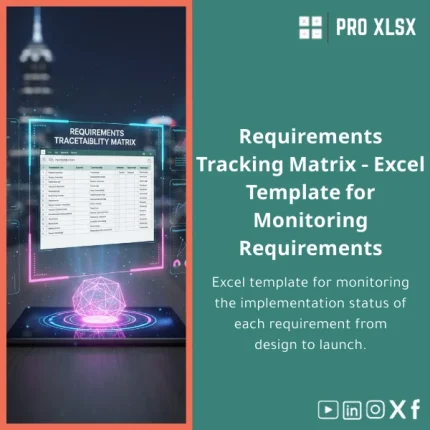
A purpose-built Requirements Traceability Matrix (RTM) in Excel to track each requirement from capture through design, testing and launch — fast to deploy, easy to maintain, and ready for immediate use by accountants, data analysts and project teams.
Key benefits & value for your team
The Requirements Traceability Matrix template converts loosely managed requirement lists into a controlled, auditable, and searchable asset. For accountants, analysts and managers the RTM delivers:
- Faster audits and reviews: standardized fields and filters make compliance checks and internal audits quick and repeatable.
- Clear ownership and accountability: assign owners, set priorities and track status in one place to reduce follow-ups.
- Reduced rework: link requirements to design items and test cases to detect scope gaps before launch.
- Cost control: early visibility into changes and impacted items helps forecast budget and timeline adjustments.
This template is optimized for the way finance and operations teams work — structured tables, consistent naming, and exportable summaries for reports.
Use cases & real-life scenarios
1. Financial systems implementation
When migrating accounting modules, use the requirements tracking template to ensure each regulatory and reporting requirement maps to development and test cases — preventing missing controls at go-live.
2. Internal IT projects
Data analysts can track data source requirements, transformation logic and validation tests. The RTM provides a concise handover pack from dev to operations.
3. Audit readiness
For external and internal audits, produce a traceability extract showing requirement history, change notes and verification evidence — ready within minutes.
Who is this product for?
This Requirements Traceability Matrix is designed for:
- Accountants and finance teams running system or process changes
- Business analysts and requirements engineers who need a reliable traceability log
- Data analysts mapping business rules to reports and tests
- Small and medium companies that prefer Excel to heavy ALM systems
If your team needs a simple, auditable, Excel-based “single source” for requirements and test mapping, this template fits well.
How to choose the right version
We offer the template in variants to match technical comfort and project complexity:
- Standard (xlsx) — formula-driven, no macros. Best for strict IT policies or users who prefer manual control.
- Advanced (xlsx + optional VBA) — includes macros to generate reports and filtered views. Choose this for automation of repetitive tasks.
- Custom implementation (hourly service) — we can adapt column sets, add Arabic labels, import existing requirement lists, or build dashboards (billed by the hour).
If unsure: start with the Standard version and request customization later — the structure is compatible with upgrades.
Quick comparison with typical alternatives
- Manual Word/Excel lists: cheaper initially but inconsistent and hard to audit. The RTM template enforces structure and trace links.
- Dedicated ALM or requirements tools: powerful but often expensive and complex. Our template provides fast ROI with lower cost and no training overhead.
- Project management tools (ticketing systems): good for tasks but not optimized for requirement-to-test mapping and traceability reports.
The Requirements Traceability Matrix template is the pragmatic middle ground: structured, exportable, and immediately useful for teams already working in Excel.
Best practices & tips to get maximum value
- Define a naming convention for requirement IDs before import.
- Use the “owner” and “priority” columns to automate weekly status filters and dashboards.
- Keep a single canonical RTM per project — link team members to it instead of maintaining copies.
- Export a snapshot before major changes for audit evidence.
- If you use macros, enable them only from trusted sources and keep a macro-free copy for auditors.
Common mistakes when buying or using RTM templates — and how to avoid them
- Mistake: Buying a generic tracker. Fix: Choose an RTM with explicit trace columns (requirement → design → test).
- Mistake: Overcomplicating the matrix. Fix: Start with essential fields, add columns only when they add measurable control.
- Mistake: Ignoring backups. Fix: Use versioned snapshots before bulk edits and before deployment decisions.
Product specifications
- File format: .xlsx (standard); optional macro-enabled workbook (.xlsm) for advanced version
- Compatibility: Excel 2016, 2019, Microsoft 365 (Windows & Mac with feature notes)
- Sheets included: RTM Master, Requirements Log, Design Map, Test Cases, Reports
- Key fields: Requirement ID, Title, Description, Business Objective, Priority, Owner, Status, Linked Design ID, Linked Test ID, Verification Method, Comments, Change Log
- Localization: English; Arabic label customization available as a paid service
- Delivery: Instant download after purchase; customizations delivered by hourly service
- Support: Basic instructions included; optional paid setup & data migration
FAQ
Can I use this template with existing project trackers (Jira, Trello)?
Yes. The template is Excel-native and designed to import/export CSV. Use it as a canonical requirements register and export subsets to your ticketing tool, or import issue lists into the RTM for traceability and reporting.
Is the advanced version safe to use with macros?
The advanced option contains VBA macros to automate reports. We sign the macros and provide a macro-free copy if your IT policy disallows macros. Instructions on enabling macros are included.
What if the template doesn’t match my company’s fields?
You can customize columns locally, or order a paid customization. ProXlsx provides hourly services to map your fields, import existing data, and add dashboard visuals.
How quickly can I get a customized RTM?
Small customizations (labels, extra columns) are typically delivered within 24–48 hours. Larger implementations or dashboard work are scoped and scheduled based on requirements; hourly execution is available.
Ready to standardize requirements and speed up launch decisions?
Download a professional Requirements Traceability Matrix built for Excel workflows — or request a tailored setup from our experts. The template includes the core structure BAs, accountants and data analysts need to reduce risk and improve visibility.
Prefer a custom implementation or need help migrating existing requirement lists? Contact ProXlsx for hourly data services and VBA automations — fast delivery focused on Egyptian companies and regional accounting practices.






Reviews
Clear filtersThere are no reviews yet.