




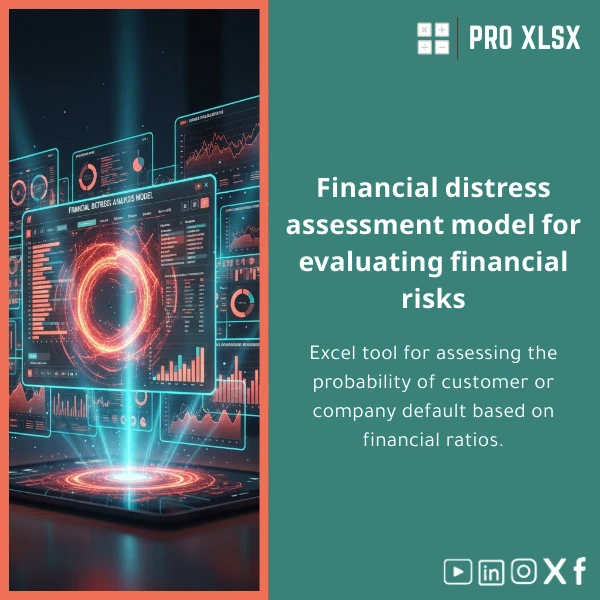
Probability of Financial Default Analysis Estimator Template
Original price was: $94.23.$75.33Current price is: $75.33.
Estimate Probability of Default (PD) from financial ratios quickly and reliably. A ready-to-use Excel model for accountants, credit officers and data analysts who need a practical, auditable PD estimator with clear outputs, calibration checks and a management dashboard.
Key benefits & value for buyers
This probability of financial default analysis template converts raw financial statements into an actionable PD estimate and risk segmentation. It saves time, reduces spreadsheet errors and produces auditable outputs managers trust:
- Speed: From raw data to PDs and portfolio dashboards in under an hour for typical datasets.
- Transparency: Every calculation is visible and documented — ideal for auditors and regulators.
- Adaptability: Change ratios, add local variables, or upload historical labels to recalibrate the model.
- Cost-efficient: A fraction of the price and complexity of custom software or outsourced analytics.
- Actionable outputs: Scorecards, PD buckets, expected loss approximations and monitoring charts ready for reports.
Use cases & real-life scenarios
1. Bank credit teams
Screen loan applicants and corporate exposures with a standard PD column to combine with LGD and EAD for expected loss calculations. Use the dashboard to set provisioning triggers.
2. Accountants & auditors
Validate management’s impairment assessments by reproducing PDs from financial ratios and sensitivity tests. Export calibration reports for working papers.
3. SMEs & corporate treasuries
Monitor counterparty health across suppliers and customers. Automatically flag high-risk accounts for credit review or prepayment conditions.
4. Data analysts & consultants
Use the template as a starting point for scoring projects: add local variables, test alternative models, or integrate with Power Query for ETL tasks.
Who is this product for?
Designed for professionals who need a practical PD estimator without building models from scratch:
- Accountants preparing impairment and provisioning schedules.
- Credit risk analysts and lending officers assessing borrower probability of default.
- Data analysts requiring a reproducible, auditable Excel PD model.
- Consultants and small analytics teams needing fast deliverables and local customization.
How to choose the right template & options
Choose based on dataset size, automation needs and local requirements:
- Small portfolios (under 5,000 rows): Non-macro .xlsx version — faster setup and easy sharing.
- Larger datasets or repeated runs: Macro-enabled .xlsm with automation and batch import routines.
- Localization: Select the version with Arabic/English labels and number-format settings if you work with Egyptian accounting formats.
- Custom calibration: Order hourly customization from ProXlsx if you need model retraining on your historical default data.
Quick comparison with typical alternatives
You may consider spreadsheets, bespoke models, or commercial credit platforms. Here’s how this template compares:
- Vs. blank spreadsheets: Saves weeks of development — built-in diagnostics and validation sheets prevent common errors.
- Vs. full custom development: Lower cost and immediate delivery; ProXlsx offers paid customization if you need unique variables.
- Vs. expensive risk platforms: No installation or licensing — ideal for smaller banks or corporate credit teams that need practical outputs without heavy IT projects.
Best practices & tips to get maximum value
- Start with a clean sample dataset provided and map your columns to the template fields before importing.
- Use the calibration sheet with at least one year of labeled defaults if possible — recalibrate coefficients to improve local accuracy.
- Document any custom thresholds you apply and save a copy of the raw inputs for audit trails.
- Run the sensitivity and ROC checks included to understand the model’s discrimination and stability.
- Consider the optional ProXlsx hourly service for data cleaning, localization or VBA automation if you lack internal resources.
Common mistakes when buying or using PD templates — and how to avoid them
- Assuming default rates are universal: Always calibrate to local data — use the template’s calibration guide.
- Ignoring data quality: Garbage in → unreliable PDs. Use the provided data checks before running the model.
- Expecting perfect predictions: PD models give probabilities, not certainties — combine PD with LGD/EAD for business decisions.
- Skipping documentation: Keep copies of model runs and assumptions for audits and future recalibrations.
Product specifications
- Format: Excel workbook (.xlsx) + optional macro-enabled version (.xlsm)
- Compatibility: Excel 2016, 2019, Microsoft 365 on Windows and recent macOS versions (macros limited on Mac)
- Sheets included: Input mapping, Ratio calculations, PD estimator (logistic), Calibration & validation, Dashboard, Sample dataset, Documentation
- Language: English with an Arabic-labeled option available on request
- Deliverables: Download link, user guide, sample data, and upgrade options for custom calibration or hourly implementation services
- Support: ProXlsx offers paid hourly services for data import, customization and VBA automation
Frequently asked questions
Can I use this template with Arabic-number formats and Egyptian accounting data?
Yes. The template supports common number and date formats. We provide a localization guide and can deliver an Arabic-labeled copy or perform the localization for you as a paid service.
Does the estimator require historical default labels to work?
No — the template includes a baseline logistic PD estimator built from standard financial ratios. For better accuracy and calibration to your portfolio, use historical labels to recalibrate coefficients; ProXlsx can help with that process.
Is the macro-enabled version necessary?
The .xlsx version is sufficient for most one-off analyses. Choose the .xlsm if you want automated imports, batch processing, or button-driven recalibration. Note: macros are limited on some Mac Excel versions.
What support is included after purchase?
Purchase includes the workbook, sample data and a user guide. Additional support — data mapping, bespoke calibration, VBA automation — is available billed hourly through ProXlsx execution services.
Ready to estimate PDs and improve credit decisions?
Download the Probability of Financial Default Analysis Estimator Template now and start converting your financial statements into actionable risk measures. If you need custom calibration or data integration, add ProXlsx hourly services at checkout.








Reviews
Clear filtersThere are no reviews yet.