


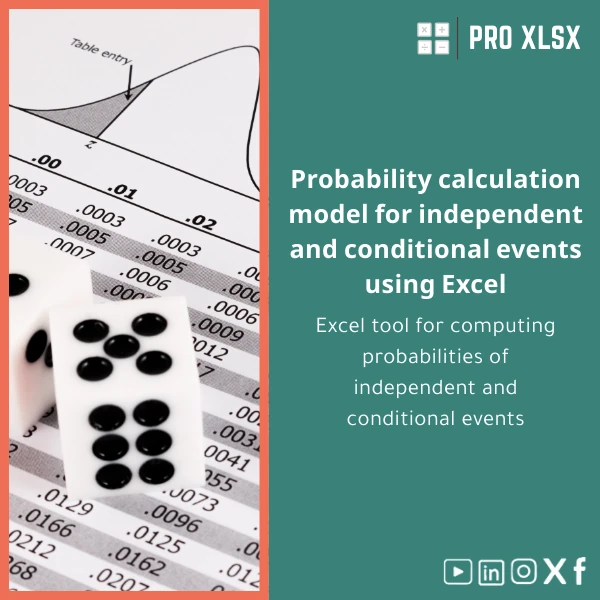
Probability Calculation Template for Independent and Conditional Events
Original price was: $48.33.$37.53Current price is: $37.53.
A ready-to-use Excel probability calculation template that helps accountants, data analysts, and finance teams compute probabilities of independent and conditional events quickly, accurately, and auditable for reporting or decision models.
Key benefits & value for the buyer
The Probability calculation template turns complex probability theory into a practical tool for business decisions. Rather than writing formulas from scratch or relying on manual whiteboard calculations, you get a structured workbook that:
- Reduces calculation time: Pre-built formula blocks for P(A), P(B), P(A∩B), P(A|B) and related metrics.
- Improves accuracy: Locked formula ranges and input validation minimize human error in reports and reconciliations.
- Increases transparency: Step-by-step sheets make it easy for reviewers, auditors, and managers to follow assumptions and inputs.
- Integrates with workflows: Copy-paste or link your source tables — the template accepts frequency tables, contingency matrices, and raw event data.
- Scales with need: Use the basic worksheet for quick checks or the macros-enabled version for batch processing of scenarios.
Use cases & real-life scenarios
Accounting & Audit
Use the Excel probability template to estimate the likelihood of sampling errors, compute probabilities for risk-based audit procedures, or present scenario analyses to partners with clear documentation.
Operational Risk & Controls
Model independent control failures vs. conditional events when controls are dependent (e.g., failure of control A given a failure in process B), and feed results into risk registers or dashboards.
Data Analysis & Reporting
Analysts can convert contingency tables into conditional probability matrices for segmentation, churn analysis, or causal assumptions — without writing complex formulas each time.
Who is this product for?
This probability of independent events and conditional events template is designed for:
- Accountants and external/internal auditors who need auditable probability calculations.
- Data analysts preparing scenario testing, event correlations, or predictive inputs for models.
- Companies that need fast, documented probability inputs for financial models, contingency planning, or operational risk assessments.
- Consultants and instructors who want clear worked examples for client deliverables or training sessions.
How to choose the right version
The template is available in two practical formats — choose based on your environment and security policies:
- .xlsx (no macros): Ideal if your organisation disallows macros or you need a lightweight, portable file. Contains full calculation logic using built-in Excel formulas and data validation.
- .xlsm (macros-enabled): Includes small VBA helpers for batch scenario runs, printable summary reports, and automation of repeated imports. Choose this if you want to automate repetitive tasks and your IT policy allows signed macros.
Consider your Excel version (Office 365, Excel 2019+, or Excel for Mac) and whether macros are permitted. The template includes compatibility notes and a short setup guide.
Quick comparison with typical alternatives
- Manual formula building: Slower, higher risk of mistakes; our template offers pre-tested formulas and checks.
- Custom-built solutions: Fully bespoke tools are more expensive and take time; this template is an immediate, lower-cost alternative with optional custom services from ProXlsx if you need tailoring.
- Statistical packages: R or Python provide power but require coding skills; this Excel template works inside your existing spreadsheets and reporting pipelines with minimal learning curve.
Best practices & tips to get maximum value
- Always keep a copy of raw input data separate from the template’s calculation sheet to preserve audit trails.
- Use the provided example scenarios to validate the template before applying it to live reports.
- If using the .xlsm file, test macros in a controlled environment and enable macros only from trusted locations.
- Link key outputs to your dashboard or financial model rather than copying values—this maintains a live connection and reduces reconciliation work.
- Contact ProXlsx services for rapid customization if your business requires additional columns, bespoke outputs, or integration with existing macros.
Common mistakes when buying or using probability templates — and how to avoid them
- Ignoring input validation: Always use the template’s validation to avoid dividing by zero or mis-specified probabilities.
- Mixing file versions: Avoid editing macros-enabled files on unsupported Excel for Mac versions; use the .xlsx version if unsure.
- Overlooking documentation: Read the short method notes included — they prevent misinterpretation of conditional vs. joint probability cells.
Product specifications
- Files included: probability-template.xlsx (formula-only), probability-template.xlsm (with optional VBA helpers)
- Compatibility: Excel for Windows (Office 2016+), Office 365; Excel for Mac supported (macros limited)
- Sheets: Input & raw data, Frequency/contingency table, Calculation steps, Summary outputs, Example scenarios, Readme & methodology
- Macros: Optional; signed VBA modules for batch calculations and printable report generation (in .xlsm)
- Language: English (workbook notes and formulas), with clear annotation for Arabic-speaking teams
- Delivery: Digital download after purchase; includes installation and usage notes
- Support: Technical support and quick customization services available via ProXlsx (hourly execution services also offered)
FAQ
Can I use this template if macros are disabled by company policy?
Yes. The .xlsx version contains the full calculation logic using native Excel formulas and validation without any macros. Use the .xlsm version only if your IT policy allows macros.
Does the template handle both discrete frequency data and raw event lists?
Yes. The template accepts frequency/contingency tables and also includes a helper sheet to convert raw event lists into frequency counts suitable for probability calculations.
Will the workbook explain the steps used to calculate conditional probabilities?
Every calculation step is documented in a separate sheet with formula references, making it audit-ready for reviewers and easy to explain in client deliverables.
I need a custom output format for reports — can ProXlsx adapt the template?
Yes. ProXlsx offers hourly execution and customization services to adapt templates, create new output layouts, or automate integration with your reporting systems.
Ready to compute probabilities faster?
Purchase the Probability calculation template now and start producing consistent, auditable probability results for your financial models, risk assessments, and data reports. Instant download and optional customization services are available from ProXlsx.






Reviews
Clear filtersThere are no reviews yet.