




PPE Usage Tracker Template for Monitoring Equipment Lifespan
Original price was: $37.53.$26.73Current price is: $26.73.
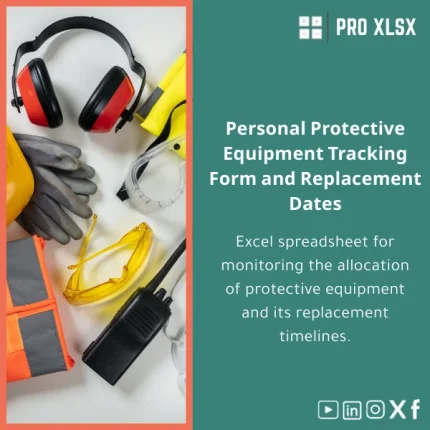
Ready-to-use Excel template to log PPE distribution, monitor condition and replacement dates, generate alerts, and produce monthly reports — designed for accountants, data analysts and operational teams who need accurate, auditable PPE records without complex systems.
Key benefits & value for your team
Beyond a simple spreadsheet, this PPE usage tracker translates raw records into decisions: when to reorder, when to replace, and where spend concentrates. It reduces data entry time, improves compliance readiness, and supports budgeting with historical usage trends.
Operational benefits
- Faster audits: structured logs and a consolidated “proof of issue” sheet that auditors can review in minutes.
- Lower risk of expired equipment in the field via visual alerts and upcoming replacement lists.
- Cost visibility: rolling consumption and replacement cost summaries to inform procurement cycles.
Data & reporting benefits
- Ready-made dashboards for monthly/quarterly analysis — no formulas to write.
- Filters and pivot-ready ranges for accountants and analysts to slice by department, vendor, or date.
- Optional VBA macros to auto-generate monthly PDFs or email notification lists.
Use cases & real-life scenarios
Designed for practical, everyday application in Egyptian companies and regional operations where Excel is the standard tool for compliance and finance.
Scenario: Construction firm — monthly replacement planning
Site managers record issued gloves, helmets and harnesses. The template flags items near end-of-life and creates a reorder list grouped by supplier and delivery lead time — enabling procurement to consolidate orders and reduce rush costs.
Scenario: Manufacturing plant — audit trail for safety inspections
Safety officers use the PPE distribution log to attach inspection dates and condition notes. When inspectors request evidence, the plant exports the filtered history for the inspected unit in under a minute.
Scenario: Finance team — cost allocation
Accountants map PPE costs to cost centers and run monthly variance reports that feed into departmental budgets and CAPEX planning.
Who is this product for?
This PPE usage tracker Excel template targets:
- Accountants and finance teams needing traceable PPE expense allocation.
- Data analysts and business intelligence staff who require clean, pivot-ready records.
- HSE officers, safety managers, and small- to medium-sized companies that want an audit-ready PPE distribution log without adding ERP modules.
- Consultants and auditors providing compliance services to clients.
How to choose the right version
We offer two common distributions and advice for selecting between them:
- Standard (Excel workbook): All tracking sheets, dashboards, and simple formulas. Best if you use Office 365 or Excel 2016+.
- Pro (Excel + optional VBA): Includes automation macros for scheduled reports and automated expiry email lists. Choose Pro if you want one-click exports and are comfortable enabling macros.
If you need a bespoke column, additional fields, or integration with your payroll system, consider our hourly customization service — fast implementation by our Excel specialists.
Quick comparison with typical alternatives
Why choose the PPE tracker template over custom software or paper logs?
- Faster deployment — download and start in minutes vs. weeks for new software.
- Lower cost — fixed template price or hourly customization versus licensing or implementation fees.
- Familiarity — uses Excel features your team already knows; minimal training required.
- Flexibility — editable structure to reflect company policy, lifecycle definitions, and reporting needs.
Best practices & tips to get maximum value
- Define lifecycle rules before populating data (e.g., gloves = 6 months, helmets = 3 years) to get accurate alerts.
- Use unique item identifiers (barcode or serial) when possible — it improves traceability and simplifies replacements.
- Schedule a monthly export of the “expiry list” and attach it to purchase requests.
- If using the Pro version, enable macros in a controlled environment and store a backup before running automated routines.
- Train one administrator to maintain the master file and set read-only access for other users to prevent accidental edits.
Common mistakes when implementing PPE tracking and how to avoid them
- Incomplete records — always capture issue date, assigned person, and expected life. Use mandatory fields in the template.
- Ignoring inspection notes — add condition and inspection columns to the log and review during safety meetings.
- Relying on manual reminders — enable conditional formatting and, in Pro, automated emails to reduce human error.
- Not aligning with procurement — map consumption rates to reorder points to avoid stockouts or overstocking.
Product specifications
- Format: .xlsx (Excel workbook) — compatible with Excel 2016+, Office 365.
- Sheets included: Master Log, Issue Form, Replacement Schedule, Dashboard, Audit Export, Instructions.
- Optional macros: Monthly report generation, expiry email list (Pro version requires macro enablement).
- Localization: English (works with Arabic labels if translated locally).
- Delivery: Immediate digital download after purchase; customization available by the hour.
- Support: Setup guide included; paid hourly support for data import, field customization, or automation.
Frequently asked questions
Can I import our existing PPE list into this template?
Yes. The template includes a clear import structure. If your data is in CSV or another Excel file, map your columns to the master log and paste. For bulk imports or complex mappings we offer an hourly data migration service.
Will the tracker work offline or on Google Sheets?
The template is designed for Excel desktop and Office 365. Basic functionality may work in Google Sheets but formulas and VBA macros may not be compatible. We can provide a Google Sheets conversion as a paid service.
Is there a way to receive alerts automatically?
The Pro version includes optional VBA that can generate expiry lists and save monthly reports. For automated email alerts, we can customize macros to integrate with Outlook or provide a script — this is available as an hourly customization.
How secure is the data in the template?
Data security depends on how you store the file. We recommend storing the workbook on a secured shared drive with controlled access and regular backups. The Pro template can be locked with a password for certain sheets to prevent accidental edits.
Ready to start tracking PPE properly?
Download a dependable PPE usage tracker built for finance, safety, and operations teams. Immediate download — editable, auditable, and backed by ProXlsx support.






Reviews
Clear filtersThere are no reviews yet.