



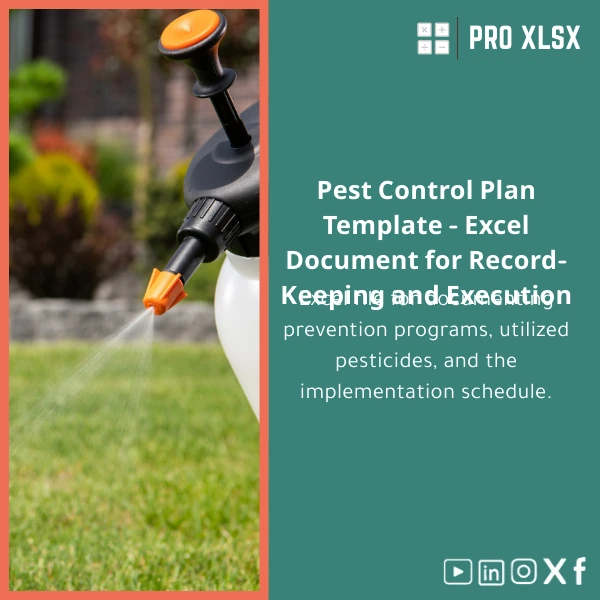
Pest Control Plan Template for Pesticide Management in Excel
Original price was: $37.53.$26.73Current price is: $26.73.
A ready-to-use Excel template that documents prevention programs, tracks pesticides used, schedules applications and logs execution — built for accountants, data analysts, and companies that must control pesticide costs, compliance, and operational execution with audit-ready spreadsheets.
Key benefits & value for your organisation
This Pest Control Plan Template translates operational pesticide activities into reliable records and actionable KPIs. It removes guesswork and manual reconciliation by providing:
- Cost control: Track purchases, usage per field/line, and cost per hectare/unit to reduce waste and improve budgeting.
- Compliance & reporting: Build inspection-ready logs with application details, MSDS references, and operator signatures.
- Operational clarity: Clear schedules, reminders, and a dashboard that shows upcoming and overdue treatments.
- Data readiness: Clean tables and standardized codes make data export to accounting or BI tools straightforward.
For accountants and data analysts, the template turns fragmented pest-control notes into verifiable entries that tie to procurement and payroll records — simplifying month-end reconciliations and cost-allocation models.
Use cases & real-life scenarios
Example 1 — Farm manager
A medium-sized farm uses the template to plan preventive sprays for three crops. The manager records product batch numbers and amount applied per plot. At month end, the accountant pulls usage by crop and reconciles pesticide costs against supplier invoices.
Example 2 — Food processor & warehouse
A food-processing plant schedules monthly fumigation and logs technician actions. The compliance officer prints the monthly pesticide log for auditors and attaches it to the HACCP documentation folder.
Example 3 — Data analyst
An analyst uses the pivot-ready sheets to model consumption trends and forecast seasonal purchases, enabling procurement to negotiate better prices and reduce emergency orders.
Who is this product for?
This template is designed for:
- Accountants who need accurate pesticide cost allocation and audit evidence.
- Data analysts building operational dashboards or forecasting models.
- Farm and facility managers who must schedule, document, and verify treatments.
- Quality and compliance teams that require printable logs and traceable records.
How to choose the right version
We offer three practical versions tailored to workflow complexity:
- Basic (.xlsx) — Manual entry, no macros. Good for small farms and single-site operations.
- Pro (.xlsm) — Includes VBA for reminders, printable reports, and bulk import. Best for multi-field operations and managers who want automation.
- Enterprise + Customization — Template plus hourly custom work to adapt fields, integrate with accounting exports, or add language labels. Ideal for companies that require system integration.
If you’re unsure, choose Pro for extra automation; it retains full manual functionality and a macro-free fallback sheet for quick sharing.
Quick comparison with typical alternatives
- Build from scratch: High development time and inconsistent records. Our template saves weeks of design and testing.
- Generic free templates: Often missing compliance fields and audit trails. Our template includes standard regulatory fields and verification fields tailored to agricultural pest control.
- Full ERP solutions: Powerful but expensive and slow to implement. This Excel template gives immediate results without heavy IT projects.
Best practices & tips to get maximum value
- Standardise product names and supplier codes to avoid duplicate entries.
- Use the Dashboard weekly — early detection of overuse reduces costs.
- Back up the workbook and enable file-level protection for operator sheets.
- Link scheduled applications to procurement orders to close the expense loop for accountants.
- If using macros, store the file on a secure network drive and restrict edit access to trained staff.
Common mistakes when buying/using pest control templates — and how to avoid them
- Lack of audit fields: Choose templates with dates, operator IDs, and batch numbers; otherwise auditors will ask for supporting paperwork.
- No cost tracking: If you don’t capture units and unit costs, you’ll miss the opportunity to reduce spending.
- Ignoring data validation: Enforce dropdowns for product names and units to keep datasets clean for analysis.
- Overreliance on macros without backups: Always keep a macro-free copy for sharing with non-Windows users.
Product specifications
- File formats: .xlsx (Basic), .xlsm (Pro with macros)
- Sheets included: Instructions, Master Register, Chemical Inventory, Application Schedule, Pesticide Log, Compliance Reports, Dashboard, Settings
- Compatibility: Excel 2016+, Office 365 on Windows. Mac users: basic features supported, macros limited.
- Language: English (option for Arabic labels available via customization)
- Support: Documentation included; paid hourly customization and setup available from ProXlsx
- Delivery: Instant digital download after purchase
Frequently asked questions
Does this template include macros and will they work on my computer?
The Pro version (.xlsm) includes optional VBA macros for reports and reminders. Macros run on Windows Excel and in some Office 365 desktop installations. If you need a macro-free file for sharing or Mac use, download the .xlsx version or request a macro-free copy.
Can I integrate the pest-control data with our accounting software?
Yes — tables are structured for easy export (CSV) and the workbook includes a standard mapping guide. For direct integration or custom export formats, ProXlsx offers hourly services to prepare the exact export you need.
Is the template compliant with Egyptian or local pesticide regulations?
The template includes generic compliance fields (product name, batch, operator, concentration, MSDS reference, application area). Regulatory requirements vary by country; we can customise fields to reflect local inspection checklists and reporting formats on request.
What if I need the workbook adapted to my company’s terminology and charts?
ProXlsx provides paid customization by the hour to rename fields, add lookup tables, or create custom dashboards. Contact support after purchase to request a quote.
Ready to standardise your pesticide records and control costs?
Purchase the Pest Control Plan Template now and start documenting prevention programs, pesticide usage, and execution schedules in a single, audit-ready workbook. Instant download and optional customization available.
Related products

Budget Planner Excel Template for Actual and Variance Analysis

Excel Cost Center Analysis Template for Allocation & Reporting

Excel Payroll Calculation Template for Deductions and Taxes

Excel Project Cost Estimation Template for Accurate Budgeting

Interest Calculation Template for Excel with Cash Discounts
An Excel-ready interest calculation template that computes simple and compound interest, generates early‑payment cash discount schedules, and converts those results into clear reports and cashflow tables — built for accountants, data analysts, and finance teams who need reliable, fast answers without custom development.



Reviews
Clear filtersThere are no reviews yet.