


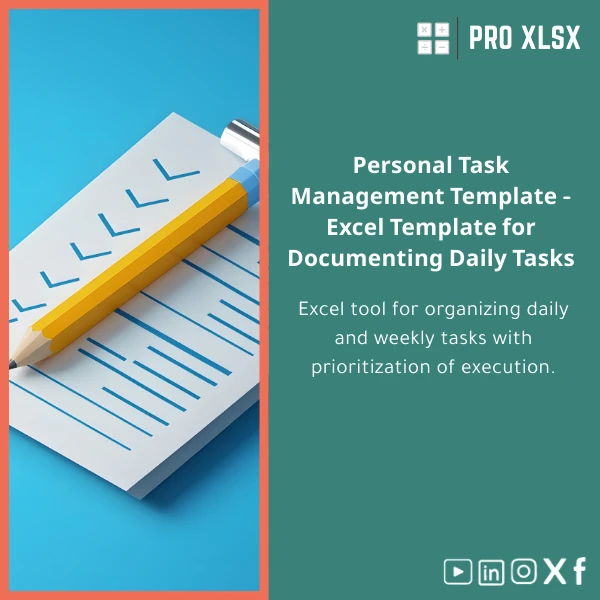
Personal Task Management Template for Tracking Progress
Original price was: $15.93.$13.23Current price is: $13.23.
A compact, professional Excel template to manage daily tasks, show status and progress %, and convert ad-hoc to-do lists into auditable workflows — built for accountants, data analysts, and companies who need disciplined, reportable task tracking without extra software.
Key benefits & value for accountants, analysts and teams
The personal task management template converts scattered to do lists into a structured task management spreadsheet that scales from a single user to a small team. It focuses on measurable outcomes: who is responsible, what is the status, and exactly how much progress has been made (Progress %).
Benefits translated from features
- Progress % column + visual bars: See at-a-glance completion for tasks and aggregated projects — removes ambiguity in status meetings.
- Filtered views & slicers: Quickly produce lists for auditors, managers or clients filtered by client, month, or owner.
- Timestamped updates: Maintain an audit trail for task changes — important for accounting reviews and compliance.
- Light automation: Conditional formatting and optional VBA automate repetitive formatting and remind owners of overdue items.
- Excel-first: No new software, no cloud lock-in — works offline and integrates with existing Excel processes and dashboards.
Use cases & real-life scenarios
Daily task tracker for a senior accountant
Use the template to list all day-to-day tasks (bank reconciliations, accruals, expense reviews) with Status (Not started / In progress / Blocked / Done) and Progress %. Sort by priority and produce a printable daily checklist.
Project progress for a data analyst
Break a deliverable into tasks, assign owners, and use the progress roll-up to feed a project dashboard; export aggregated progress to your monthly report without manual recalculation.
Small company operations
Track recurring operational tasks (vendor follow-ups, payroll steps, compliance filings) and attach notes or links. The template becomes the single source of truth for task status across departments.
Who is this product for?
- Accountants and finance teams who need an auditable to-do list for month-end and close routines.
- Data analysts who want a reliable daily task tracker integrated with Excel dashboards.
- Small and medium businesses that prefer an affordable task management spreadsheet over new SaaS subscriptions.
- Consultants and advisors who prepare task status reports for clients.
How to choose the right template options
This product is a downloadable Excel workbook. Choose based on: Excel compatibility (Office 2016+, Office 365 recommended), need for VBA automation (enabled vs. macro-free), and language/labels (English by default; custom labeling available through ProXlsx services).
Standard vs. Automations-enabled
- Standard (macro-free) — Best if your organization blocks macros or you prefer manual control.
- Automations-enabled — Includes optional VBA for reminders, timestamps and one-click export. Use if you trust macros and need repeatable automation.
Quick comparison with typical alternatives
Compared to generic to-do apps, this Excel template keeps your data in files you control and integrates with accounting workbooks and Power Query. Compared to bespoke project management software, it’s lightweight, low-cost, and avoids long onboarding. If you need enterprise task workflows (SLA automation, multi-user cloud editing), consider a dedicated tool — but for most accounting and analytics teams this template is faster to deploy and audit.
Best practices & tips to get maximum value
- Start with a short field list: Task, Owner, Due date, Priority, Status, Progress % — keep it simple and enforce discipline.
- Use filters and saved views for weekly status reports to managers or external auditors.
- If using macros, maintain a clear change log and back up files before running automated routines.
- Integrate the template with your existing dashboards using Power Query to avoid double entry.
Common mistakes when buying/using task templates (and how to avoid them)
- Choosing a too-complex template: Avoid templates with unnecessary columns; complexity kills adoption. Start lean and add fields as needed.
- Not planning for collaboration: If multiple people edit the file, use shared drives and version control or ask ProXlsx for a collaboration-ready setup.
- Ignoring compatibility: Verify Excel versions and macro policies before purchase.
Product specifications
- File format: .xlsx (macro-free) or .xlsm (optional automations)
- Compatibility: Excel 2016, 2019, 2021, Office 365 (Windows & Mac limited macro support)
- Sheets included: Task Register, Progress Summary, Filters & Views, Instructions
- Key fields: Task, Description, Owner, Start Date, Due Date, Status, Progress %, Priority, Notes, Last Updated
- Built-in features: Conditional formatting, progress bars, roll-up calculations, printable checklist view
- Optional: VBA snippets for timestamping, overdue reminders, and one-click export
- Delivery: Instant digital download after purchase; optional hourly setup service available via ProXlsx
- License: Single-user commercial use; team and reseller licenses available on request
Frequently asked questions
Is this personal task management template compatible with Excel for Mac?
Can I customize columns or add company-specific fields?
How does the Progress % work — is it manual or automatic?
What support do you provide after purchase?
Ready to replace scattered to-do lists with a professional task tracker?
Get the Personal Task Management Template and start tracking status and progress % in minutes. If you need customization or on-demand setup, ProXlsx offers fast hourly services to match your workflow.
Instant download. Macro-free and automations-enabled options. Team licenses and custom work available from ProXlsx.








Reviews
Clear filtersThere are no reviews yet.