



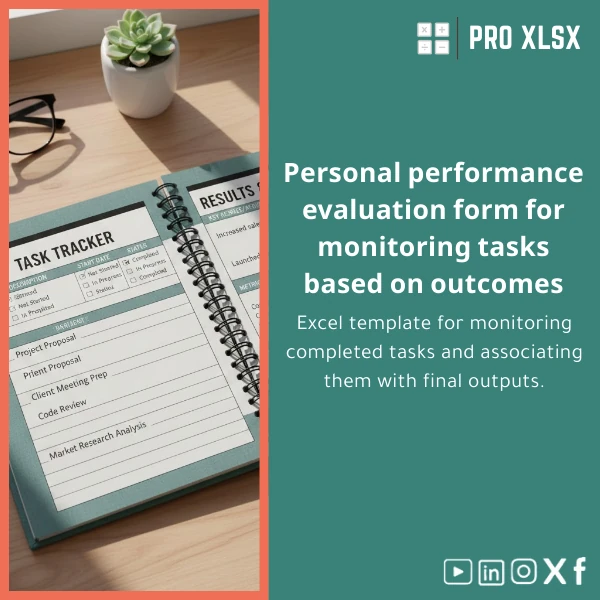
Personal Results Tracker Template for Effective Time Management
Original price was: $37.53.$26.73Current price is: $26.73.
A compact, outcome-focused Excel template that links completed tasks to measurable results — designed for accountants, data analysts, and teams who need a reliable personal productivity tracker Excel solution to convert daily work into clear performance evidence.
Key benefits & value for buyers
The Personal Results Tracker turns daily task lists into evidence of impact. Instead of tracking only activity, it connects “what you did” to “what changed” — essential when you must justify billable hours, prepare monthly performance reports, or present results to management.
Feature-to-benefit breakdown
- Outcome field tied to each task: Capture the business result (e.g., saved hours, prevented error, additional revenue) so each entry becomes a measurable contribution.
- Automated scoring & trend charts: See weekly and monthly performance at a glance to support reviews and KPIs.
- Robust data validation: Reduces input errors — ideal for shared team files and audit trails.
- Lightweight dashboard: Produce a one-page summary for clients or managers without BI tools.
Use cases & real-life scenarios
Concrete examples of how teams and individuals use the template:
- Accountant preparing monthly client reports: Track reconciliations, adjustments and link each task to financial impact — quantify billable and non-billable outcomes.
- Data analyst documenting deliverables: Log data-cleaning tasks, models built, and show time-to-insight or error reduction per task.
- Small operations team: Convert daily ops tasks into performance metrics used in weekly stand-ups and monthly OKR reviews.
- Consultant or freelancer: Build a transparent timesheet that demonstrates value and simplifies invoicing conversations.
Who is this product for?
This Personal Results Tracker is designed for professionals who need precise, auditable records of day-to-day work and clear links to outcomes:
- Accountants, auditors and finance teams compiling supporting evidence.
- Data analysts and business intelligence specialists tracking deliverables and impact.
- Small and medium companies that prefer Excel-based dashboards over complex BI systems.
- Consultants and freelancers who need a polished personal productivity tracker Excel for clients.
How to choose the right license & customisation
Templates alone are often enough for a single user. Choose customization when you need automation, multi-user workflows, or client branding.
Selection guide
- Single-user download: Best when you are the only person logging tasks.
- Team license: Choose this if multiple colleagues will update the same workbook and need protected sheets and shared validations.
- Custom implementation (hourly service): Request when you need integration with existing reports, VBA automation, or a Hebrew/Arabic interface. ProXlsx offers hourly execution services for rapid delivery.
Quick comparison with typical alternatives
Evaluate this template against common approaches:
- Manual notes / to-do apps: Fast to start but lack measurable outcomes and audit trails. The template standardizes outcome capture.
- Task managers (apps): Good for reminders, poor for numeric impact analysis. The Excel template focuses on linking tasks to quantifiable results.
- Full BI solutions: Powerful but costly and complex. The tracker gives outcome-focused reporting without heavy implementation.
Best practices & tips to get maximum value
- Define 2–3 outcome types (time saved, revenue impact, compliance) to keep entries consistent.
- Use the built-in data validation lists for task categories to enable clean reporting.
- Schedule a weekly 15-minute review to convert completed tasks into summarized outcomes for your dashboard.
- Back up the workbook to your team drive or OneDrive and use protected sheets when sharing.
- Consider a short customization session if you need automated monthly summaries exported as PDF for clients.
Common mistakes when buying/using similar templates — and how to avoid them
- Mistake: Buying a generic timesheet that only records hours. Fix: Choose a personal performance evaluation sheet that captures outcomes.
- Mistake: Trying to add complex automation without testing. Fix: Start with the standard template and request small incremental customizations.
- Mistake: Not standardizing categories across users. Fix: Use the template’s drop-down lists and enforce them with protected ranges.
Product specifications
- Product type: Excel template (Personal Results Tracker)
- File format: .xlsx (no macros) and optional .xlsm version with VBA automation
- Sheets included: Dashboard, Daily Log, Outcome Definitions, Settings, Archive
- Compatibility: Microsoft Excel 2016 or later, Excel for Microsoft 365 recommended
- Languages: English (interface ready for translation); Arabic field labels available on request
- Delivery: Immediate digital download after purchase + optional hourly customization
- Support: Email support and optional paid implementation by the hour
FAQ
Will this template work on Excel for Mac and Excel Online?
Yes. The .xlsx version is compatible with Excel for Mac and Excel Online. If you buy the .xlsm (VBA) version, macros run only in desktop Excel (Windows or Mac with macro support). We recommend the non-macro version for teams using Excel Online.
Can I customise fields, scoring rules, or add company branding?
Yes. The template is designed to be editable. For fast, low-risk customisation (adding fields, changing scoring, branding sheets), use our hourly implementation service — we typically deliver small adjustments within 24–48 hours.
How does this differ from a standard timesheet?
Standard timesheets record hours. This Personal Results Tracker records the task plus a linked outcome and score — converting activity into measurable business results you can present in reports or invoices.
Is there support for multi-user access and audit trails?
Yes. The template supports protected ranges and versioning when saved on shared drives (OneDrive/SharePoint). For full multi-user workflows and audit logs, we recommend a short customisation session to add locking rules and backup routines.
Ready to convert tasks into tangible results?
Download the Personal Results Tracker now and start producing outcome-oriented reports within the day. If you prefer a tailored setup, choose the hourly implementation option and our Excel specialists will adapt the tracker to your processes.
Immediate download • Template supports English and fast Arabic labeling on request • Hourly customization available from ProXlsx.
Related products

Excel Bank Reconciliation Template for Accurate Financial Tracking

Excel Journal Entries Template with Auto GL Mapping

Excel Payroll Calculation Template for Deductions and Taxes

Industrial Product Pricing Template for Target-Costing in Excel

Interest Calculation Template for Excel with Cash Discounts
An Excel-ready interest calculation template that computes simple and compound interest, generates early‑payment cash discount schedules, and converts those results into clear reports and cashflow tables — built for accountants, data analysts, and finance teams who need reliable, fast answers without custom development.




Reviews
Clear filtersThere are no reviews yet.