




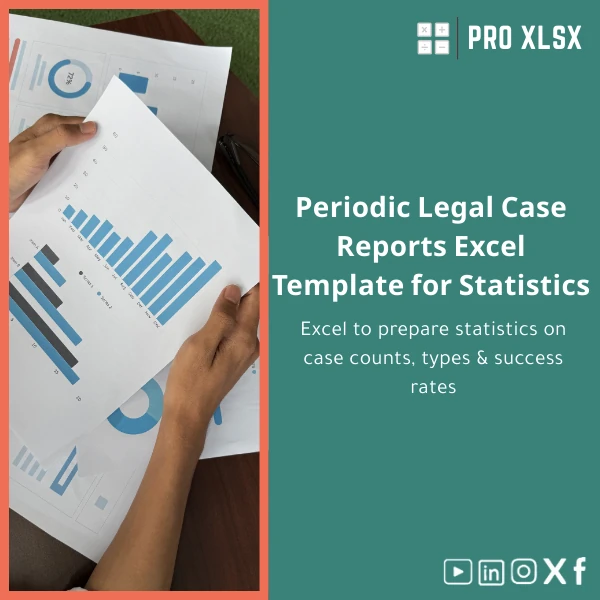
Periodic Legal Case Reports Excel Template for Statistics
Original price was: $42.93.$32.13Current price is: $32.13.
Prepare consistent, audit-ready periodic legal case reports in Excel — track case counts, types, stages and success rates with built-in dashboards, filters and automation designed for law firms, legal departments and professional analysts.
Key benefits & value for your practice
The “Periodic legal case reports” template translates raw case data into actionable performance metrics without heavy IT investment. It reduces manual work, enforces consistent classification of case types and outcomes, and produces ready-made visuals for partners, courts, or compliance reviews.
Concrete outcomes you can expect
- Save time: From raw case log to dashboard in minutes, not hours.
- Improve accuracy: Built-in validation, drop-downs and mapping minimize classification errors.
- Better decisions: Track trends in success rates by lawyer, case type or client, enabling targeted improvements.
- Audit trail: Clear sheets and formulas make it simple to explain numbers during audits or client reviews.
Use cases & real-life scenarios
Monthly performance report for a mid-size law firm
A managing partner uses the template to produce a monthly executive summary: total new cases, resolved cases, win/loss ratio, and a breakdown by practice area. Slicers let them show results for litigation, corporate, or family law in seconds.
Legal department quarterly review at a corporate client
The in-house legal team aggregates case data across multiple external counsel, comparing success rates and average time-to-resolution. Conditional formatting flags long-running matters that need escalation.
External auditor or consultant delivering metrics
An external consultant receives exported case logs, loads them into the template, and delivers charts and a narrative report — no bespoke development required.
Who is this product for?
The template is purpose-built for professionals who need reliable periodic legal reporting without building tools from scratch:
- Law firm partners and practice managers
- In-house legal teams and compliance officers
- Accountants and data analysts preparing legal spend or performance reports
- Consultants and auditors working with case-level datasets
How to choose the right template variant
Rather than sizes or colors, choose by reporting frequency and integration needs:
- Monthly variant: Default slicers, month-over-month comparisons and rolling 12-month views.
- Quarterly/Yearly variant: Aggregation sheets for period comparisons and trend analysis.
- Automation-enabled variant (VBA): Adds import buttons and one-click refresh for recurring reports — select if you regularly import CSV or exported case logs.
- Localization: English interface with optional Arabic labels available on request for Egyptian firms.
If unsure, download the demo or request an hourly customization from ProXlsx to match your existing case log structure.
Quick comparison with typical alternatives
Alternatives include manual spreadsheets, custom development or cloud BI tools. Here’s how the Excel template compares:
- Manual spreadsheets: Cheaper initially but error-prone and time-consuming to maintain.
- Custom development (from scratch): Tailored but costly and slow; template delivers 80% of common needs immediately.
- Cloud BI tools: Powerful, but require data pipelines and subscriptions; template is low-cost and works offline in Excel.
Best practices & tips to get maximum value
- Standardize case-type and outcome codes before import to get accurate aggregations.
- Keep a separate raw-data sheet to preserve the original export; use the template’s mapping sheet for transformations.
- Use the VBA-enabled variant if you perform frequent imports; schedule a short automation session with ProXlsx if needed.
- Document any manual adjustments in a notes sheet to maintain auditability.
Common mistakes when buying or using similar templates and how to avoid them
- Mistake: Buying a template that expects a different data structure. Fix: Use the sample CSV and mapping guide included to align fields first.
- Mistake: Relying on a single spreadsheet without version control. Fix: Keep monthly snapshots and a change log sheet.
- Mistake: Ignoring compatibility (Excel versions). Fix: Choose the right compatibility option; the template supports Excel 2016+ and Microsoft 365.
Product specifications
- File format: .xlsx (VBA-enabled .xlsm variant available)
- Sheets included: Raw Data, Mappings, Pivot Model, Dashboard, Charts, Notes
- Compatibility: Excel 2016, Excel 2019, Microsoft 365 (Windows & Mac with limited VBA on Mac)
- Data capacity: Optimized for up to 100,000 rows; larger datasets supported with simple Power Query setup
- Localization: English default; Arabic labels available on request
- Support: Documentation + 2 support messages; hourly customization and data-cleaning services available from ProXlsx
- Delivery: Instant digital download after purchase
FAQ
Is this template compatible with my exported case CSV?
Do I need VBA or advanced Excel skills to use it?
Can I include additional KPIs (e.g., average cost per case)?
What about data privacy and offline use?
Ready to standardize your periodic legal case reports?
Purchase now to get an instant download and start producing consistent monthly, quarterly or yearly case statistics. If you need help mapping your existing data, add our hourly customization service at checkout.
Related products

Budget Planner Excel Template for Actual and Variance Analysis

Excel Cash Flow Template for Tracking Inflows and Outflows

Excel Journal Entries Template with Auto GL Mapping

Excel Project Cost Estimation Template for Accurate Budgeting

Interest Calculation Template for Excel with Cash Discounts
An Excel-ready interest calculation template that computes simple and compound interest, generates early‑payment cash discount schedules, and converts those results into clear reports and cashflow tables — built for accountants, data analysts, and finance teams who need reliable, fast answers without custom development.



Reviews
Clear filtersThere are no reviews yet.