


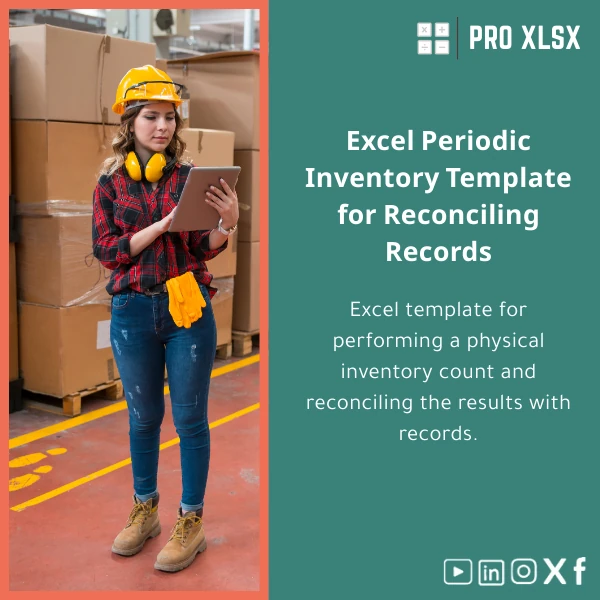
Periodic Inventory Template for Physical Count and Reconciliation
Original price was: $37.53.$26.73Current price is: $26.73.
A ready-to-use Periodic inventory template in Excel designed to record physical stock counts, reconcile quantities with accounting records, and produce variance reports—built for accountants, auditors, warehouse teams and analysts who need fast, accurate periodic inventory control.
Key benefits & value for your business
The Periodic inventory template converts manual counting into a repeatable, auditable process that saves time and reduces reconciliation errors. Each feature below ties directly to measurable outcomes:
Reduce reconciliation time
Automatic variance calculations, grouping by SKU/location, and suggested journal entries accelerate the adjustment workflow so finance teams close faster.
Improve count accuracy
Data validation, dropdown lists for SKUs and locations, and printable count sheets minimize transcription mistakes during the physical count.
Maintain audit trails
Count sessions store metadata (counter name, date, location) and produce a printable report suitable for internal or external audit support.
Flexible and low-cost
Rather than buying a full WMS, the template gives structured control inside Excel — ideal for SMEs and accounting firms that need a cost-effective solution for periodic inventory count Excel tasks.
Use cases & real-life scenarios
Here are practical examples of how teams use this periodic inventory template in daily operations:
Monthly warehouse stock count
Warehouse supervisors print count sheets per aisle, teams record quantities, and results are entered into the template. The reconciliation report highlights shrinkage and suggests GL adjustments.
Audit fieldwork for accountants
External or internal auditors bring printed count sheets to the site, then rely on the Excel sheet to reconcile with the client’s stock master and produce variance evidence.
Retail store seasonal count
Retail chains use the template to standardize counts across stores: uniform templates reduce training time and produce consolidated summaries for finance.
Ad-hoc cycle counts
Use the template for targeted cycle counts (high-value SKUs) and maintain a history of previous counts to analyze recurring issues.
Who is this product for?
This periodic inventory template is built for:
- Accountants and auditors who need clean count evidence and reconciliation-ready outputs.
- Data analysts who want pivot-ready datasets for variance trend analysis.
- SME operations and warehouse managers seeking an affordable stock count process.
- Consultants and financial controllers conducting stock audits or preparing adjustment journals.
How to choose the right template setup
The template is configurable. Choose options based on your scope:
- Single-location count: Use the standard workbook with one inventory register per sheet.
- Multi-location/warehouse: Enable the location tab to separate counts and consolidate summaries.
- Print-focused: Use printable count sheets for manual counts; use data entry sheet for direct tablet input.
- Automation-ready: If you need scanning or repeated automation, consider ProXlsx hourly services to add VBA or Power Query connectors.
Quick comparison with typical alternatives
When teams assess options they usually compare this template with manual notebooks, ad-hoc spreadsheets, or full warehouse management systems (WMS).
- Manual notebooks: Cheaper at first but create transcription and reconciliation work. The template reduces double entry and standardizes output.
- Ad-hoc spreadsheets: Often inconsistent and error-prone. This template enforces validation rules, drop-downs, and consistent reporting.
- Full WMS: Powerful but expensive and complex. The template provides a pragmatic middle-ground for periodic counts without heavy investment.
Best practices & tips to get maximum value
- Prepare an SKU master before the count: codes, descriptions, and expected balances.
- Assign counters and use printable sheets labelled by location and SKU range.
- Use the template’s dropdowns to avoid new SKU creation during the count.
- Perform a reconciliation review meeting immediately after data entry to approve adjustments.
- Export pivot summaries monthly to monitor shrinkage trends and take corrective action.
Common mistakes when buying/using inventory templates — and how to avoid them
- Buying without testing compatibility: Always open the workbook on your version of Excel (desktop recommended). Try the sample sheets before committing.
- Skipping master-data cleanup: Mismatched SKU codes cause reconciliation headaches—clean your master data first.
- Counting without controls: No counters or no supervisor review increases errors—use the template’s count-session fields to enforce accountability.
- Expecting a WMS solution: This template streamlines periodic counts but it’s not a live inventory system. For real-time tracking consider additional services from ProXlsx.
Product specifications
- File type: .xlsx (compatible with Excel 2016+, Excel 365)
- Sheets included: Master SKU list, Count entry sheet, Printable count sheets, Reconciliation summary, Variance report, Journal entries
- Features: Data validation, conditional formatting, pivot-ready setup, printable layouts
- Optional add-ons: VBA automation for barcode input, Power Query connectors, custom reporting (hourly service)
- Language: English (labels easy to customize)
- Usage notes: Desktop Excel recommended for full functionality; mobile editing supported for basic data entry.
FAQ
Can I use this template for multiple warehouses and consolidate counts?
Yes. The template includes location fields and a consolidation sheet that aggregates counts by warehouse or store. If you need a custom consolidation layout, ProXlsx offers hourly customization services.
What versions of Excel are supported?
Works in Excel 2016 and later, including Excel 365. Some advanced automation (VBA macros) requires the desktop version. If you need compatibility checks, request a sample file before purchase.
Do you provide training or setup support?
Yes — ProXlsx provides short onboarding by the hour to map your SKU master, configure locations, and train counters. This is available as an add-on service after purchase.
How does the template handle adjustments?
The reconciliation sheet calculates variances and produces suggested adjustment journal lines (debit/credit suggestions) that your accounting team can review and post to the ledger.
Ready to standardize your periodic stock counts?
Download the Periodic inventory template and start producing accurate physical counts and reconciliation reports today. If you need extra automation or customisation, ProXlsx offers on-demand services to adapt the workbook to your process.
Secure download, instant delivery. Need custom setup? Add an hourly implementation session after checkout.







Reviews
Clear filtersThere are no reviews yet.