


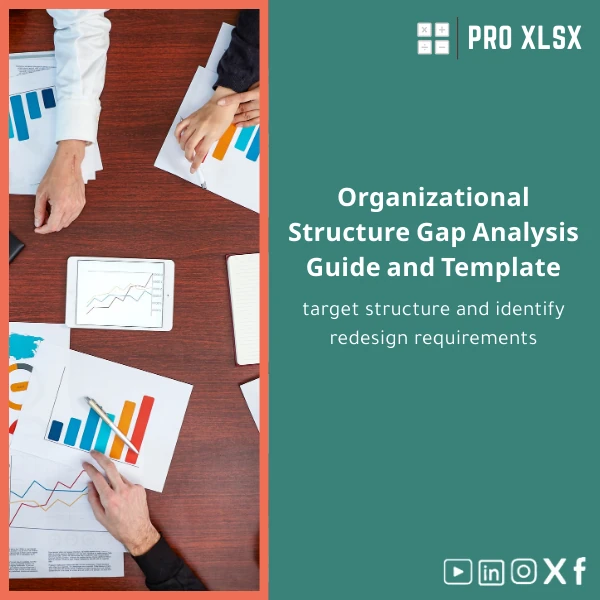
Organizational Structure Gap Analysis Guide and Template
Original price was: $48.33.$37.53Current price is: $37.53.
A practical Excel workbook and step-by-step guide to compare your current org structure with the target design, quantify gaps, and generate an actionable redesign plan — ready for accountants, data analysts, and managers who need fast, auditable results.
Key benefits & value for the buyer
Organizational Structure Gap Analysis in Excel converts qualitative org design conversations into measurable actions. The template and guide focus on outcomes accountants, data analysts, and managers care about: clarity of roles, costed transition steps, audit-ready documentation, and repeatable processes.
What you get (benefits translated from features)
- Faster decision cycles: standard dashboards and charts make trade-offs visible in minutes rather than days.
- Reduced risk of misalignment: role-level RACI and handover plans reduce operational disruption during restructures.
- Evidence-based prioritization: gap scoring helps you allocate headcount and training budgets where they matter most.
- Low-cost implementation: Excel-based deliverables eliminate the need for expensive ERPs or specialized org design software.
Use cases & real-life scenarios
1) Month-end close and role clarification (for Accounting teams)
Map current accounting roles and responsibilities against a target structure (centralised vs. decentralised close). Use the template to identify duplication, missing controls, and resource gaps, then export an action plan to support hiring or cross-training decisions.
2) Post-merger org harmonization
When two companies merge, use the org structure current vs target Excel worksheets to overlay reporting lines, consolidate duplicate roles, and quantify redundancy costs. The gap scoring helps prioritise retention and transition tasks.
3) Automating input consolidation (for data analysts)
Collect department-level data via standard CSV exports and use the optional VBA consolidation routine to merge inputs into a single dashboard — saving hours of manual reconciliation.
Who is this product for?
Designed for professionals who need accurate, auditable org design outputs without heavy consulting fees:
- Accountants and finance managers planning structure changes linked to budgets.
- Data analysts needing a repeatable current vs target comparison and scored gaps.
- HR teams and internal consultants running redesign workshops.
- Small and medium companies that prefer Excel tools over complex systems.
How to choose the right version
We offer two practical options so you only pay for what you need:
- Standard Template: Pre-built worksheets (Current, Target, Gap Score, RACI, Charts). Suitable for single-department analysis and immediate downloads.
- Pro Template + VBA: Includes automation to consolidate multiple department files, export printable reports and an executive summary. Recommended when you need to repeat the process across divisions or consolidate inputs from several teams.
Choose Pro if you expect recurring analyses, need consolidation automation, or want a faster path to a board-ready PDF. Choose Standard if you prefer a lightweight workbook you can customize manually.
Quick comparison with typical alternatives
Compared with ad-hoc spreadsheets: the template enforces structure, reduces human error and saves time. Compared with enterprise org design tools: it offers immediate value at a fraction of the cost and does not require IT projects or onboarding.
- Ad-hoc approach: cheap but inconsistent and time-consuming.
- Enterprise software: powerful but costly and slow to implement.
- ProXlsx template: balance of speed, cost-effectiveness and auditability — ideal for SMEs and internal teams.
Best practices & tips to get maximum value
- Prepare a single master list of positions and employee IDs before mapping to avoid duplicates.
- Use the built-in gap scoring but adjust weightings to reflect your priorities (risk, cost, time-to-fill).
- Run a pilot on one department to validate assumptions before rolling out company-wide.
- Enable macros only if you purchased the Pro VBA version and trust the file source; always store backups before running automation.
- Export the executive summary chart for leadership meetings — visuals drive faster approvals.
Common mistakes when buying or using org-structure templates — and how to avoid them
- Mistake: Trying to model everything in one sheet. Fix: Use the separate Current / Target / Gap worksheets provided to keep inputs clean.
- Mistake: Assuming one-size-fits-all scoring. Fix: Adjust scoring categories to reflect your business risk profile.
- Mistake: Skipping stakeholder validation. Fix: Use the exported RACI and action plan to align managers before final decisions.
Product specifications
- Format: Microsoft Excel workbook (.xlsx). Optional macro-enabled version (.xlsm) for Pro package.
- Compatibility: Excel 2016 or later (Windows / Mac). Macros require Windows Excel or Mac Excel with macro support.
- Included worksheets: Current Structure, Target Structure, Gap Scoring, RACI Matrix, Transition Plan, Executive Dashboard, Data Import sheet.
- Deliverable: Instant download after purchase with editable guide and worked example.
- Language: English (clear guidance suitable for Egyptian market workflows).
- Support: ProXlsx offers hourly implementation services if you prefer us to populate or customize the template.
Frequently asked questions
Does this template include macros or automation?
There are two options: the Standard template is macro-free. The Pro package includes optional VBA macros to consolidate multiple department files and generate printable reports. Macros are disabled by default; enable them only if you trust the file source and need automation.
Can I use this for multi-country organizations or only single-location companies?
The template is flexible: use department and location columns to model multi-country setups. For complex multi-entity consolidations we recommend the Pro version plus a short hourly engagement so our team can tailor the consolidation logic to your chart of accounts and local structures.
Will this replace our HRIS or specialized org design tools?
No single Excel template replaces a full HRIS. This template is designed for analysis, planning and decision-making — especially useful for SMEs and early-stage transformations where speed and cost-effectiveness are priorities. It complements HRIS exports and can be used to prepare inputs for a later system migration.
What if the template doesn’t exactly match our process?
All worksheets are fully editable. If you prefer, ProXlsx provides paid customization by the hour to adapt formulas, fields, or reports to your exact workflow.
Ready to run your Organizational Structure Gap Analysis?
Download a professional organizational structure gap analysis template that accountants, data analysts, and managers can use immediately. If you need help, our hourly Excel consulting services can populate and customize the workbook to your company data.
Related products

Excel Cash Flow Template for Tracking Inflows and Outflows

Excel Payroll Calculation Template for Deductions and Taxes

Expense Control Template for Tracking Expenses in Excel

Financial Statements Template for Easy Preparation of BS, P&L & Cash Flows

Flexible Budgeting Template for Excel Analysis

Interest Calculation Template for Excel with Cash Discounts
An Excel-ready interest calculation template that computes simple and compound interest, generates early‑payment cash discount schedules, and converts those results into clear reports and cashflow tables — built for accountants, data analysts, and finance teams who need reliable, fast answers without custom development.


Reviews
Clear filtersThere are no reviews yet.