


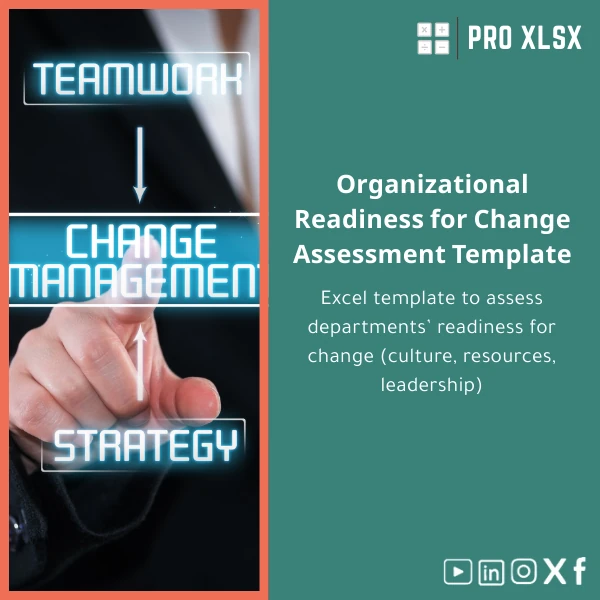
Organizational Readiness for Change Assessment Template
Original price was: $42.93.$32.13Current price is: $32.13.
A practical Excel change readiness assessment template that helps accountants, data analysts, and operations teams measure departmental readiness across culture, resources, and leadership—so you can prioritise interventions, quantify risk, and present board-ready reports fast.
Key benefits & value for buyers
This Organizational Readiness for Change Excel template converts subjective judgments into measurable scores so finance teams and consultants can:
- Compare readiness across departments using the same scale—eliminate inconsistent qualitative reports.
- Prioritise actions based on weighted scores (culture, resources, leadership, processes).
- Produce stakeholder-ready visualisations: executive summary, department heatmaps, and timeline impact charts.
- Save time: standardised input forms and automated score calculations reduce data-cleanup and rework.
- Integrate with existing reporting: export summary tables to PowerPoint, CSV, or connect via PowerQuery.
Use cases & real-life scenarios
Scenario 1 — Pre-merger readiness audit
When two organisations merge, use the template to assess culture alignment, leadership capacity, and systems readiness for each business unit. The consolidated dashboard highlights fastest wins and highest-risk areas to include in the integration project plan.
Scenario 2 —ERP rollout readiness
IT and finance teams can run quick assessments across departments to decide pilot sites, training schedules, and resource allocation based on objective readiness scores instead of anecdotal feedback.
Scenario 3 —Internal audit & compliance
Accountants and auditors use the change readiness assessment template to document controls and leadership engagement when reviewing proposed process changes, producing evidence-backed recommendations for the audit file.
Who is this product for?
Specifically built for:
- Accountants and internal audit teams who must evaluate operational impact of change.
- Data analysts who need standardised, repeatable scoring and clean data for modelling.
- Consultancies and HR teams running organisational development programs.
- SMEs and corporate project managers in Egypt and MENA seeking a low-cost, Excel-based change assessment solution.
How to choose the right variant
Choose based on scale and automation needs:
- Single-department (basic): Simple .xlsx files with manual entry and integrated dashboard—best for pilots and small audits.
- Multi-department (standard): Consolidation sheet + cross-department dashboard and export-ready summaries for project teams.
- Automated (advanced): Macro-enabled .xlsm version for batch imports, VBA consolidation, and scheduled report generation—recommended when assessing 10+ units or performing frequent assessments.
If you’re unsure which variant fits your process, ProXlsx offers hourly execution services to adapt the template or run the first assessments for you.
Quick comparison with typical alternatives
Why choose this Excel change management template instead of ad-hoc spreadsheets or complex SaaS tools?
- Vs ad-hoc spreadsheets: Standardised scoring, validation rules, and dashboards reduce human error and save time.
- Vs heavy SaaS platforms: Lower cost, no subscription, faster setup—ideal when you need a lean, offline solution that integrates with Excel-based reporting.
- Customization & support: Built to be edited; ProXlsx provides add-on services to tailor formulas, weights, and report layouts to your methodology.
Best practices & tips to get maximum value
- Define criteria and weights with stakeholders before data collection to avoid rework.
- Use the macro-enabled version only if you need automation; macros are optional and delivered with clear documentation.
- Run a small pilot (one or two departments) to validate scoring and calibrate thresholds before full rollout.
- Export executive summaries to PDF for governance meetings—keep raw data separate for audits.
- When in doubt, engage ProXlsx hourly support to configure the template to your reporting standards.
Common mistakes when buying or using change readiness templates — and how to avoid them
- Mistake: Buying the most automated version without defined data sources. Fix: Confirm data availability and mapping first.
- Mistake: Treating readiness as binary. Fix: Use weighted scoring and trend analysis to show improvement paths.
- Mistake: Overcomplicating criteria. Fix: Limit to 6–10 actionable dimensions (culture, resources, leadership, skills, process, systems).
Product specifications
- Formats: .xlsx (standard), .xlsm (optional macro-enabled version)
- Excel compatibility: Excel 2016+, Excel for Microsoft 365; basic compatibility with LibreOffice but macros require Excel
- Sheets included: Instructions, Input forms, Department scorecards, Consolidation, Dashboard (charts and heatmaps), Executive summary
- Built-in features: Weighted scoring model, conditional formatting, printable executive summary, export to CSV
- Delivery: Instant download after purchase; customization and hourly implementation services available from ProXlsx
- Language: English (editable labels for localisation)
Frequently asked questions
Can I customise the assessment criteria and weights?
Yes. All criteria, labels, and weights are editable. The template is designed so you can adapt the scoring logic without changing core formulas. ProXlsx also offers customisation by the hour if you prefer us to implement changes.
Is there a version with automation for multiple departments?
There is an advanced, macro-enabled (.xlsm) variant that automates consolidation and report generation across multiple departments. Macros are documented and can be removed if you prefer a macro-free workbook.
Will this work for financial audits and compliance evidence?
Yes. The template includes exportable summary tables and printable executive reports suitable for audit files. Keep raw input sheets as evidence and document the scoring rationale for each department.
What support does ProXlsx provide after purchase?
Immediate download is followed by email support for installation and usage questions. For configuration, data entry, or bespoke reports, ProXlsx provides pay-as-you-go hourly services.
Ready to measure readiness and reduce rollout risk?
Download the Organizational Readiness for Change template and start producing consistent, audit-proof readiness assessments today. If you need help, our team can run the first assessment for you or customise the workbook to your organisation’s terminology and reporting standards.
Instant download • Editable Excel file • Optional macro-enabled automation and hourly implementation services available
Related products

Break-Even Analysis Template for Cost and Profit Estimation
A ready-to-use Break-Even Analysis template in Excel to calculate the sales volume needed to cover costs, model profit scenarios, and produce clear management-ready charts and a margin of safety calculator. Designed for accountants, analysts, and companies who need fast, reliable decision support without complex systems.







Reviews
Clear filtersThere are no reviews yet.