




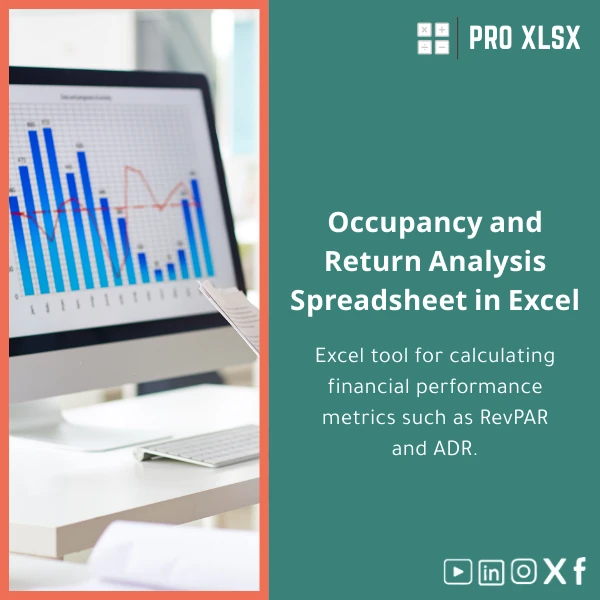
Occupancy RevPAR Analysis Template for Hotels
Original price was: $48.33.$37.53Current price is: $37.53.
A ready-to-use Occupancy RevPAR template in Excel that lets accountants, revenue managers and analysts calculate ADR and RevPAR, monitor occupancy performance, and produce monthly and year-to-date hotel financial KPIs — without building formulas from scratch.
Key benefits & value for your hotel reporting
This Occupancy RevPAR template translates room data into reliable financial KPIs. Rather than hunting for hourly rates or rewriting formulas, your team gets a tested RevPAR analysis template that supports the decisions that increase revenue per available room.
What it delivers (features translated into value)
- Pre-built ADR and RevPAR calculations: Accurate ADR and RevPAR formulas with gross/net revenue options — reduces errors in manual spreadsheets.
- Occupancy by segment: Breakdowns by corporate, leisure, OTA, and group to improve pricing and channel strategies.
- Trend dashboards: Visuals for daily and monthly trends that make rate adjustments and promotions evidence-based.
- Import-ready sheets: Simple mapping for common PMS export formats — speeds up monthly closes.
- Light automation (optional VBA): One-click refresh for recurring imports, saving hours on repetitive tasks.
Use cases & real-life scenarios
Designed for practical use in day-to-day operations and financial reporting:
- Monthly financial close: An accountant imports outlet revenue and room nights to reconcile RevPAR and feed the P&L.
- Revenue management meeting: A revenue manager reviews occupancy by channel and tests ADR changes to forecast RevPAR impact.
- Investor reporting: Produce compact KPI packs (ADR, Occupancy, RevPAR, GOPPAR) for investors or owners.
- Multi-property roll-up: Consolidate KPIs across a small portfolio to compare performance and allocate marketing spend.
Who is this product for?
This Occupancy RevPAR template is built for:
- Accountants and controllers at small-to-medium hotels who need accurate KPI calculations and audit trails.
- Revenue analysts who require rapid scenario testing with ADR and occupancy assumptions.
- Consultants and auditors preparing hotel performance reports for clients in Egypt and the region.
- Operations managers seeking an accessible hotel occupancy analysis Excel tool without the cost of BI software.
How to choose the right version
We offer two delivery options to match different needs:
- Standard template (download): Ready-made sheets for one property, manual import mapping, no macros. Best if you prefer full control and auditability.
- Professional template (download + macros): Includes automated import, one-click refresh, and dashboard filtering. Choose this if you import daily exports or want automation.
- Custom implementation (hourly service): Our team customizes the template for your PMS format, adds custom KPIs, or builds a multi-property consolidation — billed by the hour.
Quick comparison with typical alternatives
If you’re evaluating options, here is a practical comparison:
- Build from scratch in Excel: Time-consuming, higher risk of formula errors, no support. Our template saves weeks of development and includes documentation.
- BI tools or hotel RMS: Powerful but often expensive and complex. The template provides immediate KPI visibility without licensing costs.
- Off-the-shelf generic templates: Often lack occupancy segmentation or reconciliation lines. This template is tailored for hotel needs — ADR, RevPAR, channel splits and audit trails.
Best practices & tips to get maximum value
- Keep a consistent export format from your PMS — map columns once and reuse the mapping sheet.
- Use the segmentation table to track OTA vs direct bookings; this gives a clearer picture of net RevPAR.
- Validate room nights and revenue totals for one month before automating imports.
- Schedule a short onboarding session with our specialists if you purchase the professional or custom option — it pays back by avoiding setup errors.
Common mistakes when using hotel KPI templates — and how to avoid them
- Mixing gross and net revenue: Always define whether ADR/RevPAR use gross room revenue or net after commissions; our template contains clear switches to avoid this mismatch.
- Using incomplete exports: Missing fields (e.g., channel, rate code) reduce analytical value — use the provided import checklist.
- Overcomplicating reports: Focus on a small set of KPIs (ADR, Occupancy, RevPAR) and one action per insight to drive results.
Product specifications
- Format: .xlsx (Excel 2016 or later recommended)
- Sheets included: Import Mapping, Daily Bookings, Revenue Reconciliation, ADR & RevPAR Calculations, Dashboard, Settings
- Automation: Optional VBA module for import & refresh (enabled in Professional version)
- Language: English (numeric formats compatible with local Excel regional settings)
- Delivery: Instant digital download after purchase; optional hourly customization available
- Support: 7 days of email support for setup questions; paid implementation available by the hour
FAQ
Can this template consolidate multiple properties?
Which Excel versions are supported?
How secure is my data when using the template?
What if my PMS export format is different?
Ready to simplify hotel KPI reporting?
Get a tested Occupancy RevPAR template that saves time, reduces errors, and gives actionable insights on ADR, occupancy, and RevPAR. Instant download or request our hourly customization if you need PMS integration.
Prefer a custom setup? Contact ProXlsx for an implementation estimate and hourly execution support.
Related products

Break-Even Analysis Template for Cost and Profit Estimation
A ready-to-use Break-Even Analysis template in Excel to calculate the sales volume needed to cover costs, model profit scenarios, and produce clear management-ready charts and a margin of safety calculator. Designed for accountants, analysts, and companies who need fast, reliable decision support without complex systems.







Reviews
Clear filtersThere are no reviews yet.