




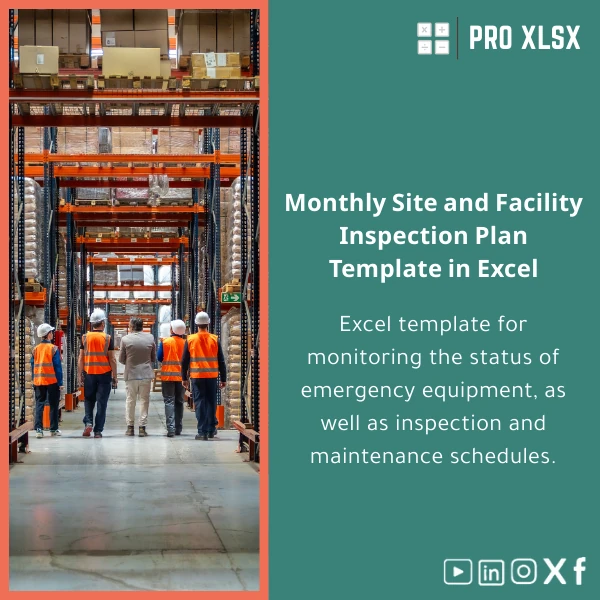
Monthly Site Inspection Plan Excel Template for Safety Management
Original price was: $42.93.$32.13Current price is: $32.13.
Turn monthly safety rounds into consistent, auditable actions: plan inspections, log findings, assign corrective actions, and generate management reports—all inside a single Excel file designed for accountants, data analysts, and operations teams.
Key benefits & value for your business
The Monthly Site Inspection Plan is more than a checklist: it converts inspection activity into reliable data you can analyze, reconcile, and report. That matters to accountants reconciling safety costs, to data analysts looking for trend signals, and to managers who need assurance that corrective actions are closed.
Direct business outcomes
- Reduce repeat findings: standard checklists and root-cause tags let you spot patterns and prioritize corrective budgets.
- Save time on reporting: built-in dashboards and export templates save hours every month compared to manual consolidation.
- Improve audit readiness: every inspection has date, inspector, photos, and action logs stored in a single workbook.
- Control costs: link findings to estimated repair costs and monitor monthly spending across sites.
Use cases & real-life scenarios
Example 1 — Multi-site operations
Operations managers run monthly rounds across three facilities. Use the template to schedule rounds, assign inspectors, and track open issues across sites. The summary dashboard shows overdue items and sites with recurring non-conformances—used to prioritize maintenance budgets.
Example 2 — Accounting & cost control
Accountants import the template’s monthly cost summaries into the financial model to reconcile safety spending, allocate costs to departments, and prepare quarterly audit documentation.
Example 3 — Data analysts & trend detection
Analysts export the pivot-ready sheet to Power BI or use Excel’s native pivot charts to monitor incident frequency by category and calculate rolling averages for management KPIs.
Who is this product for?
- OSH coordinators who need a repeatable monthly site inspection template.
- Accountants and finance teams tracking safety-related expenses and audit trails.
- Data analysts who want clean, structured inspection data for dashboards and forecasting.
- Small-to-medium companies that prefer Excel over complex EHS systems for faster setup and lower cost.
- Consultants and auditors delivering site inspection reports to clients.
How to choose the right template version
We offer variations to match your needs—pick based on scale and automation level:
- Standard (single-site): simple checklists, manual assignment, printable reports. Best when you run a single monthly round.
- Multi-site: includes site registry, consolidated dashboards, and summary reports across locations.
- Automated (VBA-enabled): adds buttons to generate PDFs, send reminder emails, and flag overdue actions (recommended if you want automation within Excel).
If you’re unsure which version fits, choose Multi-site for flexibility—ProXlsx also offers hourly customization services to adapt the template to your processes.
Quick comparison with typical alternatives
- Paper forms: cheap but fragmented—no analytics, time-consuming consolidation.
- Generic checklists (Word/PDF): fast to start but not data-friendly—limited filtering and trend analysis.
- Dedicated EHS software: powerful but expensive and slow to deploy—requires user training and recurring fees.
- Monthly Site Inspection Plan (this template): low-cost, deployable instantly, and optimized for analysis—best balance for SMEs and finance-led teams.
Best practices & tips to get maximum value
- Standardize inspector names and site codes to avoid duplicate entries and enable meaningful aggregation.
- Use the “Findings” categories consistently—pick from the provided dropdowns to keep reporting clean.
- Schedule one data-cleanup day per quarter to merge duplicate items and close stale actions.
- Integrate with your finance workbook: map the “Estimated Repair Cost” column to your cost center codes.
- If you need automated reminders or corporate-style reports, request our hourly customization service—ProXlsx can add email triggers and custom branding.
Common mistakes when using inspection templates (and how to avoid them)
- Ignoring data validation: Leads to inconsistent reports. Use provided dropdown lists and enforce them.
- Not training inspectors: Vague notes create analysis blind spots. Provide a short guidance sheet included in the template.
- Mixing formats: Storing photos or long notes outside the workbook breaks audit trails—use the template’s attachments and reference fields.
Product specifications
- Format: Microsoft Excel (.xlsx) — VBA-enabled version (.xlsm) available
- Compatibility: Excel 2016 and later (Windows recommended for full VBA features); Excel for Mac supports core features but limited macros
- Sheets included: Dashboard, Monthly Planner, Inspection Checklist, Findings Log, Actions Register, Cost Summary, Reference Data
- Languages: English (editable labels for local translation)
- License: Single-company commercial use. Editable template—no subscriptions.
- Delivery: Instant download after purchase + optional hourly customization by ProXlsx
- Support: Email support for installation and basic configuration included for 14 days
Frequently asked questions
Can I use this template for multiple sites and roll up results?
Yes. The Multi-site version includes a site registry and consolidated dashboard that aggregates findings, actions, and costs across locations. If you need custom KPIs for roll-up, ProXlsx offers hourly customization to map your site hierarchy.
Is the VBA code safe and editable? Will macros cause security issues?
The VBA in the automated version is documented and limited to workbook tasks (generate PDFs, reminders, and formatting). You can review and edit the code. Standard Excel macro security applies—mark the file as trusted on your machines. For strict environments, use the non-macro .xlsx version.
How do I integrate inspection costs into our accounting system?
The template provides a cost summary sheet with cost-centre mapping columns ready to export as CSV. Accountants can import these into ERP systems or link them via Power Query. ProXlsx can assist with one-off mappings if required.
What if we need custom fields or a branded report?
Custom fields and branded reports are available as paid add-ons. Choose the templates and request hourly work—ProXlsx delivers fast, documented changes to match corporate templates and processes.
Ready to make monthly inspections reliable and reportable?
Download the Monthly Site Inspection Plan today and start turning inspection rounds into actionable, auditable data. If you need help configuring the template for multiple sites or integrating it with accounting systems, ProXlsx offers fast hourly support.
Related products

Comprehensive Accounting Program in Excel Template

Excel Bank Reconciliation Template for Accurate Financial Tracking

Excel Cost Center Analysis Template for Allocation & Reporting

Excel Fixed Assets Management Template with Auto Depreciation

Excel Project Cost Estimation Template for Accurate Budgeting

Excel Template for Chart of Accounts for Various Industries

Interest Calculation Template for Excel with Cash Discounts
An Excel-ready interest calculation template that computes simple and compound interest, generates early‑payment cash discount schedules, and converts those results into clear reports and cashflow tables — built for accountants, data analysts, and finance teams who need reliable, fast answers without custom development.

Reviews
Clear filtersThere are no reviews yet.