




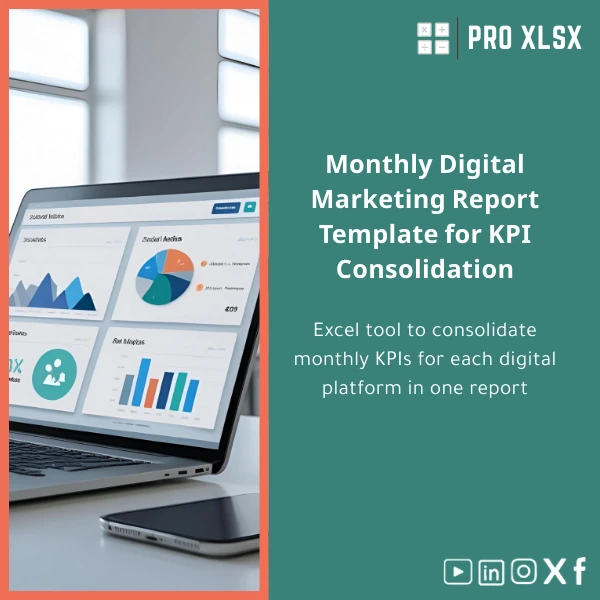
Monthly Digital Marketing Report Template for KPI Consolidation
Original price was: $42.93.$32.13Current price is: $32.13.
A professional, ready-to-use Excel template to consolidate monthly KPIs across digital channels into one clean report — built for accountants, data analysts, agencies and companies that need fast, accurate marketing performance summaries without complex BI systems.
Key benefits & value for buyers
The Monthly digital marketing report template turns fragmented channel data into a single reliable source of truth. Instead of spending hours copying numbers into PowerPoint or manually calculating conversion rates, you get:
- Time savings: Pre-built import-ready sheets and pivot-ready data reduce report preparation from hours to minutes.
- Accuracy: Standardized KPI definitions (impressions, clicks, CTR, CPC, conversions, CPA, revenue) reduce reconciliation errors between platforms.
- Actionable insights: Built-in variance vs target, MoM growth, and channel ROI help prioritize budget shifts quickly.
- Professional presentation: Clean executive summary and printable charts suitable for management or client delivery.
- Scalable: Use the same template for one campaign, multiple channels or multi-client agency reporting.
Use cases & real-life scenarios
Monthly reporting for agencies
Prepare client-ready reports with a single file: each client gets channel breakdowns, a consolidated KPI dashboard and a PDF-friendly executive page. Reduce manual work before client calls.
Internal marketing team performance review
Marketing managers consolidate Google Ads, Facebook, Email and Organic traffic KPIs to track spend efficiency and campaign performance across teams. Use the variance section to highlight underperforming channels.
Finance and accounting reconciliation
Accountants and analysts can map marketing spend to conversions and revenue, export a clean table for month-end financial reports, and link numbers to the company ledger without manual reshaping.
Who is this product for?
This monthly marketing report Excel template is designed for:
- Accountants and finance teams needing validated marketing KPIs for reporting and forecasting.
- Data analysts who need a clean, pivot-ready dataset for further modelling.
- Digital marketing managers and agencies that prepare monthly client reports.
- Small and medium companies that prefer Excel to complex BI tools but need professional outputs.
How to choose the right version
We offer the template in practical variants — choose based on your workflow:
- Single-channel: Best if you report only one platform (eg. Google Ads). Simple, lightweight file.
- Multi-channel (recommended): Consolidates Facebook, Google, Email, Organic and custom channels into one monthly report.
- Agency pack: Multi-client layout with exportable client summaries and bulk-print options.
If you need automation connecting APIs or custom branding, order the hourly implementation service available on the product page — we can deliver quick, scoped work (data import, VBA automation, or template customization).
Quick comparison with typical alternatives
Consider three common approaches and why this template is often the fastest, lowest-cost choice:
- Manual Excel consolidation: Flexible but error-prone and slow. Our template standardizes structure and reduces errors.
- Complex BI tools (Power BI/Tableau): Powerful but requires setup, licences and training. The template gives most reporting needs in Excel without extra cost.
- Agency-built custom dashboards: Fully custom but expensive and slow. This template is affordable, editable and delivers immediate results.
Best practices & tips to get maximum value
- Standardize naming conventions from each platform before importing — consistent channel names reduce mapping work.
- Use the template’s mapping tab to align platform metrics with your KPI definitions (eg. conversions vs purchases).
- Keep a separate raw-data sheet per platform; never edit raw rows — update the raw data and let the template calculate.
- Schedule one person per month to prepare the report and validate numbers; this avoids last-minute reconciliation work.
- Use the optional VBA automation for repetitive imports — ProXlsx offers hourly automation service if you prefer us to set it up.
Common mistakes when buying/using similar templates — and how to avoid them
- Buying a generic file: Many templates lack channel mapping. Avoid this by using a template built for multi-channel KPI consolidation.
- Skipping definitions: Without clear KPI definitions you’ll compare apples to oranges. Use the included KPI glossary to align teams.
- Over-automating early: Don’t invest in API connections before your reporting needs are stable. Start with the template, then automate.
- No validation step: Always reconcile totals with platform exports for the first two months to ensure mappings are correct.
Product specifications
- File type: .xlsx (Excel workbook)
- Sheets included: Raw data (per platform), Mapping, Consolidated KPIs, Executive Summary, Charts, KPI Glossary
- Compatibility: Excel 2016 or later, Office 365. Partial compatibility with Google Sheets (features limited).
- Macros: Optional VBA macros included in the advanced version (macro-enabled .xlsm available on request).
- Delivery: Instant digital download after purchase.
- Support: Email support and optional hourly customization/automation services from ProXlsx
- Use notes: Keep raw exports in original files and update the raw-data sheets monthly for reliable consolidation.
Frequently asked questions
Is this template compatible with Google Sheets?
The template is optimized for Excel. Basic tables and formulas will open in Google Sheets, but advanced features (pivot models, some dynamic array functions and VBA macros) require Excel 2016+ or Office 365. We can provide a Google Sheets conversion as a paid service.
Can I connect live data (APIs) to the template?
Yes — the template supports automated imports via Power Query or VBA. ProXlsx offers hourly implementation to connect platform APIs (Google Ads, Facebook, etc.) and set scheduled refreshes. Ask about an implementation estimate on purchase.
How long does customization take?
Simple branding and channel additions are typically done within 1–4 hours. API connections or complex logic usually take longer; we provide a time estimate after reviewing your data sources.
What if the template doesn’t fit my workflow?
We design templates for quick adaptation. If you need more changes, ProXlsx offers paid customization or a refund policy explained at checkout. Contact support with specifics before purchase for an accurate recommendation.
Ready to streamline monthly reporting?
Download the Monthly digital marketing report template and start consolidating KPIs in minutes. If you need help, add our hourly customization service at checkout and we will connect data sources, brand the report, or add automation.
Related products

Budget Planner Excel Template for Actual and Variance Analysis

Excel Bank Reconciliation Template for Accurate Financial Tracking

Expense Control Template for Tracking Expenses in Excel

Interest Calculation Template for Excel with Cash Discounts
An Excel-ready interest calculation template that computes simple and compound interest, generates early‑payment cash discount schedules, and converts those results into clear reports and cashflow tables — built for accountants, data analysts, and finance teams who need reliable, fast answers without custom development.




Reviews
Clear filtersThere are no reviews yet.