


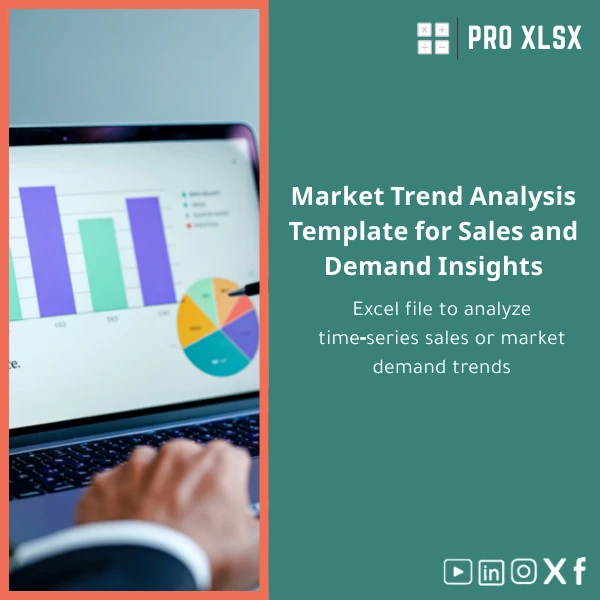
Market Trend Analysis Template for Sales and Demand Insights
Original price was: $42.93.$32.13Current price is: $32.13.
A professional Excel market trend analysis template that transforms raw time‑series sales and demand data into clear trends, forecasts, and presentation-ready dashboards — built for accountants, data analysts, and companies that need fast, reliable insight without heavy BI platforms.
Key benefits & value for the buyer
The Market trend analysis template converts scattered sales records into practical insights you can act on the same day you download it. Instead of rebuilding charts and formulas, you get a tested Excel market trend template that:
- Saves time: Prebuilt formulas for trend detection, moving averages, seasonal indices and linear/non‑linear forecasts—no manual formula building.
- Improves accuracy: Consistent calculations reduce human errors common in ad‑hoc sheets used for sales trend analysis.
- Supports decisions: Clear visuals and KPIs highlight when to increase inventory, start promotions, or reassign sales resources.
- Keeps data private: All analysis runs inside Excel—no cloud upload required unless you choose to integrate with your systems.
- Affordable & scalable: Use the ready file or order hourly customization from ProXlsx to adapt to large datasets or automated reports.
Use cases & real-life scenarios
Monthly retail sales planning
A retail chain imports POS monthly sales per SKU into the sales trend analysis sheet to identify seasonal SKUs, compute reorder points, and set promotion timing. Charts show 3‑month and 12‑month moving averages and forecast next quarter demand.
Budgeting & variance analysis for accountants
Accountants compare actuals to trend-based forecasts to explain variances in board reports. The template provides variance tables and visual explanations suitable for audit trails.
Market research & competitor trend spotting
Marketing teams use the Excel market trend template to map demand signals across regions and product groups, running quick “what-if” scenarios without complex BI systems.
Who is this product for?
This market trend analysis template is designed for:
- Accountants and financial controllers who need accurate sales forecasting for budgeting and audit-ready reports.
- Data analysts at SMEs who prefer Excel-first workflows and need an extendable template for time series demand analysis.
- Operations and planning teams that require fast insights without investing in enterprise software.
- Consultants and auditors who must deliver standardized trend reports to clients quickly.
How to choose the right version (compatibility & capacity)
The template is available in two standard variants:
- Standard (single file): Best for datasets up to 100K rows, manual refresh, quick dashboards. Compatible with Excel 2016+/Office 365.
- Performance (optimized): Includes optimized tables, minimal volatile formulas and optional Power Query setup for larger datasets (recommended for >100K rows or frequent refresh).
Choose the Standard if you work with monthly/weekly summaries. Choose Performance if you import daily transactional data or plan automation via VBA. Need help selecting? ProXlsx offers hourly consultation and customization.
Quick comparison with typical alternatives
Consider these common options and why the Market trend analysis template is often the faster, lower-risk choice:
- Manual spreadsheets: Faster to set up initially but error-prone and hard to standardize. The template enforces consistent calculations and presentation.
- Full BI systems: Powerful, but expensive, require integration and staff training. This Excel market trend template delivers core forecasting and dashboards at a fraction of the cost and complexity.
- Outsourced one-off reports: Useful for isolated projects. The template gives you repeatable, in-house capability with optional on-demand execution services from ProXlsx.
Best practices & tips to get maximum value
- Start with clean date and SKU fields—consistency in date formats avoids misaligned series.
- Use the built-in data check sheet before running forecasts to catch duplicates or gaps.
- Keep raw data on a separate sheet; use the template’s ‘Data Import’ tab to map your columns (no formula edits needed).
- Enable iterative calculation only if you add custom solver models; otherwise keep defaults for transparency.
- Schedule a 1‑hour setup session with ProXlsx if you need the template adapted to Egyptian fiscal calendars or Arabic labels.
Common mistakes when buying/using market trend templates and how to avoid them
- Buying without checking compatibility: Confirm Excel version and average data size. Choose Performance for large datasets.
- Assuming one-size-fits-all: Use the template as a baseline; ProXlsx offers hourly customization to fit accounting codes, regional calendars, or automated feeds.
- Skipping data validation: Always use the included validation sheet to avoid misleading forecasts from dirty data.
Product specifications
- Format: .xlsx file (compatible with Excel 2016, 2019, Microsoft 365)
- Sheets included: Data Import, Clean Checks, Trend Engine, Forecasting, Dashboards, Documentation
- Functions used: standard Excel formulas, moving averages, exponential smoothing options; optional Power Query and VBA modules
- Language: English (labels can be switched to Arabic upon request)
- Recommended dataset: up to 100K rows for Standard; >100K use Performance variant or Power Query
- Support: Documentation included + optional hourly customization and implementation services from ProXlsx
- Delivery: Instant digital download after purchase
FAQ
Can I use this template with Arabic labels and Egyptian fiscal periods?
Yes. The template supports Arabic labels by switching the label sheet and offers a version aligned with common Egyptian fiscal calendars. If you need specific fiscal rules, select a short hourly customization and we’ll adapt the template.
Is my data secure if I use this template?
All processing happens in your Excel file—no cloud upload is required. If you request ProXlsx services, we provide secure transfer instructions and can sign a data handling agreement for sensitive datasets.
What differences are there between the Standard and Performance versions?
The Performance version reduces volatile formulas, adds Power Query connectors and scaled tables for large datasets. It’s optimized for frequent refreshes and transactional inputs.
Can ProXlsx customize the template for our chart formats and KPI definitions?
Yes. ProXlsx offers hourly customization services to map your KPIs, custom charts, and automation via VBA. Typical customizations are completed within 2–8 hours depending on scope.
Ready to turn sales data into reliable trend insights?
Download the Market trend analysis template and start producing consistent forecasts and dashboards today. If you need hands-on setup or bespoke changes, ProXlsx offers fast hourly execution to integrate the template into your workflow.
Instant digital delivery · Documentation included · Optional paid customization by the hour
Related products

Budget Planner Excel Template for Actual and Variance Analysis

Expense Control Template for Tracking Expenses in Excel

Indirect Manufacturing Costs Allocation Template in Excel

Interest Calculation Template for Excel with Cash Discounts
An Excel-ready interest calculation template that computes simple and compound interest, generates early‑payment cash discount schedules, and converts those results into clear reports and cashflow tables — built for accountants, data analysts, and finance teams who need reliable, fast answers without custom development.





Reviews
Clear filtersThere are no reviews yet.