




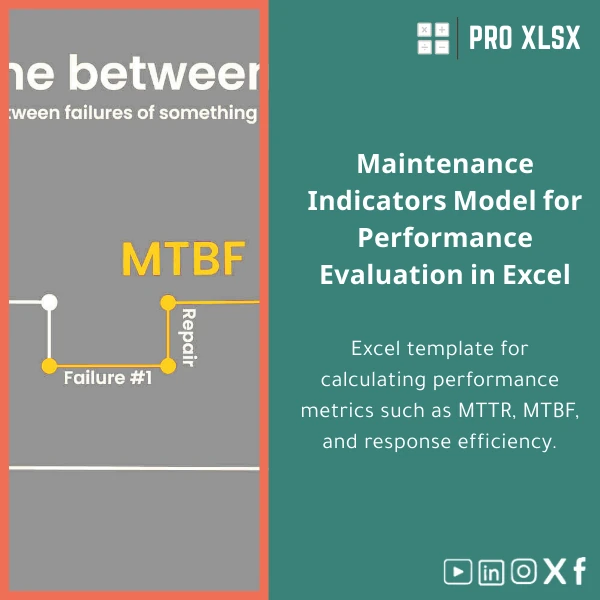
Maintenance KPIs Template for Analyzing MTTR and MTBF
Original price was: $48.33.$37.53Current price is: $37.53.
A ready-to-use Maintenance KPIs template in Excel to compute MTTR, MTBF, response efficiency and visualize equipment downtime — built for accountants, data analysts and operations teams who need fast, accurate maintenance performance dashboards without complex software.
Key benefits & value for buyers
This maintenance KPIs template turns raw maintenance logs into actionable insights in minutes. Instead of building formulas and dashboards from scratch, you get a tested Excel structure that:
- Saves time: Pre-built formulas compute MTTR and MTBF automatically when you paste downtime and failure events.
- Improves accuracy: Standardized calculations reduce human error and produce audit-ready KPI outputs suitable for finance and operations reporting.
- Supports decision-making: Visual dashboards highlight recurring failures, long repair cycles, and assets that drive the most downtime.
- Reduces cost of tools: Provides enterprise-class tracking without buying specialized CMMS or BI licensing.
For accountants and data analysts, the template produces figures you can reconcile with financial records — capex forecasts, downtime cost allocation, and SLA compliance reports.
Use cases & real-life scenarios
Monthly maintenance reporting
Paste your month’s maintenance event log (failure start, end, cause, asset, technician) and the dashboard fills with MTTR/MTBF by asset group, trend lines, and Pareto charts for root-cause discussion in the monthly review meeting.
Budgeting and cost allocation
Combine downtime hours from the template with hourly cost rates to quantify productivity loss per asset or department — useful input for CAPEX vs. repair decisions.
SLA and vendor performance tracking
Use the response efficiency and mean time to respond sections to measure supplier or contractor performance against contractual SLAs. Export filtered reports for supplier scorecards.
Who is this product for?
- Maintenance managers seeking a fast, reliable MTTR and MTBF dashboard.
- Accountants and cost controllers reconciling downtime with financials.
- Data analysts and BI teams needing a clean, documented Excel model for integration.
- Small-to-medium companies that cannot justify complex CMMS or BI tools but need reliable maintenance KPIs.
- Consultants preparing maintenance performance reports for clients.
How to choose the right template options
This product is available as a standard downloadable workbook and an optional customized delivery (hourly service from ProXlsx) to integrate your naming conventions, asset lists, or add VBA automations.
- Choose standard if you have clean event logs and need immediate dashboarding.
- Choose customization if you need integrations (CSV imports, special shift rules, multi-currency cost allocation) — time estimates provided before work starts.
- Compatibility note: Excel desktop (Windows/Mac) recommended for full functionality; Google Sheets works for core calculations but some macros/VBA features require Excel.
Quick comparison with typical alternatives
Compared to building an in-house workbook or buying a full CMMS:
- Vs. DIY spreadsheets: Saves weeks of formula work and reduces errors; templates are documented and tested.
- Vs. CMMS or BI subscription: Lower upfront cost, simpler to deploy, and keeps data under your control in Excel; ideal when advanced workflow automation is not required.
Best practices & tips to get maximum value
- Prepare a clean event log: ensure timestamps, asset IDs and failure codes are consistent before importing.
- Define stop/repair status codes uniquely so the template distinguishes between planned downtime and failures.
- Use the built-in validation sheets to map legacy codes to the template taxonomy.
- Schedule a short review: feed one month’s data, validate the outputs with finance, then roll out monthly.
- Consider the ProXlsx hourly service to automate imports or add company-specific cost models.
Common mistakes when buying/using maintenance templates and how to avoid them
- Buying without sample data testing: Always test with a representative dataset — we include sample logs.
- Expecting full CMMS workflow: This template focuses on KPI analysis and reporting, not on work-order lifecycle management.
- Ignoring time formats: Inconsistent timestamps lead to incorrect MTTR; convert all dates/times to a single timezone and format.
Product specifications
- File type: Excel workbook (.xlsx) — optional .xlsm with VBA macros for automation
- Main modules: Event import, KPI calculations (MTTR, MTBF, availability), Dashboard, Pivot-ready tables
- Compatibility: Excel 2016+ (Windows & Mac). Google Sheets compatible for core formulas (no macros).
- Localization: English; field labels customizable to Arabic/other languages
- Delivery: Instant digital download; optional hourly customization services available via ProXlsx
- Documentation: User guide and sample event log included
Frequently asked questions
Can this template calculate MTTR and MTBF automatically from raw logs?
Do I need Excel macros or VBA to use the dashboard?
Can ProXlsx customize the template for our asset codes and cost model?
How does the template handle planned maintenance vs. failures?
Ready to standardize maintenance KPIs and stop spending hours on spreadsheets?
Download a tested, audit-ready maintenance KPIs template that produces MTTR and MTBF reports, visualizes downtime drivers, and integrates with your existing accounting and analysis workflows.
Buy this template now
— instant download plus documentation and sample logs. For customization, contact ProXlsx for hourly delivery and a fixed estimate.
Related products

Break-Even Analysis Template for Cost and Profit Estimation
A ready-to-use Break-Even Analysis template in Excel to calculate the sales volume needed to cover costs, model profit scenarios, and produce clear management-ready charts and a margin of safety calculator. Designed for accountants, analysts, and companies who need fast, reliable decision support without complex systems.





Reviews
Clear filtersThere are no reviews yet.