



Logistics Task List Template for Event Management in Excel
Original price was: $37.53.$26.73Current price is: $26.73.
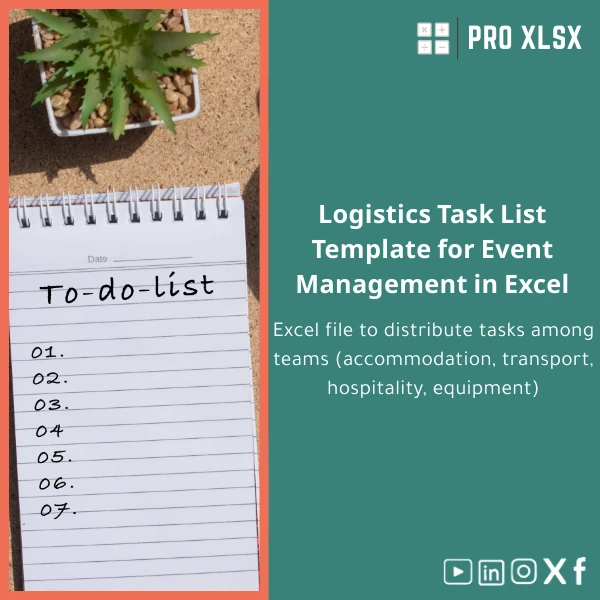
A ready-to-use Logistics task list template that helps event teams assign, track and report accommodation, transport, hospitality and equipment tasks with clarity and audit-ready records — built for accountants, data analysts and operations teams who need reliable Excel tools.
Key benefits & value for the buyer
This logistics task list template turns fragmented event logistics into a controlled, auditable spreadsheet that teams can use from day-one. It is purpose-built to remove ambiguity, reduce manual follow-ups and link operational tasks to financial oversight — a vital requirement for accountants and analysts who need traceable decisions and clear cost attribution.
Concrete outcomes you can expect
- Faster coordination: reduce time spent in daily stand-ups by >30% with a single source of truth for tasks and owners.
- Clear financial control: add cost codes and approval statuses so finance teams can reconcile logistics spends to budgets.
- Repeatable processes: save setups for venues and vendors to quickly replicate events without rebuilding checklists.
- Audit-friendly records: time stamps and status history make post-event reconciliation and reporting straightforward.
Use cases & real-life scenarios
Conference — full logistics coordination
Use the template to assign accommodation bookings, schedule shuttle transfers, confirm AV equipment and track hospitality needs. Filter by team (Logistics, Hospitality, Transport) to produce daily task lists for on-site teams and automated summary reports for the event director.
Audit and cost reconciliation
Accountants can attach supplier invoices to task rows (hyperlinks or references), tag cost centers and export summarized expense reports for month-end closing or client billing.
Small events and one-person operations
Even if you are a one-person team, the structured checklist reduces missed items and provides a printable run-sheet for vendors and volunteers.
Who is this product for?
Designed for: accountants, data analysts, event managers, PMOs and small-to-medium companies in Egypt and the region who need Excel-based solutions rather than heavy event management systems. If you want rapid deployment, auditability and the ability to integrate logistics data into financial reports, this template is suitable.
- Accountants who must reconcile logistics expenses and approvals.
- Data analysts preparing operational KPIs for events (on-time completion, vendor performance).
- Operations teams coordinating transport, hospitality and equipment across multiple teams.
How to choose the right template for your event
Not all templates are the same. When selecting an Excel logistics task list template, check these criteria:
- Compatibility: Ensure the file opens in your Excel version (this template supports Excel 2016, 2019, and 365 on Windows and Mac).
- Level of automation: Pick templates that match your comfort with macros; choose toggleable VBA if you want reminders and exports.
- Customization scope: Look for structured tables and unlocked input areas so you can adapt columns without breaking formulas.
- Integration needs: If you must feed data into accounting systems, choose a template with clear exportable columns (CSV-ready).
Quick comparison with typical alternatives
Alternatives include manual Word/PDF checklists, shared checklists in cloud apps, or full event management platforms. Compared to those:
- Vs Word/PDF: Excel gives structure, filters, and numerical columns for costs — better for accountants and analysts.
- Vs cloud checklists: Excel keeps data local and private, can be integrated with internal finance workflows and is faster to customize offline.
- Vs full platforms: Templates are far lower cost and are ideal when you need control and auditability without subscription fees.
Best practices & tips to get maximum value
- Start with the provided examples rows — then paste your vendor list, accommodations and transport legs into the same structure.
- Use Excel Tables and Slicers for dynamic filtering by team, date or status.
- Lock formula cells and leave only input columns editable; this keeps the structure intact while allowing changes.
- Link the template to a simple dashboard sheet to present KPIs to stakeholders without exposing raw task lists.
Common mistakes when buying/using logistics templates — and how to avoid them
- Pretending one template fits all: Choose a template with customization options rather than modifying a rigid file.
- Ignoring compatibility: Verify Excel version — this avoids broken formulas or disabled macros.
- Not planning data exports: Define export columns early so finance can consume the output for reconciliation.
Product specifications
- File format: .xlsx (primary); optional .xlsm available if VBA automation is required.
- Compatibility: Excel 2016, 2019, Microsoft 365 (Windows and Mac tested).
- Sheets included: Overview dashboard, Master task list, Team assignments, Budget & approvals, Printable checklists.
- Features: Structured Excel Tables, filters/slicers, conditional formatting, print-ready checklists, export-ready columns.
- Automation: Optional macro package for status consolidation and email reminders (user-enabled).
- Support: Documentation + quick-start guide; optional hourly services from ProXlsx for customization and data migration.
Frequently asked questions
Is this template compatible with Excel on Mac and Windows?
Yes. The core .xlsx file is fully compatible with Excel 2016, 2019 and 365 on both Windows and Mac. Optional VBA macros require enabling macros and may have minor differences on Mac — documentation explains how to enable and test them.
Can I link this logistics task list to our accounting system?
Yes. The template is designed with export-ready columns (task ID, vendor, cost center, amount, date) so you can produce CSVs for import. For direct integrations, ProXlsx offers hourly services to map and automate exports.
What if I need custom fields or additional automation?
ProXlsx offers paid customization by the hour — we can add fields, build dashboards, or implement VBA to match your workflow. The template is intentionally modular to ease customization.
Do you provide post-purchase support?
Yes. The purchase includes a quick-start guide and email support for setup questions. Extended support and customization are available as paid hourly services.
Ready to streamline event logistics?
Download the Logistics task list template now and start assigning, tracking and reconciling logistics tasks today. If you need customization, our team at ProXlsx can implement changes by the hour and integrate the template with your finance processes.
Related products

Break-Even Analysis Template for Cost and Profit Estimation
A ready-to-use Break-Even Analysis template in Excel to calculate the sales volume needed to cover costs, model profit scenarios, and produce clear management-ready charts and a margin of safety calculator. Designed for accountants, analysts, and companies who need fast, reliable decision support without complex systems.







Reviews
Clear filtersThere are no reviews yet.