




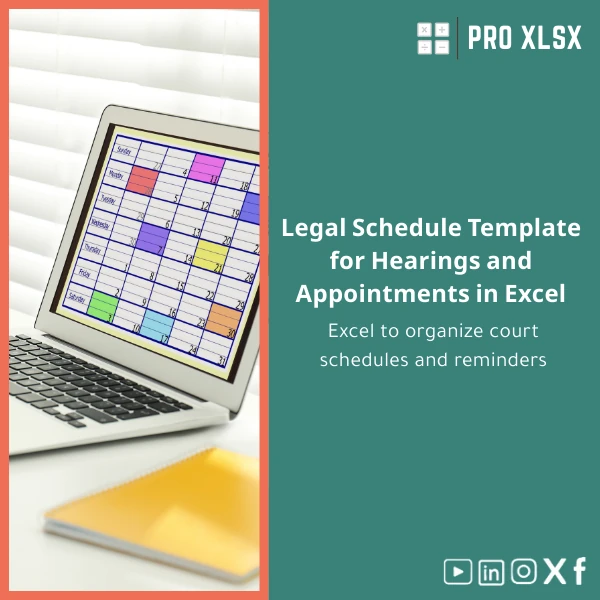
Legal Schedule Template for Hearings and Appointments in Excel
Original price was: $37.53.$26.73Current price is: $26.73.
Excel template to organize court schedules, reminders, and hearing tasks—designed for accountants, data analysts, and companies that need fast, reliable legal scheduling, reporting and operational control without complex systems.
Key benefits & value for buyers
The Legal schedule template transforms raw appointment lists into an operational schedule and reporting tool:
- Operational reliability: built-in validation prevents date errors and overlapping hearings, reducing administrative risk.
- Actionable reminders: aggregated notice windows (48/24/12 hours) and automated color codes help you act before deadlines.
- Faster reporting: ready-made pivot layout and export-ready sheets let accountants and analysts produce status reports and cashflow impact summaries quickly.
- Low IT overhead: works in standard Microsoft Excel (.xlsx/.xlsm) without expensive case management systems.
Use cases & real-life scenarios
Law firm managing multiple courts
Use the template to consolidate filings and hearing dates from all lawyers into a single schedule. Apply filters by court, judge or client, then export a weekly list to paralegals.
Corporate legal & compliance team
Track hearings that have financial impact—link hearing outcomes to provision and expense lines, and generate monthly reports for finance using the pivot-ready data layout.
Outsourced data-entry or analytics teams
Provide raw court PDFs to an analyst who populates the template; the output is immediately usable for dashboards or calendar syncs without extra formatting.
Who is this product for?
The Legal schedule template is designed for professionals who need reliable Excel-based scheduling and analysis:
- Accountants and financial controllers reconciling legal provisions and hearing outcomes.
- Data analysts preparing dashboards and automated reports from hearing data.
- Mid-size companies and legal departments that prefer Excel over heavyweight legal practice software.
- Consultants and outsourcing teams that perform hourly data work and need a standard template to speed delivery.
How to choose the right version
The template is offered in versions to suit different needs—pick the one that matches your workflow:
- Basic (.xlsx): lightweight schedule with validation, conditional formatting and printable calendars—best for single users and small teams.
- Advanced (.xlsx): includes pivot-ready layouts, extra case fields, and printable summaries—best for reporting and analytics.
- Automated (.xlsm): contains VBA macros to export reminders to Outlook or create PDF hearing packs—choose this if you need automation (enable macros).
Consider Excel version compatibility (Excel 2016+, Excel for Microsoft 365 recommended), and whether you need Arabic labels or regional date formats—both supported.
Quick comparison with typical alternatives
How this template stacks up against other options:
- Manual spreadsheets: the template adds validation and automation to prevent common errors and save time vs. a hand-made sheet.
- Calendar apps: calendars are good for reminders but poor for reporting and mass edits; this template combines reminders with analytics-ready data.
- Legal practice software: dedicated software is powerful but costly and requires training—this template provides a fast, low-cost bridge with exportable data for accountants and analysts.
Best practices & tips to get maximum value
- Standardize Case IDs and client names in a master sheet to avoid duplicates and make joins easy for reporting.
- Use the provided pivot layout for monthly summaries—create a dashboard sheet that refreshes pivot tables with one click.
- Enable macros only on trusted copies when using the Automated version; test Outlook exports in a sandbox account first.
- Set a single source of truth: keep one active schedule and export snapshots weekly for audit purposes.
- Use sheet protection to prevent accidental formula edits while leaving data input unlocked for clerks.
Common mistakes when buying or using legal schedule templates (and how to avoid them)
- Buying a generic calendar: Avoid templates without validation or structured fields—choose one with built-in case fields and validation.
- Mixing date formats: Always set regional date formats and use DATEVALUE formulas to normalize imported text dates.
- Relying only on manual reminders: Implement the template’s automated flags or integrate with Outlook to reduce human error.
- No version control: Keep a dated backup or use a change log sheet to track edits when multiple users update the file.
Product specifications
- File formats: .xlsx (Basic & Advanced), .xlsm (Automated with macros)
- Excel compatibility: Excel 2016 or later; Microsoft 365 recommended; partial compatibility with Excel for Mac (macros limited)
- Included sheets: Master Cases, Hearings Schedule, Weekly Calendar, Pivot Reports, Change Log, Settings
- Columns included: Case number, Client, Opposing party, Court, Judge, Hearing type, Hearing date/time, Location, Status, Outcome, Next action, Reminder flags
- Features: data validation, conditional formatting, pivot-ready layout, printable calendars, optional VBA for Outlook export
- Languages: English & Arabic labels supported; regional date formats configurable
- Delivery: instant download after purchase; customization available by the hour from ProXlsx experts
- License: single-file digital license for business use (see ProXlsx licensing terms)
FAQ
Is the template compatible with Arabic date formats and right-to-left sheets?
Yes. The template supports regional date formats used in Egypt and includes Arabic/English label options. For full RTL layout adjustments, ProXlsx offers quick customization by the hour.
Can I sync hearing reminders with Outlook or Google Calendar?
The Automated (.xlsm) version includes VBA routines to export reminders to Outlook. Google Calendar sync requires a CSV export (built into the template) which can be imported into Google Calendar. ProXlsx can set up scheduled exports for you.
Will this work for a multi-user team?
Yes—recommended approach is a shared network copy with clear edit roles, or a master file managed by one coordinator with weekly published snapshots. For heavy concurrent editing, ProXlsx can advise an optimal workflow.
Can you customize the template to match our firm’s fields and reports?
Absolutely. ProXlsx provides hourly customization and can add fields, integrate with existing spreadsheets, create VBA automations, or build dashboard reports tailored to your needs.
Ready to organize hearings and reduce missed appointments?
Download the Legal schedule template today and start producing reliable weekly schedules and finance-ready reports in minutes. If you need a custom version or data-entry support, ProXlsx delivers hourly execution and fast turnarounds.
Instant download after purchase • Includes instructions and sample data • Customization available by the hour







Reviews
Clear filtersThere are no reviews yet.