





Interactive Knowledge Management Dashboard Template
Original price was: $48.33.$37.53Current price is: $37.53.
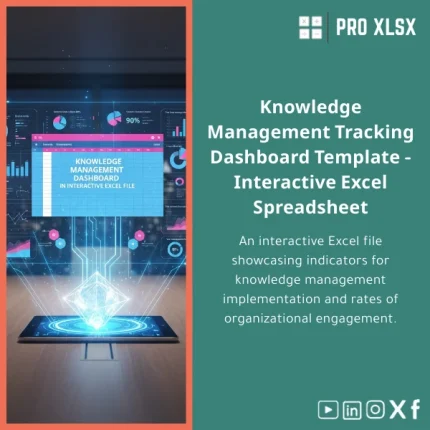
Interactive Dashboard — KM Adoption & Participation: a ready-to-use Knowledge Management Dashboard in Excel that turns raw participation data into actionable KPIs, heatmaps, and stakeholder-ready reports. Built for accountants, data analysts, and corporate teams who need fast, reliable KM insights without complex BI systems.
Key benefits & value for your team
This Knowledge Management Dashboard template converts participation logs, document metadata, and user activity into clear, business-ready metrics. Instead of spending hours cleaning data and building visuals, you get:
- Faster insights: Prebuilt KPIs (adoption rate, contributor distribution, content consumption) reduce time-to-insight from days to hours.
- Actionable visibility: Heatmaps and trend charts highlight low-adoption areas so you can target training or incentives.
- Audit & compliance support: Filterable activity records and timestamped summaries that fit audit trails and internal reviews.
- Cost-efficient: Use Excel instead of investing in heavy BI platforms—significant savings for SMEs and internal teams.
- Flexible delivery: Download a ready template or order an hourly implementation to map your data and tailor fields.
Use cases & real-life scenarios
Accountants & internal audit
Track the adoption of checklists, procedure documents, and revised policies. Use the dashboard to quantify who accessed critical documents before an audit and produce exportable summaries for auditors.
Data analysts & reporting teams
Consolidate raw logs from SharePoint, LMS, or internal repositories. The KM dashboard Excel template includes mapping tables and automated pivots to transform exported logs into standardized KPIs.
Operational managers & HR
Measure participation in knowledge-sharing sessions, mentor activities, and training completion rates. Visualize month-over-month adoption to inform incentive programs and content refresh decisions.
Who is this product for?
The template is aimed at accountants, data analysts, KM coordinators, small-to-medium enterprises, and consulting firms that need reliable metrics without adopting complex systems. It suits teams that:
- Maintain KM in Excel or common file servers.
- Require audit-ready exports and explainable calculations.
- Prefer a fast, low-cost solution with optional professional customization.
How to choose the right Knowledge Management Dashboard
When picking a KM dashboard template, consider these practical factors:
- Data sources: If you export from SharePoint, Teams, or a CMS, confirm the template supports CSV/Excel imports or request a mapping service.
- Level of automation: Choose the base template for manual refresh or request the optional VBA automation for scheduled updates.
- Complexity of KPIs: If you need custom composite metrics (cost-per-share, engagement weighted by role), select the customizable service add-on.
- Excel version compatibility: This template supports Office 2016+ and Office 365; confirm availability for your environment in the product notes below.
Quick comparison with typical alternatives
Compared to custom BI deployments, the KM dashboard template offers immediate deployment and lower total cost. Compared to generic Excel charts, it provides standardized KPIs, auditability, and a data model designed for KM adoption analysis.
- Vs. BI tools: Lower cost, faster setup, simpler maintenance; ideal when advanced governance or massive datasets are not required.
- Vs. ad-hoc spreadsheets: Structured tables, named ranges, and built-in pivots reduce errors and make results repeatable.
Best practices & tips to get maximum value
- Standardize exports: ensure timestamps and user IDs are consistent across sources for accurate trend analysis.
- Start with a monthly cadence: weekly noise can obscure adoption patterns—monthly views show substantive change.
- Use filters: create role-based views (finance vs. operations) to align insights with stakeholder needs.
- Leverage the customization service: if you need to integrate with payroll, L&D, or ticketing systems, request an hour-based mapping job.
Common mistakes when buying or using KM dashboards — and how to avoid them
- Buying a one-size-fits-all tool: Avoid uneditable dashboards; choose templates with clear data model documentation so you can adapt fields.
- Ignoring data quality: Garbage in → garbage out. Use validation steps and the provided import checklist to prevent misleading KPIs.
- Overcomplicating metrics: Start with core adoption and contribution rates, then expand. The template supports phased enhancements.
Product specifications
- Product: Interactive Knowledge Management Dashboard Template (Excel)
- Compatible with: Microsoft Excel 2016, 2019, Microsoft 365 (Windows & macOS basic support)
- Sheets included: Data import templates, Data model, KPI dashboard, Drill-down tables, Printable report pages
- Automation: Optional VBA macros for scheduled refresh (enabled on request)
- Languages: English templates; Arabic field mapping available as an add-on
- Delivery: Instant download after purchase; paid hourly customization available via ProXlsx services
- Usage notes: Single-file workbook; keep backups before enabling macros
FAQ
Can I connect the dashboard to live data sources?
The template is designed for CSV/Excel imports and manual refresh. We offer hourly services to add connectors or configure Power Query for automated pulls if your data source supports export endpoints.
Is the template customizable to our KPIs and naming conventions?
Yes. All tables and pivot sources are documented. For clients who prefer hands-off changes, ProXlsx provides per-hour customization to rename fields, add calculated metrics, or create role-specific views.
What if our team needs support after purchase?
Purchase includes a short setup guide and a one-week email support window. For hands-on assistance—data mapping, automation, or bespoke reports—you can order execution by the hour from our service page.
How do you ensure data accuracy for audit reports?
The template uses structured tables, explicit formulas, and pivot-based aggregations to make calculations transparent. We include an “Audit Notes” sheet showing formula logic and data lineage to support validation.
Ready to measure and improve KM adoption?
Download a professionally built Knowledge Management Dashboard that accountants, analysts, and KM teams can deploy immediately. If you prefer a tailored setup, add our hourly mapping and automation services—fast turnaround and clear deliverables.
Instant download • Excel 2016+ • Optional paid customization available from ProXlsx
Related products

Break-Even Analysis Template for Cost and Profit Estimation
A ready-to-use Break-Even Analysis template in Excel to calculate the sales volume needed to cover costs, model profit scenarios, and produce clear management-ready charts and a margin of safety calculator. Designed for accountants, analysts, and companies who need fast, reliable decision support without complex systems.







Reviews
Clear filtersThere are no reviews yet.