




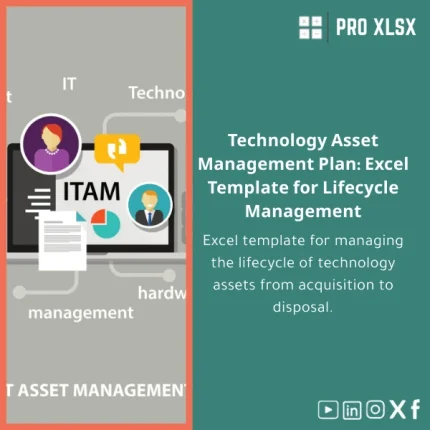
IT Assets Management Plan Template for Lifecycle Management
Original price was: $48.33.$37.53Current price is: $37.53.
A ready-to-use IT assets management plan in Excel that standardizes the full asset lifecycle — Purchase → Deployment → Maintenance → Replacement — so accountants, data analysts, and IT teams can track costs, depreciation, warranties, and replacement schedules in one audit-ready workbook.
Key benefits & value for your business
Implementing a consistent IT assets management plan reduces lifecycle costs, prevents unexpected replacements, and improves record accuracy for accounting and compliance. This Excel template transforms scattered spreadsheets into a single, maintainable register with financial visibility.
Financial control
Track acquisition cost, accumulated depreciation, and remaining book value. Produce CAPEX forecasts and month-by-month depreciation for accounting entries without manual rework.
Operational efficiency
Automate warranty checks, schedule maintenance, and group assets by department, location, or vendor. Save time on reconciliations and asset audits.
Decision support
Dashboards and pivot-ready tables help you decide when to repair, upgrade, or replace hardware based on cost-per-year, failure rates, and contract terms.
Use cases & real-life scenarios
Accountant preparing year-end entries
Use the template’s depreciation schedules and asset register to populate fixed-asset ledgers. Export monthly depreciation and generate supporting reports for auditors.
Data analyst consolidating IT costs
Merge procurement CSVs into the register, run pivot summaries by project or cost center, and produce charts showing lifecycle cost by asset group.
IT manager planning a replacement cycle
Generate a rolling replacement plan by useful life and warranty expiry, prioritize high-risk asset classes, and produce a procurement timeline linked to budget plans.
Who is this product for?
This IT assets management plan is tailored for:
- Accountants and financial controllers who need audit-ready fixed-asset schedules.
- Data analysts consolidating hardware spend and lifecycle metrics.
- Small and medium-sized companies seeking an affordable IT asset register template instead of complex ITSM systems.
- Consultants and auditors who require a consistent, portable Excel file to work with client data.
How to choose the right template & options
Not all templates are the same. Choose based on these factors:
- Scope: Do you need just an asset register, or also depreciation, warranty tracking, and replacement scheduling?
- Automation: Decide if you want optional VBA macros for reminders and bulk updates, or a macro-free workbook for stricter environments.
- Integration: If you import procurement or ERP exports, pick the template with mapping examples and import-ready sheets.
- Customization support: If you need local implementation or hourly customization, choose ProXlsx services to adapt the template to your chart of accounts and processes.
Quick comparison with typical alternatives
Most teams choose between three approaches:
- Manual multiple spreadsheets: Low cost but high maintenance and risk of errors.
- Complex ITSM or ERP modules: Powerful but costly and slow to implement for small/medium companies.
- ProXlsx template + services: Balanced: fast to deploy, affordable, Excel-native (no new systems), and customizable on demand.
Best practices & tips to get maximum value
- Start with a small pilot: import a single department to validate mappings and depreciation rules.
- Standardize asset naming and use unique asset tags to avoid duplicates.
- Keep an import log and change history sheet for auditability.
- Schedule a monthly reconciliation between procurement invoices and the register.
- Use ProXlsx hourly services for initial data cleaning and template mapping to your chart of accounts.
Common mistakes when buying/using asset templates — and how to avoid them
- Buying a one-size-fits-none file: Ensure the template includes examples and clear fields that match your processes.
- Skipping data cleansing: Importing raw procurement exports without normalization causes duplicates and wrong depreciation. Use the provided cleaning checklist.
- Enabling undocumented macros: If your organization restricts VBA, choose the macro-free version or request certified code review.
- Not planning for updates: Keep a version history and document changes; consider ProXlsx maintenance hours for regular updates.
Product specifications
- Format: Microsoft Excel workbook (.xlsx). Optional macro-enabled version (.xlsm).
- Compatibility: Excel 2016, 2019, 2021, Office 365 (Windows & Mac compatible; some VBA features limited on Mac).
- Sheets included: Asset Register, Purchase Log, Depreciation Schedules, Warranty & SLA tracker, Replacement Planner, Dashboards, Import Template, Change Log.
- Rows & capacity: Tested with 50,000+ rows in import sheets (performance varies by Excel version & machine).
- Localization: English; customization available for Arabic labels, local account codes, and tax treatments via ProXlsx services.
- Delivery: Immediate download after purchase; customization available by hourly engagement.
Frequently asked questions
Is this IT asset management template compatible with my accounting system?
The template is designed to export and map common fields (asset code, acquisition date, cost, accumulated depreciation, GL account). ProXlsx provides mapping guides and optional hourly support to format exports for your ERP or accounting software.
Does the template include automation and macros?
There are two delivery options: a macro-free .xlsx workbook and a macro-enabled .xlsm version that includes optional VBA tools (reminders, bulk updates). Macros are documented and can be disabled on request if your environment forbids them.
Can ProXlsx customize the template to our chart of accounts and policies?
Yes. ProXlsx offers hourly customization services to adapt fields, depreciation rules, and dashboards to your company policy. Typical customizations are completed in 2–8 hours depending on complexity.
How do I get support after purchase?
Support includes a download package with user guide and sample data. Additional support and custom work are available through ProXlsx hourly service bookings—ideal for data import, VBA adjustments, and dashboard tuning.
What if the template doesn’t fit our needs?
Review the sample sheets and documentation included with the purchase. If you need changes, ProXlsx can quote a short customization engagement. Contact details are in the package for fast response.
Ready to standardize your IT assets lifecycle?
Download a practical, audit-ready IT assets management plan that accountants, analysts, and IT teams can implement today. If you prefer hands-on help, add ProXlsx hourly customization to map the template to your systems.
Related products

Break-Even Analysis Template for Cost and Profit Estimation
A ready-to-use Break-Even Analysis template in Excel to calculate the sales volume needed to cover costs, model profit scenarios, and produce clear management-ready charts and a margin of safety calculator. Designed for accountants, analysts, and companies who need fast, reliable decision support without complex systems.

Customers Suppliers Tracking Template for Excel Invoices and Payments

Excel Template for Chart of Accounts for Various Industries

Industrial Product Pricing Template for Target-Costing in Excel

Interest Calculation Template for Excel with Cash Discounts
An Excel-ready interest calculation template that computes simple and compound interest, generates early‑payment cash discount schedules, and converts those results into clear reports and cashflow tables — built for accountants, data analysts, and finance teams who need reliable, fast answers without custom development.



Reviews
Clear filtersThere are no reviews yet.