


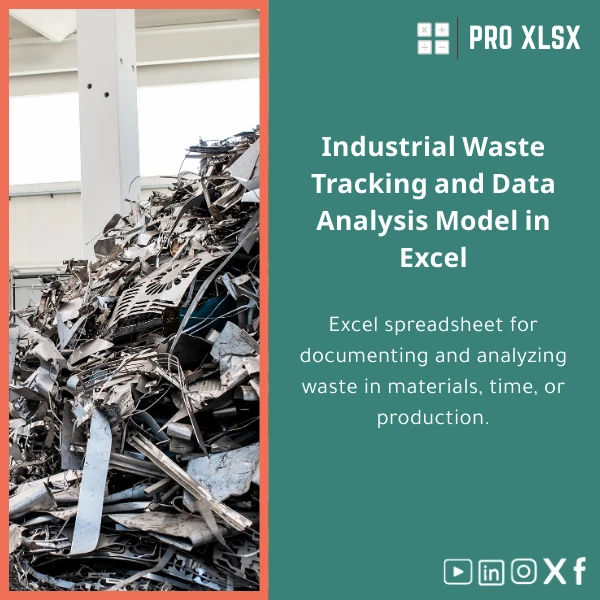
Industrial Waste Tracking Template for Excel Analysis
Original price was: $48.33.$37.53Current price is: $37.53.
A ready-to-use Excel waste tracking sheet designed to record, quantify and analyze material, time, and output losses across manufacturing operations — built for accountants, data analysts, and operations teams who need fast, reliable insights with minimal setup.
Key benefits & value for your team
The Industrial waste tracking template converts scattered loss records into actionable intelligence. It saves time for accountants and data analysts by standardizing collection, automating calculations, and highlighting the largest sources of waste so you can prioritize improvements.
Concrete outcomes you can expect
- Reduce time spent reconciling loss reports by up to 70% through structured input sheets and pre-built formulas.
- Identify the top 20% of causes that create 80% of losses with built-in Pareto analysis.
- Estimate monthly monetary impact automatically by mapping waste to unit cost and production volumes.
- Generate weekly operational reports for production managers and monthly variance reports for finance.
Use cases & real-life scenarios
The template supports a wide range of industrial environments and reporting needs.
Manufacturing line — real example
A textile factory records off-cuts, rework hours and machine downtime. By logging each event in the Excel waste tracking template, the production manager generates a weekly Pareto chart that shows machines A and C cause 65% of fabric waste. Targeted maintenance reduces off-cut by 18% the following month.
Accounting & cost control
An accountant links waste quantities to material cost codes in the template and produces a monthly loss ledger that feeds into the cost of goods sold (COGS) analysis — improving gross margin accuracy and variance explanations for auditors.
Continuous improvement teams
Use the template during Kaizen events to capture before/after metrics, quantify savings, and prepare data-driven proposals for process changes.
Who is this product for?
- Accountants and controllers who must quantify and report production losses.
- Data analysts and BI teams requiring clean, analysis-ready datasets from shop-floor reports.
- Operations managers and production supervisors tracking waste KPIs and corrective actions.
- SMEs in manufacturing, packaging, food processing and textiles seeking low-cost analytics without ERP upgrades.
How to choose the right template version
We offer variations suited to different levels of complexity. Choose based on the size of your operation and reporting needs:
- Starter: Simple entry form and summary — best for small lines and pilot projects.
- Standard: Full loss categories, cost-mapping and dashboard — recommended for most production teams.
- Advanced (with optional VBA): Automated imports, scheduled reports and interactive filters — for multi-line plants and recurring automation needs.
If uncertain, download the Standard version — it covers the majority of use cases and can be extended by our hourly services.
Quick comparison with typical alternatives
Consider common options companies evaluate before buying:
- Paper/Excel logs without templates: Low cost but error-prone and slow to analyze.
- Custom ERP modules: Powerful but expensive, long implementation, and often overkill for SMEs.
- Our template: Faster ROI, immediate deployment, audit-ready outputs and low total cost of ownership.
Best practices & tips to get maximum value
- Standardize input fields across shifts to avoid inconsistent categories.
- Train one or two operators to manage data entry and validation — consistency beats volume.
- Link the template to daily production reports to keep waste KPIs visible in morning meetings.
- Use the Pareto and trend charts to prioritize countermeasures before you invest in equipment changes.
Common mistakes when buying or using waste templates — and how to avoid them
- Thinking more sheets = better: Complexity hinders adoption. Start simple and scale.
- Ignoring cost mapping: Recording kilograms alone won’t show financial impact — map to unit costs.
- Not validating inputs: Put basic validation rules in place (drop-downs, date checks) to avoid garbage data.
Product specifications
- File format: .xlsx (compatible with Excel 2016, 2019, 2021, Microsoft 365)
- Included sheets: Data Entry, Loss Register, Cost Mapping, Dashboard, Pareto Analysis, Trend Reports
- Optional: VBA automation module for scheduled exports and import routines (Advanced version)
- Language: English (labels can be adapted on request for Arabic support via hourly service)
- Delivery: Instant digital download after purchase + basic PDF user guide
- Support: 2 hours of setup help available as an add-on (hourly execution services at ProXlsx)
Frequently asked questions
Will this work with our current production logs and CSV exports?
Yes. The template accepts standard CSV/Excel imports and includes a data-cleaning helper sheet. For non-standard exports we offer quick import services billed by the hour to map your fields to the template.
Can I show monetary loss instead of only kilograms or hours?
Absolutely. The template includes a “Cost Mapping” sheet where you assign unit costs or conversion factors. All summary reports and dashboards automatically calculate monthly monetary impact.
Is there a version with automation or scheduled reporting?
The Advanced version includes optional VBA macros for scheduled exports and one-click reports. If you prefer no macros, choose the Standard version — all analyses still work with manual refresh.
What if we need customization for local regulations or Arabic labels?
ProXlsx provides hourly customization services. We can adapt labels, add compliance fields, or produce Arabic versions of the sheets and reports quickly.
Ready to reduce waste and improve margins?
Download the Industrial waste tracking template now and start turning losses into improvement projects today. If you need help, our team provides fast, hourly services to import data, customize reports, or automate exports.
Instant download • Includes dashboard & printable reports • Optional hourly support from ProXlsx
Related products

Budget Planner Excel Template for Actual and Variance Analysis

Excel Fixed Assets Management Template with Auto Depreciation

Excel Payroll Calculation Template for Deductions and Taxes

Expense Control Template for Tracking Expenses in Excel

Industrial Product Pricing Template for Target-Costing in Excel

Interest Calculation Template for Excel with Cash Discounts
An Excel-ready interest calculation template that computes simple and compound interest, generates early‑payment cash discount schedules, and converts those results into clear reports and cashflow tables — built for accountants, data analysts, and finance teams who need reliable, fast answers without custom development.


Reviews
Clear filtersThere are no reviews yet.