




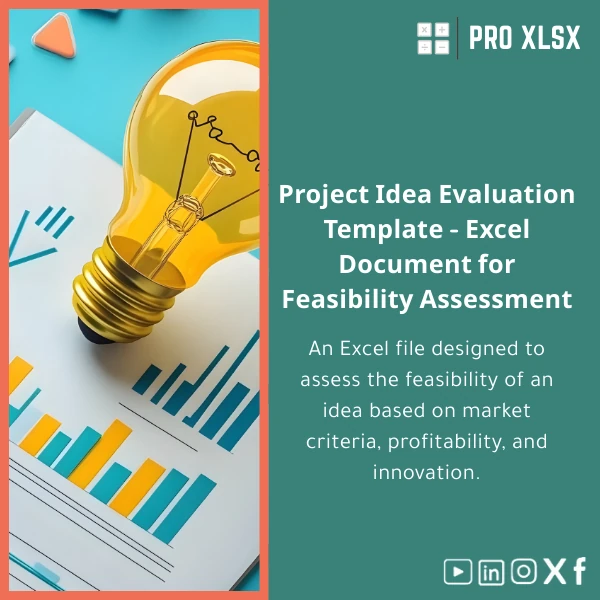
Idea Evaluation Sheet for Market Viability Assessment Template
Original price was: $37.53.$26.73Current price is: $26.73.
Convert an early idea into a data-driven decision: a ready-to-use Idea Evaluation Sheet that helps accountants, data analysts, and business teams score market potential, profitability, and innovation — fast, consistently, and in Excel.
Key benefits & value for the buyer
The Idea Evaluation Sheet translates qualitative judgments into quantitative outputs so you can compare ideas, justify recommendations, and track decisions over time. It is built for high-volume assessments and for teams that need repeatable, auditable scoring.
What you actually get (benefits, not features)
- Faster decisions: Reduce discussion time — one clear score and recommendation per idea.
- Consistent evaluations: Shared criteria and weights eliminate subjective bias between reviewers.
- Auditable reasoning: Each score links to comments and assumptions for future reviews or audits.
- Seamless reporting: Export summary tables to PowerPoint, or copy results into your financial models or dashboards.
Use cases & real-life scenarios
Below are practical examples of how accounting teams, data analysts, and organizations use the template:
Accountant preparing a business case for a client
An accountant uses the sheet to score several project ideas proposed by a client. By combining market size estimates, predicted margin, and required capital, the sheet produces a ranked list and one-page brief that becomes part of the financial advisory report.
Data analyst feeding results into a portfolio dashboard
A data analyst batches 50 idea records, uses the template’s normalized scoring, and imports results into Power Query to build an interactive portfolio dashboard showing expected ROI and risk by theme.
SME leadership team prioritizing limited resources
A small operations team evaluates new product features against development cost and time-to-market, then allocates the next quarter’s budget to the top-ranked items with justification captured directly in the file.
Who is this product for?
The Idea Evaluation Sheet targets professionals who require rigorous, repeatable evaluation of business ideas:
- Accountants and financial consultants preparing business cases and audit trails.
- Data analysts integrating qualitative assessments into quantitative models.
- Startup founders and product managers who need a fast viability check before building prototypes.
- Corporate innovation teams running idea funnel processes without heavy software investment.
How to choose the right version
The template is offered in three practical variants so you can select based on workflow and technical need:
- Basic (Excel): Core scoring model, editable criteria, one summary sheet — best for consultants and accountants who manually review items.
- Advanced (Excel + Power Query): Bulk import, template for batch scoring, and export-ready summary — ideal for analysts handling dozens of ideas.
- Custom (hourly service): Tailored weights, additional financial modeling, VBA automation, and dashboard integration — choose if you need a branded deliverable or integration with ERP/BI tools.
Not sure which to pick? Contact our hourly services for a brief scoping session and recommendation.
Quick comparison with typical alternatives
Companies often choose between: manual scoring in Word/Google Docs, generic templates, or full SaaS idea-management platforms. Our Idea Evaluation Sheet sits between those options:
- Faster and cheaper than SaaS platforms — no monthly fees, exportable Excel file.
- More structured and auditable than ad-hoc Word documents or notes.
- Customizable and integrable — you control formulas, weights, and outputs without vendor lock-in.
Best practices & tips to get maximum value
- Define and document weights before scoring to avoid bias.
- Use the comments field to capture assumptions (market size source, pricing assumptions).
- Batch process ideas in the Advanced version to compare like-for-like.
- Save a “master” file and keep a separate copy for each review round to maintain an audit trail.
- Integrate top-ranked ideas into your financial model for sensitivity testing.
Common mistakes when buying/using similar templates and how to avoid them
- Mistake: Using default weights without alignment. Fix: Run a short calibration session with stakeholders.
- Mistake: Treating scores as absolute. Fix: Use scores as prioritisation input, not final go/no-go criteria.
- Mistake: Not recording assumptions. Fix: Use the built-in comments and assumptions sheet for traceability.
Product specifications
- Format: Microsoft Excel (.xlsx) compatible with Excel 2016+ and Office 365; Mac and Windows supported.
- Sheets included: Instructions, Criteria & Weights, Individual Idea Template, Batch Import, Summary Dashboard, Assumptions Log.
- Core functions: Weighted scoring model, conditional recommendations, comment-linked audit trail, export-friendly summary.
- Languages: English default; Arabic labels available on request (simple localization included in Custom service).
- Delivery: Instant download after purchase; optional hourly customization via ProXlsx services.
- Support: Documentation + example cases included; email support for setup questions.
Frequently asked questions
Can I change the scoring criteria and weights?
Yes — every criterion and weight is editable. The model recalculates automatically and updates the recommendation. For complex reworks (new formulas or additional outputs) use our Custom hourly service.
Will this work with my existing dashboards?
Yes. The Advanced version includes a Power Query-friendly export and a simple mapping guide so analysts can load results into Power BI, Tableau, or an internal dashboard.
Is training or customization available?
ProXlsx offers hourly execution services for customization, VBA automation, or one-hour training sessions to adapt the sheet to your process. Contact us for a scope and hourly estimate.
How does this template handle qualitative inputs?
Qualitative inputs are translated into numeric scores with a simple rubric. Each score cell includes a comment field for the assessor to document reasoning, ensuring transparency for reviewers and auditors.
Ready to evaluate ideas faster and with confidence?
Purchase the Idea Evaluation Sheet now and start scoring and prioritizing ideas with a repeatable, auditable Excel model. Choose Basic, Advanced, or request a Custom scoping call for tailored automation.
Need bespoke adjustments? After purchase you can order hourly customization from ProXlsx to align the sheet to your chart of accounts, KPIs, or dashboard.









Reviews
Clear filtersThere are no reviews yet.