



Interactive Hospitality Performance Dashboard Template
Original price was: $48.33.$37.53Current price is: $37.53.
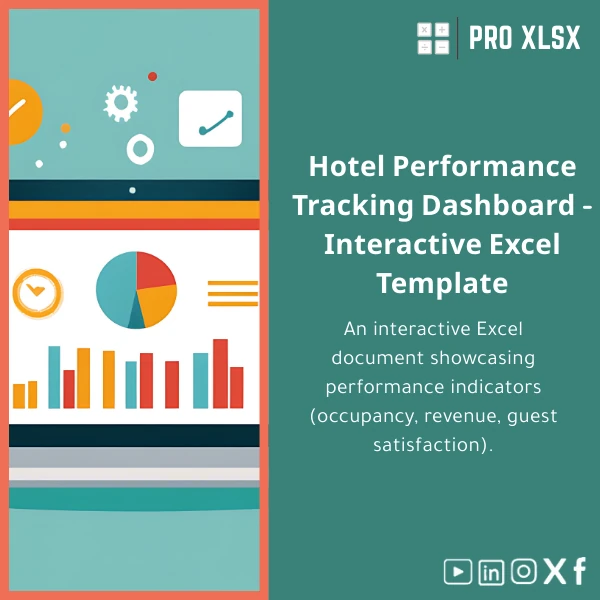
An interactive hospitality performance dashboard in Excel that turns occupancy, revenue and guest satisfaction data into clear, decision-ready KPIs and visual reports — built for accountants, data analysts and operations teams who need fast, accurate hotel performance insights without heavy BI systems.
Key benefits & value for buyers
Designed specifically as a hospitality performance dashboard, this Excel template translates raw operational data into actionable metrics so accountants and analysts can deliver faster, more accurate insights. Benefits include:
- Faster reporting: Pre-built calculations (occupancy, ADR, RevPAR, GOPPAR, RevPAR Index) reduce manual reconciliation time by hours each month.
- Clarity for decisions: Visual charts and traffic-light indicators turn complex trends into simple actions for revenue managers and operations directors.
- Low-cost BI alternative: Avoid costly dashboards and integrations — get interactive reporting inside Excel using native tools plus optional VBA automation.
- Scalable: Supports single-property and multi-property consolidations with dynamic slicers and pivot-backed summaries.
- Audit-ready: Transparent formulas and a clean data model make it easy for auditors and accountants to verify numbers.
Use cases & real-life scenarios
Monthly P&L and KPI pack for the general manager
Pull daily occupancy and rate data into the dashboard to produce a concise monthly report showing trends, revPAR variance vs. budget, and guest satisfaction scores — ready for the monthly GM meeting.
Revenue management & pricing decisions
Revenue managers can use the occupancy by segment and ADR trend charts to test rate changes and forecast revenue impact without waiting for the PMS vendor’s BI extracts.
Multi-property roll-up for owner reports
Consolidate nightly stats across multiple properties into a single view with weighted averages and aggregated revenue — useful for small chains and management companies.
Ad-hoc analysis by accountants or external consultants
Import trial balance or nightly audit exports and use the dashboard to validate revenue recognition, reconcile variances, and highlight data quality issues.
Who is this product for?
This hospitality KPI dashboard Excel template is targeted at:
- Accountants in hotels and resorts who need accurate, auditable KPI reports.
- Data analysts at hospitality groups who want fast, flexible dashboards without investing in new BI tools.
- Hotel owners and small chains needing consolidated performance views and standardised monthly reporting.
- Consultants and auditors who perform operational reviews and need reproducible Excel templates.
How to choose the right template version
Choose based on scale and Excel features available in your organisation:
- Single-property version: For independent hotels or resorts — simple setup, focus on nightly and monthly KPIs.
- Multi-property version: For management companies — includes consolidation sheets and property-level filters.
- VBA-enabled version: For teams who want automation of imports and report generation (requires enabling macros).
- Custom service: If you need mapping to a specific PMS export or Arabic/English localization, order our hourly customization service from ProXlsx.
Quick comparison with typical alternatives
Compared with building reports in a BI platform or manually assembling spreadsheets, this template balances speed, cost and control:
- Vs manual spreadsheets: Far fewer errors, standardised KPIs and faster month-end close.
- Vs heavy BI tools: Lower cost, no infrastructure, uses existing Excel skills — ideal for teams who want fast ROI.
- Vs bespoke developer projects: Much faster delivery; if you need full customisation, ProXlsx offers per-hour services to adapt the template.
Best practices & tips to get maximum value
- Standardise nightly exports from your PMS — use the template’s import sheet layout to reduce mapping time.
- Keep a clean raw-data sheet: never edit raw nightly data directly; use transformation sheets for adjustments.
- Use slicers and date filters for consistent month comparisons — avoid manual date ranges in visuals.
- Schedule a short setup session with ProXlsx if you have multiple PMS formats — a 1–2 hour customization saves days later.
Common mistakes when buying or using hospitality dashboards (and how to avoid them)
- Mistake: Buying a generic dashboard not tailored to hotel KPIs. Fix: Choose templates that include hotel-specific metrics (occupancy, ADR, RevPAR).
- Mistake: Expecting real-time BI without data integrations. Fix: Use scheduled exports and automated Excel imports (VBA option) for near real-time reporting.
- Mistake: Overcomplicating the spreadsheet with unnecessary fields. Fix: Start with core KPIs and add fields only when there is a clear decision use-case.
Product specifications
- File type: .xlsx (Excel workbook)
- Excel compatibility: Excel 2016 or later (Windows/Mac). VBA macros optional — enabled in the VBA-enabled version.
- Sheets included: Raw Data, Data Mapping, KPI Calculations, Dashboard (interactive), Monthly Report, Consolidation (multi-property)
- Key KPIs: Occupancy %, ADR, RevPAR, RevPAR Index, GOPPAR (template supports custom GOP calculation)
- Features: Pivot tables, slicers, dynamic charts, conditional formatting, printable executive summary
- Language: English (layout compatible with Arabic data; localization service available)
- Delivery: Instant download after purchase + optional hourly customization services from ProXlsx
Frequently asked questions
Which Excel versions are supported?
Supported: Excel 2016, 2019, Microsoft 365. Basic template works without macros; if you choose the VBA-enabled file, you must enable macros in a trusted location. Mac users can use core features but some VBA automation may be Windows-only.
Can you map my PMS export or customize calculations?
Yes. ProXlsx offers per-hour customization to map any nightly export, add custom KPIs or localise language/formatting. Book an hourly session and we will deliver a tailored version quickly.
How secure is my data when using the template?
The template stores data locally in your workbook. If you purchase customization services and share sample files, ProXlsx follows strict confidentiality practices and can sign an NDA for sensitive data handling.
What if the template doesn’t fit my needs after purchase?
We provide a clear preview and feature list before purchase. If you need adjustments, our hourly customization service is available to adapt the file. Refunds are handled per our store policy — contact support for specific cases.
Ready to start reporting faster?
Download the Interactive Hospitality Performance Dashboard Template and begin producing accurate monthly reports in hours, not days. For bespoke setups and PMS mapping, choose our hourly service after purchase.








Reviews
Clear filtersThere are no reviews yet.