


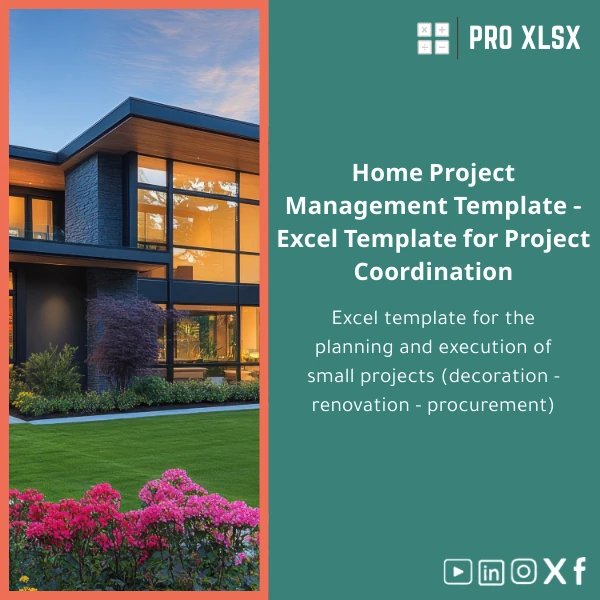
Home Projects Management Template for Renovation and Decor
Original price was: $37.53.$26.73Current price is: $26.73.
A ready-to-use Home Projects Management Template that consolidates budgets, timelines, purchase lists and progress tracking into one professional Excel file — built for accountants, data analysts and companies that need rigorous financial and operational control for renovation and decor projects.
Key benefits & value for accountants, analysts and companies
The Home Projects Management Template converts scattered renovation notes and receipts into structured, auditable data. It reduces manual entry, speeds up budget approvals and gives clear visibility into cost-to-complete and schedule risk.
Financial control
Integrated cost categories, real-time running totals and variance analysis let finance teams reconcile estimated vs actual spending immediately. Use the pivot-ready sheets to generate reports for management or clients without rebuilding spreadsheets.
Operational clarity
The built-in Gantt-style timeline, task owner fields and supplier register centralize coordination between contractors, designers and procurement — minimizing missed deliveries and scope creep.
Efficiency & repeatability
Templates and checklists standardize project intake and purchase approval, making it easier to scale processes across multiple properties or clients while keeping audit trails intact.
Use cases & real-life scenarios
Below are practical ways teams use this home projects planner excel in day-to-day work.
- Accountant for a property owner: Track renovation invoices, code costs to CAPEX or maintenance, export monthly summary for tax and reporting.
- Data analyst supporting facilities: Consolidate supplier performance (on-time %), average cost per m2 and forecast remaining spend across multiple projects.
- Small construction firm: Use the decor project planning sheet to issue purchase lists and compare supplier quotes before approval.
- Interior designer: Manage itemized purchases, delivery schedules and client approvals in a single, printable workbook.
Who is this product for?
This Home Projects Management Template is made for professionals who demand accuracy, transparency and repeatable workflows:
- Accountants and auditors managing renovation budgets and approvals.
- Data analysts who need clean tables and ready-to-visualize data for dashboards.
- Project managers and operations teams coordinating suppliers and contractors.
- Small-to-medium companies and consultancies delivering decor and renovation projects to clients.
How to choose the right version
The template is available in two baseline packages and flexible add-ons:
- Standard (download): Complete workbook with budget, timeline, purchases and printable checklists — ideal for single projects.
- Professional (download + pivot dashboard): Includes additional summary dashboards and advanced formulas for multi-project rollups.
- Custom (hourly service): Book hourly work for data import, custom reports, or VBA automation — recommended for companies combining several property projects or integrating with existing accounting systems.
Choose Standard if you need a fast, low-cost home renovation project template. Choose Professional or Custom if you require consolidated reporting or automation.
Quick comparison with typical alternatives
Many teams use multiple tools (notes, separate spreadsheets, manual checklists). Compared to that approach, this template offers:
- One file vs multiple unlinked sheets – fewer reconciliation errors.
- Prebuilt financial controls vs ad-hoc formulas – faster month-end closes.
- Printable procurement forms vs manual emails – clearer accountability with suppliers.
Compared to heavy project-management systems, this Excel solution is low-cost, offline-capable, and familiar to finance teams — with optional automation if you need additional scale.
Best practices & tips to get maximum value
- Start with a single project import: enter one project’s historic invoices to validate formulas before roll-out.
- Use the supplier register to store contact, payment terms and lead times — it reduces late deliveries.
- Protect formula sheets and keep an unlocked data-entry sheet for site teams to update costs safely.
- Schedule a short customization session if you need integration with your accounting chart of accounts.
Common mistakes when buying/using similar templates — and how to avoid them
- Mistake: Buying a template without a clear rollout plan. Fix: Map who enters data, who approves purchases, and how often reports are generated.
- Mistake: Leaving formulas editable by all users. Fix: Lock calculation sheets and provide a single point of update.
- Mistake: Underestimating supplier data capture. Fix: Use the supplier sheet and compel capture of lead time and payment terms at purchase creation.
Product specifications
- Format: Excel workbook (.xlsx) — compatible with Excel 2016+ and Microsoft 365.
- Sheets included: Dashboard, Budget & Costs, Gantt Timeline, Purchases & POs, Supplier Register, Materials List, Print Checklists, Instructions.
- Features: Prebuilt formulas, pivot-ready tables, conditional formatting, printable templates.
- Customization: Hourly customization and VBA automation available on request.
- Language: English (instructions and labels), adaptable to Arabic on custom order.
- Delivery: Instant digital download after purchase; custom work scheduled per agreement.
Frequently asked questions
Does this template work for multiple projects at once?
Yes — the Professional package includes rollup functionality to monitor multiple projects. For large portfolios we recommend the Custom option so we can adapt sheets to your reporting needs.
Can you import our existing data (invoices, supplier lists)?
Yes. ProXlsx offers hourly data import services to map and clean your legacy data into the template. This removes manual entry and accelerates adoption.
Is there support if I need changes after purchase?
We provide paid hourly support and custom development (VBA, formulas, dashboarding). Small clarifications are answered promptly — see product page for hourly rates and scheduling.
Will the template integrate with accounting software?
Direct integrations depend on your accounting system. We can prepare export formats (CSV) or build simple automation scripts to align the template with your chart of accounts as a custom service.
Ready to plan your next renovation with professional control?
Streamline budgets, supplier coordination and timelines with a single authoritative workbook — trusted by accountants and project teams who need reliable, auditable results.
Prefer a custom demo or hourly setup? Contact ProXlsx for a short consultation and we will propose the minimal scope to get you live quickly.
Related products

Budget Planner Excel Template for Actual and Variance Analysis

Comprehensive Accounting Program in Excel Template

Excel Journal Entries Template with Auto GL Mapping

Expense Control Template for Tracking Expenses in Excel

Financial Statements Template for Easy Preparation of BS, P&L & Cash Flows

Interest Calculation Template for Excel with Cash Discounts
An Excel-ready interest calculation template that computes simple and compound interest, generates early‑payment cash discount schedules, and converts those results into clear reports and cashflow tables — built for accountants, data analysts, and finance teams who need reliable, fast answers without custom development.



Reviews
Clear filtersThere are no reviews yet.