


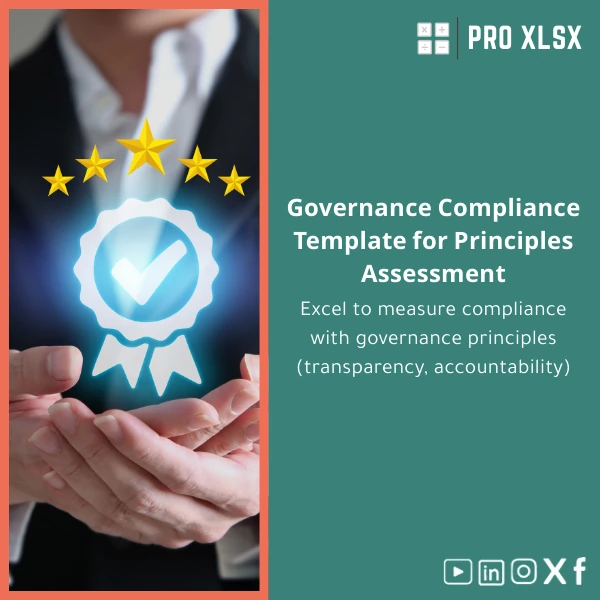
Governance Compliance Template for Principles Assessment
Original price was: $80.73.$67.23Current price is: $67.23.
A ready-to-use governance compliance template in Excel that measures adherence to core governance principles — transparency, accountability, fairness — with clear scoring, automated aggregation, and an exportable dashboard. Designed for accountants, data analysts, audit teams, and corporate governance officers who need fast, reliable assessments without complex systems.
Key benefits & value for the buyer
The Governance compliance template converts unstructured governance questions into reliable, auditable scores — with minimal setup. It helps you:
- Reduce manual work: Replace scattered checklists with one controlled workbook that enforces input rules and prevents errors.
- Create consistent reports: Standardized scoring and exportable summaries suitable for management, boards, or external audits.
- Improve decision speed: Immediate visibility on gaps and priorities so remediation plans can be assigned and tracked.
- Maintain traceability: Each assessment row includes evidence fields and reviewer notes for audit trails.
- Adapt without rebuilding: Add or modify principles, change weights, and localize language in minutes.
Use cases & real-life scenarios
Internal governance review (monthly)
The internal governance team uses the template to run monthly assessments across business units. Each unit completes the checklist, attaches evidence links, and the workbook aggregates results to show trends and hotspots for the executive committee.
Pre-audit readiness (quarterly)
Accountants preparing for external review use the governance excel template to document compliance levels ahead of the audit, reducing the time auditors spend collecting evidence and improving the quality of board reporting.
Advisory & consulting engagements
Consultants and advisory firms deliver fast governance assessments to clients using this governance assessment template, then offer remediation steps based on the scored outputs — all exportable to PowerPoint or PDF for client deliverables.
Who is this product for?
This template is designed for:
- Accountants and audit teams needing a repeatable governance checklist.
- Data analysts who build governance dashboards and need clean, model-ready inputs.
- Companies and holding groups that manage multiple entities and want comparable governance scores.
- Consultants and firms offering governance assessments and remediation roadmaps.
How to choose the right template or service
When deciding between a downloadable governance compliance template and a custom implementation, consider:
- Scope: Small, one-off assessments → download template. Enterprise-wide rollouts → request customisation or hourly implementation from ProXlsx.
- Automation needs: If you need integrations, scheduled reports, or bespoke macros, choose the custom service.
- Localization: The base template supports quick localization; for regulatory alignment with Egyptian codes, request our on-hour adaptation.
Quick comparison with typical alternatives
Alternatives include manual Word/PDF checklists, bespoke database systems, or generic survey tools. Compared to those:
- Versus Word/PDF: This Excel template enforces structure, prevents calculation errors, and produces immediate numeric outputs.
- Versus bespoke systems: Faster and cost-effective — no integration or licensing overhead for standard assessments.
- Versus survey platforms: Better for evidence capture, weighting, and financial linkage — and keeps data within your control (Excel file).
Best practices & tips to get maximum value
- Standardize question phrasing across units to ensure comparable scoring.
- Use the evidence field for links to documents (internal drives or cloud) — this maintains traceability.
- Set weights for principles once and lock the worksheet to avoid accidental changes.
- Schedule a short training session (30–60 minutes) with your team — we offer hourly support to help.
- Export the dashboard snapshot into board packs; use the summary sheet as the single source of truth.
Common mistakes when buying/using governance templates and how to avoid them
- Using an unstructured checklist: Leads to inconsistent results. Use the template’s validation and scoring to enforce consistency.
- Not capturing evidence: Scores without proof are weak. Require an evidence link or file note for every high-risk finding.
- Overcomplicating weights: Too many custom weights create maintenance overhead. Start simple and evolve.
- Ignoring compatibility: Confirm Excel version (see specs) and enable macros only if you trust the workbook source.
Product specifications
- File format: .xlsx (with an optional .xlsm copy for macro-enabled automation)
- Compatibility: Excel 2016+ (Windows & Mac), Excel for Microsoft 365 recommended for best charts
- Sheets included: Instructions, Assessment Matrix, Scoring Engine, Dashboard, Evidence Log, Export Summary
- Features: Weighted scoring, conditional formatting, data validation, pivot-ready layout, printable summary
- Localization: English by default — fields and labels editable for Arabic or other local language needs
- Support options: Instant download + optional hourly services (data-entry, customization, VBA automation)
- Delivery: Immediate digital download after purchase; custom work scheduled per hourly availability
Frequently asked questions
Is the template safe to use with sensitive data?
Yes. The template is an offline Excel workbook you download and control. For extra security, use it on internal drives or encrypted folders. If you need help implementing access controls or secure exports, our hourly services can assist.
Can I change the assessment criteria and weights?
Absolutely. The governance assessment template is built to be editable. We recommend locking formula rows after finalizing weights; if you prefer, ProXlsx can apply and protect those settings for you.
Do you provide customisation or integration services?
Yes. ProXlsx offers hourly implementation services — from tailoring question sets to creating VBA macros, integrating with shared drives, and producing printable board reports.
What if my team uses older versions of Excel?
Basic functionality works in Excel 2010–2013, but we recommend Excel 2016+ for full dashboard and pivot features. If you require legacy compatibility, request the non-macro version or an adaptation service.
Ready to run governance assessments with confidence?
Download the Governance compliance template now and start converting manual checklists into auditable, comparable scores. If you need adaptation, our team offers fast hourly support to customise the template for Egyptian regulations or group-level rollouts.
Not sure yet? Contact ProXlsx for a quick consult or request a short customization estimate — we focus on practical, fast implementations that deliver board-ready reports.






Reviews
Clear filtersThere are no reviews yet.