


Frequency Distribution Template for Data Analysis and Histograms
Original price was: $37.53.$26.73Current price is: $26.73.
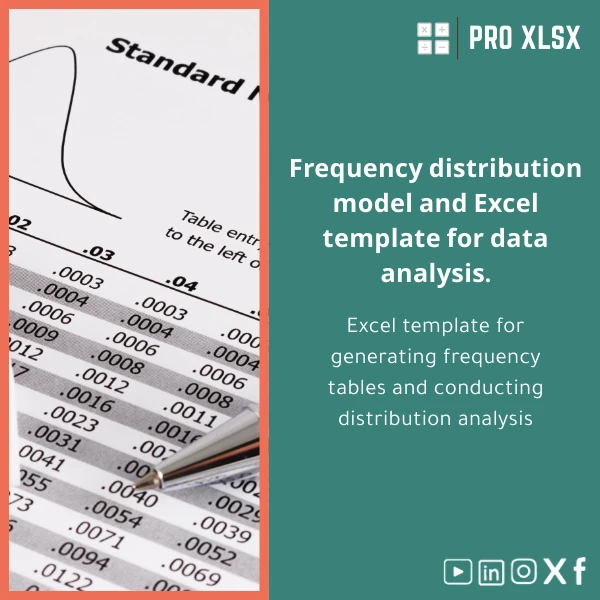
A ready-to-use frequency distribution template that creates clean frequency tables, dynamic histograms, and summary statistics in Excel — designed for accountants, data analysts, and companies that need fast, reliable distribution analysis without building formulas from scratch.
Key benefits & value for the buyer
This frequency distribution template converts messy numerical data into decision-ready summaries in minutes. Instead of building COUNTIFS, FREQUENCY arrays, or manual charts, you get:
- Time savings: Prepare distributions and charts in under two minutes per dataset.
- Consistency: Standardized outputs reduce errors in recurring reports and audits.
- Flexibility: Supports multiple bin strategies and large datasets (thousands of rows).
- Compatibility: Works with Excel 2016, 2019, 2021, and Microsoft 365 — non-macro and macro-enabled options included.
- Audit-ready: Clear labels, calculation transparency, and an included sample dataset to validate results.
Use cases & real-life scenarios
Accountants & auditors
Summarize transaction amounts into frequency bands to detect anomalies, concentration of balances, or to prepare working papers for sampling.
Financial analysts and controllers
Quickly visualize distributions of returns, expense categories, or processing times to feed into variance analysis and presentations.
Operations and HR
Analyze lead times, service durations, or salary bands using quantile bins to support resource planning and benchmarking.
Consultants & managers
Produce clean histogram visuals for client decks without relying on BI tools or custom scripts — exportable to PowerPoint or PDF.
Who is this product for?
The frequency distribution template is built for professionals who need rapid, reliable distribution analysis:
- Accountants and auditors preparing sampling and summary tables
- Data analysts and BI teams creating exploratory charts
- Small and medium businesses summarizing financial or operational metrics
- Consultants and reporting teams who must deliver polished visuals quickly
How to choose the right variant
Selecting the correct template depends on your dataset size, automation needs, and Excel environment:
- Small dataset, manual workflow: Use the standard .xlsx version (no macros). Easy to inspect formulas and change bins manually.
- Large datasets or frequent use: Choose the macro-enabled .xlsm for one-click refresh and faster recalculation.
- Custom reporting or local settings: Request our hourly customization service (we adapt decimal separators, date formats, labels or integrate into your dashboards).
- Bin strategy: Pick equal-width for intuitive ranges, quantile for balanced groups, or custom breaks for policy-aligned bands (e.g., tax bands, salary grades).
Quick comparison with typical alternatives
How this template stacks up against common approaches:
- Manual formulas: Faster and less error-prone than building FREQUENCY or COUNTIFS from scratch.
- BI tools (Power BI/Tableau): More lightweight and cheaper for quick analyses; no ETL or model-building required for simple histograms.
- Custom development: Lower upfront cost and immediate delivery compared to bespoke scripts or consulting projects.
Best practices & tips to get maximum value
- Always keep an unaltered raw-data sheet; run the template on a copy to preserve originals.
- Start with recommended bins and review the histogram — adjust to meaningful business cutoffs afterwards.
- Use the sample sheet included to validate the template on familiar data before applying it to production files.
- If you need recurring reports, use the macro-enabled version and schedule a short setup to link with your source files.
Common mistakes when buying/using frequency templates and how to avoid them
- Choosing too many bins: Leads to noisy histograms — aim for 5–15 bins depending on data size.
- Not cleaning data first: Outliers and text values distort frequencies — run simple validation before analysis.
- Ignoring decimal and regional settings: Ensure Excel’s decimal separator matches your file to avoid miscounts.
- Overreliance on visuals: Use both the frequency table and histogram; tables show exact counts for audit trails.
Product specifications
- Product: Frequency distribution template (Excel)
- Included files: .xlsx (non-macro), .xlsm (macro-enabled) — sample dataset and user guide
- Compatibility: Excel 2016, 2019, 2021, Microsoft 365 (Windows & macOS)
- Features: Dynamic frequency table, cumulative frequency, percentage columns, histogram chart, bin presets (equal-width, quantile, custom)
- Customization: Hourly data services (data cleaning, bin setup, VBA automation) available from ProXlsx team
- Delivery: Immediate download after purchase; support email included
- Language: English (labels editable), localization support for Arabic/Egyptian formats on request
Frequently asked questions
Is this template compatible with my version of Excel?
Yes. The non-macro .xlsx file works on Excel 2016 and later (Windows & macOS). The .xlsm macro-enabled version requires macros enabled and is fully compatible with Excel desktop versions; macros are not required to use the core functionality.
Can I customize bins and labels for my organization’s policy?
Yes. The template includes custom-break input and editable labels. For tailored configuration or to integrate the template into your reporting flow, ProXlsx offers hourly customization services.
What happens if my data uses Arabic decimal separators or different date formats?
The template will work with localized settings, but it’s recommended to confirm Excel’s regional settings before running analysis. If needed, we provide quick customization to adapt separators and formats.
How is delivery and support handled after purchase?
Delivery is immediate via download link. Each purchase includes a short user guide and email support for setup questions. For deeper integration, request our hourly service to perform the setup for you.
Ready to analyze distributions faster?
Download the Frequency Distribution Template now and start producing audit-ready frequency tables and histograms in minutes. If you need custom bins, automation, or integration into a reporting dashboard, ProXlsx is available by the hour to implement it for you.
Immediate download • Non-macro (.xlsx) + optional macro (.xlsm) • Sample dataset & quick guide included








Reviews
Clear filtersThere are no reviews yet.