



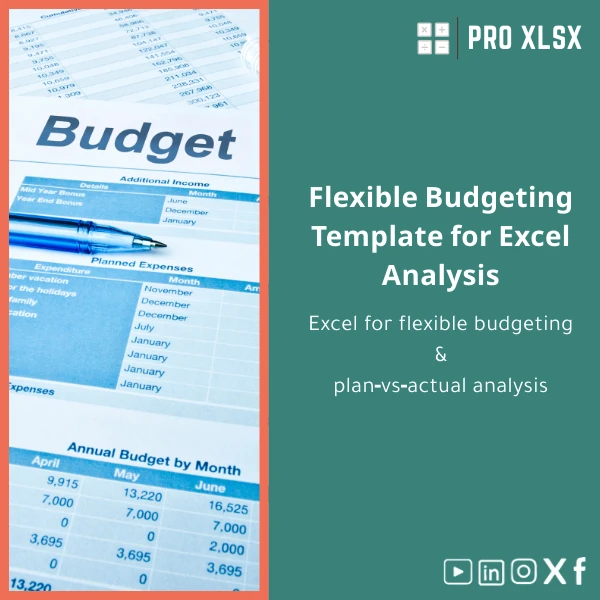
Flexible Budgeting Template for Excel Analysis
Original price was: $94.23.$75.33Current price is: $75.33.
Excel for flexible budgeting & plan‑vs‑actual analysis — build activity‑based budgets, run variance analysis across multiple volume scenarios, and produce clean management reports without complex systems.
Key benefits & value for the buyer
This flexible budgeting template translates raw transactions and activity drivers into decision‑ready numbers. Instead of static monthly budgets that break when volumes change, you get a dynamic model that recalculates costs and variances by scenario. Benefits include:
- Faster month‑end reporting: Drop exported GL data into structured sheets and update dashboards in minutes.
- Clear variance breakdown: Separate price, volume and efficiency variances to explain deviations to managers and auditors.
- Scenario planning: Run “what‑if” cases (best, base, worst) without rebuilding spreadsheets.
- Auditability: Formula‑driven calculations with comment notes and traceable inputs for reviewers.
- Cost control: Identify variable vs fixed cost behaviour to inform forecasts and cost reduction initiatives.
Use cases & real-life scenarios
Monthly management reporting
Finance teams use the template to import actuals, select the activity level, and produce plan‑vs‑actual tables with variance explanations. The dashboard exports as Excel or PDF for board packs.
Cost variance analysis
Cost accountants can run the cost variance analysis sheet to isolate labour efficiency issues, raw material price swings, and mixed‑cost behaviour that standard budgets hide.
Scenario planning for operations
Operations managers model production shifts, headcount changes, or new pricing strategies to see P&L impact without IT projects or new systems.
Who is this product for?
The template is created for accountants, financial controllers, management accountants, data analysts, and SMEs in Egypt and the region who need fast, reliable Excel-based budgeting and variance tools. It suits:
- Small & medium companies replacing manual static budgets.
- Consultants and auditors preparing variance explanations.
- Financial analysts building scenario models before ERP consolidation.
- Business units that require printable reports without subscribing to SaaS.
How to choose the right version
The template comes in flexible options (Basic, Advanced with driver mapping, and Advanced+VBA automation). Choose based on your workflow:
- Basic: Manual inputs & simple formulas — best for single‑entity small teams.
- Advanced: Multiple cost centres, activity drivers, and ready variance analysis — recommended for controllers and multi‑site companies.
- Advanced+VBA: Adds automated imports, report generation and pivot refresh — ideal when time savings are critical and you use Windows Excel.
If unsure, purchase Advanced and request hourly customization from ProXlsx to tailor driver mappings or import routines.
Quick comparison with typical alternatives
When deciding, consider trade‑offs:
- Manual spreadsheets: Cheap but hard to maintain; risk of errors and slow reporting.
- ERP native budgeting: Integrated but often costly and slow to implement for short-term needs.
- Cloud budgeting SaaS: Powerful but recurring costs and data migration overheads.
- Flexible budgeting template (this product): One‑time purchase, immediate setup, editable and auditable — fastest ROI for organizations that already use Excel.
Best practices & tips to get maximum value
- Standardize your export layout from ERP/GL before first import — saves hours on mapping.
- Define 3‑5 activity drivers per cost centre (units, hours, sqm, transactions) for clarity.
- Keep assumptions in a single “drivers & assumptions” sheet to simplify scenario swaps.
- Use the built‑in comments and documentation tabs before sharing with auditors.
- For recurring automation, consider purchasing the Advanced+VBA and ask ProXlsx for hourly setup help.
Common mistakes when buying/using similar templates and how to avoid them
- Buying the wrong version: Avoid by assessing whether you need automation (VBA) or just structured formulas.
- Ignoring driver design: Map drivers to real operational metrics — not guessed percentages.
- Overcomplicating models: Start with the core drivers and expand only when drivers consistently explain variances.
- Skipping documentation: Use the template’s built‑in instructions so new users can follow assumptions and flows.
Product specifications
- Format: Excel workbook (.xlsx); VBA version available (.xlsm) for automation
- Compatibility: Excel 2016+, Office 365 (Windows); Mac supported with limited macro features
- Included sheets: Inputs (actuals), Drivers & Assumptions, Flexible Budget Engine, Variance Analysis, Dashboard, Exports
- Delivery: Instant download after purchase; customization available hourly via ProXlsx services
- Documentation: In‑file instructions and quick start guide + sample data for testing
- Support: 30‑day email support for setup questions; optional paid customization
- Security: Local file — your data stays in Excel; no cloud transfer unless you choose to upload
FAQ
Can I import data from my accounting system (ERP / Tally / QuickBooks)?
Yes. The template accepts standard GL exports (date, account, cost centre, amount). ProXlsx provides an import mapping sheet and quick instructions. For automated imports, choose the Advanced+VBA option or request an hourly service to build a tailored import routine.
Does the template include macros? Are they safe?
The basic and Advanced versions use formulas only. The Advanced+VBA version contains macros to automate imports and report exports; macros are signed where possible and documented. If you cannot run macros (e.g., Mac users or locked environments), use the non‑macro version.
How long does customization take?
Typical customization (mapping imports, adding 1–2 drivers, adjusting reports) is 2–8 hours depending on complexity. ProXlsx charges hourly for custom work and provides an estimate after reviewing sample files.
What if the template doesn’t fit our process?
If the purchased template needs changes, ProXlsx can adapt it on an hourly basis. We recommend purchasing the Advanced version then scheduling a short scoping call to minimize rework and align outcomes.
Ready to replace static budgets with a dynamic, auditable model?
Download the Flexible budgeting template now and start producing clear plan‑vs‑actual reports and cost variance analyses in Excel today. If you need setup help, our hourly implementation service will connect the template to your exports and customize drivers for your business.









Reviews
Clear filtersThere are no reviews yet.