


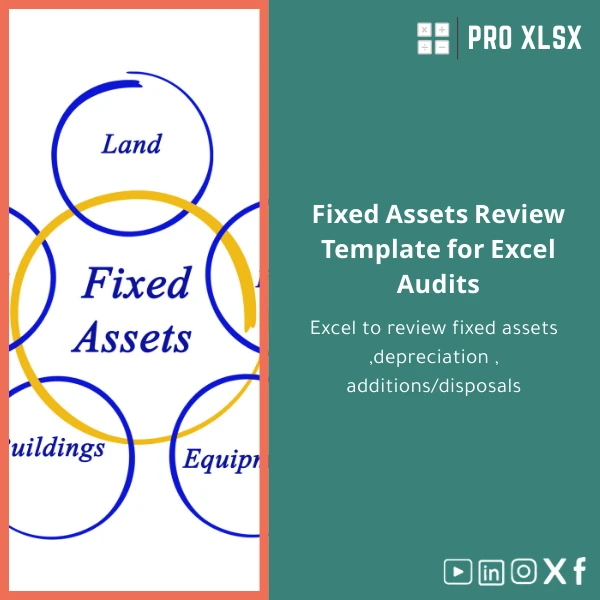
Fixed Assets Review Template for Excel Audits
Original price was: $48.33.$37.53Current price is: $37.53.
A ready-to-use Fixed Assets Review template that helps auditors, accountants and analysts verify opening balances, calculate and test depreciation, trace additions and disposals, and produce an external audit fixed assets schedule that is clear, traceable and audit-ready.
Key benefits & value
The Fixed Assets Review template translates routine but error-prone fixed assets work into a repeatable, documented process. It is designed to save time while increasing confidence in audit conclusions and management reports.
What you get (features → benefits)
- Structured asset register (by asset group, location, GL account) → faster sampling and reliable roll-forward.
- Depreciation engine with built-in formulas → immediate recalculation of current and accumulated depreciation for testing.
- Additions / disposals sheet with links to the register → clear evidence trail for movement testing and disposal gain/loss checks.
- Reconciliation section → ties the fixed assets closing balance to the general ledger and highlights reconciling items automatically.
- Audit checks & validation rules → red flags for missing useful life, zero-cost assets, or mismatched currency treatments.
- Printable workpaper layout → formatted schedules ready for external audit binders or client delivery.
Use cases & real-life scenarios
Designed for day-to-day use in both audit engagements and in-house accounting workflows:
- External auditor: Use as a fixed assets audit workpaper Excel to document roll-forward, sample selections and test depreciation calculations during fieldwork.
- Accounting team: Month-end reconciliation and verification of additions/disposals before closing the books.
- Finance manager / CFO: Create an external audit fixed assets schedule for statutory filings and board reporting without exporting multiple reports.
- Data analyst: Use the pivot-ready layout to produce dashboard metrics: capex by department, average useful life, disposal trends, and impairment candidates.
Short example: How an audit pairing saves days
During an external audit, the team imports the ERP asset extract into the template, runs the reconciliation, and uses the built-in depreciation formulas to test a sample of 30 assets. The template flags three assets with missing useful life and generates a disposal gain/loss table the auditor attaches to the final report—what used to take 2–3 days is completed in a single day.
Who is this product for?
This template is ideal for:
- External auditors and audit firms preparing fixed assets workpapers.
- Accountants handling monthly and year-end fixed assets reconciliations.
- Small and medium enterprises that need clean, auditable schedules without expensive ERP modules.
- Data analysts and controllers who need to convert raw asset data into actionable insights.
Not sure if this single template is enough? If you manage thousands of asset lines or require custom tax/IFRS treatments, ProXlsx offers hourly customization and automation services to adapt the workbook to your environment.
How to choose the right version or scale it
Choose the Fixed Assets Review template if you:
- Process up to a few thousand asset lines per period and want a fast, low-cost solution.
- Require audit-ready documentation and clear reconciliation to the GL.
- Prefer a template you can adapt yourself but want optional expert support.
Consider a customized solution or our hourly service when:
- You need automated imports from a specific ERP.
- You manage large volumes where VBA automation reduces manual steps.
- You need specific statutory or tax calculations integrated into the schedule.
Quick comparison with typical alternatives
Manual spreadsheet
Manual spreadsheets are flexible but inconsistent and hard to audit. The template provides standardized layouts, validation and reconciliation to reduce human error.
ERP extract + ad-hoc analysis
ERP exports are powerful but often require manipulation. The template accepts ERP extracts and converts them into audit-ready schedules without complex data transformation tools.
Bespoke developer solution
Custom development is precise but costly and slow. Our template is immediate and affordable; if you later require custom automation, ProXlsx can extend the template on an hourly basis.
Best practices & tips to get maximum value
- Start with a clean asset extract—ensure GL codes, asset IDs and cost columns are consistent before import.
- Use the validation sheet first—resolve all red-flag items before performing reconciliations.
- Protect formula cells after configuration to prevent accidental changes during review.
- Keep a copy of the raw extract sheet untouched for audit trail purposes.
- For repetitive workloads, request optional VBA automation to speed imports and report generation.
Common mistakes when using fixed assets schedules — and how to avoid them
- Mixing currencies without conversion—always standardize currency before reconciliation.
- Double-counting disposals—use the disposals table and tie disposal IDs to asset register entries.
- Using outdated useful life assumptions—update policy numbers in the template header and rerun calculations.
- Not documenting adjustments—use the adjustments/comments column for each reconciling item.
Product specifications
- Format: Microsoft Excel (.xlsx). Optional .xlsm version with macros available on request.
- Sheets included: Instructions, Asset Register, Movements (Additions/Disposals), Depreciation, Reconciliation, Audit Checks, Printable Schedule.
- Compatibility: Excel 2016 and later (Windows & Mac). CSV import supported for ERP extracts.
- Capacity: Designed to handle thousands of asset lines; performance depends on Excel version and machine resources.
- Customization: Custom fields, tax treatment modules, and VBA automation available as paid services.
- Delivery: Immediate download after purchase + downloadable user guide and sample data.
Frequently asked questions
Is this template audit-ready for external auditors?
Yes—the template is structured to produce audit workpapers: roll-forward schedules, depreciation testing, and reconciliations that attach directly to your audit file. For firm-specific documentation formats we offer customization services.
Does the template support IFRS or local Egyptian tax depreciation rules?
The template uses standard depreciation formulas (straight-line, reducing balance options can be added). IFRS and Egyptian tax specifics typically require minor configuration—ProXlsx can add these rules on request under our hourly service.
Can I import data from my ERP?
Yes—copy/paste from ERP exports or import CSV. If you need automated imports or mapping for a specific system, we can add a tailored import routine.
What support is included after purchase?
Every purchase includes a user guide and one short email support session to help with setup. Extended support and customization are available hourly.
Ready to streamline your fixed assets review?
Purchase the Fixed Assets Review template now and start producing audit-ready schedules today. If you need help importing data or automating repetitive steps, select our hourly customization service after purchase.








Reviews
Clear filtersThere are no reviews yet.