



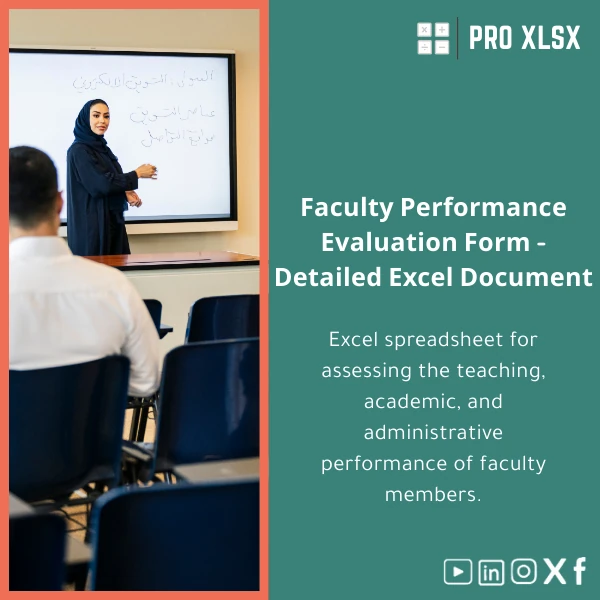
Excel Faculty Performance Evaluation Template for Educators
Original price was: $48.33.$37.53Current price is: $37.53.
A ready-to-use Excel workbook that standardizes and automates faculty performance scoring across teaching, research, and administrative duties — built for analysts, accountants, and institutional teams who need fast, auditable, and customizable evaluation workflows.
Key benefits & value for your institution
This faculty performance evaluation template turns scattered evidence and subjective scores into consistent, defensible outcomes. For accountants and data analysts supporting universities, the template saves time and reduces reconciliation errors by combining data validation, weighted scoring, and automatic report generation in one Excel file.
What you get in practical terms
- Faster review cycles: Collect inputs and produce department reports in hours, not days.
- Reliable numbers: Built-in checks and formulas prevent manual calculation mistakes common in free-form sheets.
- Better governance: Standardized criteria make outcomes defensible for promotion committees or audits.
- Low cost, high control: No subscription — buy once, own the template and tailor it to local policies.
Use cases & real-life scenarios
The template adapts to common academic workflows. Below are concrete examples of how teams use it.
Academic HR — Annual Performance Reviews
HR teams import teaching loads and publication counts, apply pre-set weights, and generate printable scorecards for promotion files. The audit trail shows who entered what and when.
Department Chairs — Resource Allocation
Chairs run the dashboard to compare faculty across teaching and research metrics before allocating course reliefs or research funds. Charts and rank lists update automatically after each data refresh.
Finance & Planning — Linking Performance to Incentives
Accountants export department summaries to budgeting systems, use the scores as allocation drivers, and reconcile incentive payouts with the template’s calculated totals and logs.
Who is this product for?
Although framed for educators, this tool is designed for professionals who need accurate, auditable Excel-based performance workflows:
- University HR teams and academic committees
- Accountants and financial analysts linking performance to budgets
- Data analysts and institutional research offices
- Consultants and external reviewers preparing comparative reports
How to choose the right version
We offer three common variants to fit capacity and automation needs:
- Basic (Excel only) — Editable scoring sheets and printable reports. Best if you want manual control with low complexity.
- Advanced (formulas + dashboard) — Department dashboards, pivot-ready layout, conditional formatting for flags.
- Automated (VBA optional) — Batch import/export, one-click report generation, protected input areas. Ideal for recurring institutional workflows and teams familiar with macros.
Choose Basic for small departments, Advanced for institution-wide use, and Automated when you need scheduled exports or tight process controls.
Quick comparison with typical alternatives
Many institutions choose between manual Word/PDF forms, online survey tools, or custom software. Here’s how the template compares:
- Vs manual forms: Faster aggregation, fewer human errors, and standardized scoring.
- Vs online survey tools: No recurring subscription, full control of formulas, offline use for confidential data.
- Vs custom software: Much lower cost and faster deployment; integrates with existing Excel-based processes.
Best practices & tips to get maximum value
- Start with the default weights, run a pilot for one department, gather feedback, then adjust criteria.
- Use the protected cells feature to prevent accidental changes to formulas and scoring logic.
- Keep a copy of raw data exports before running macros for traceability.
- Document any local adaptations in the “README” sheet so future analysts can follow your logic.
Common mistakes when buying/using similar templates — and how to avoid them
- Buying without testing: Run the template with a sample dataset first to confirm fields and weights match your policy.
- Not protecting formulas: Lock calculation areas to avoid accidental spreadsheet corruption.
- Assuming one-size-fits-all: Use the customization options; the template was built to be adapted, not forced into your process.
- Over-automating prematurely: Start simple — add VBA automation after you confirm the scoring model.
Product specifications
- File format: .xlsx (compatible with Excel 2016 and later; Excel for Microsoft 365 recommended)
- Sheets included: Instructions, Data Entry, Scoring Criteria, Department Dashboard, Reports, Change Log
- Optional VBA module: one-click report export & bulk import (macro-enabled version available on request)
- Languages: English labels (fully editable for Arabic/other languages)
- Security: Cell protection and editable admin area
- Delivery: Instant download after purchase; includes installation & customization guidance
Frequently asked questions
Can I change the scoring weights and criteria?
Yes. Every score and weight is editable. We recommend testing changes on a copy and following the instructions sheet to keep the audit trail intact.
Do you provide customization or hourly support?
Yes. ProXlsx offers hourly services for data import, VBA automation, or template localization. Contact our services team if you need hands-on implementation.
Is there a version for large universities with many departments?
The Advanced or Automated versions are recommended for multi-department institutions. They include dashboards and batch processing features to scale to hundreds of records.
What if the template doesn’t meet our policy needs?
If the standard template needs changes, you can either edit it yourself (guidance included) or commission a customization service. We offer modifications for a reasonable hourly fee to adapt the template precisely to your policy.
What is your refund or support policy?
Digital downloads are final, but we provide support to ensure the template works with your Excel environment. Contact support within 14 days if you experience technical issues and we will assist or offer an appropriate solution.
Ready to standardize faculty evaluations across your institution?
Get a professional faculty performance evaluation template that fits institutional needs, reduces reconciliation time, and produces audit-ready reports. Instant download — start piloting this week.
Need custom setup or hourly assistance? Contact ProXlsx for implementation services after purchase.
Related products

Excel Bank Reconciliation Template for Accurate Financial Tracking

Excel Cash Flow Template for Tracking Inflows and Outflows

Expense Control Template for Tracking Expenses in Excel

Financial Analysis Template for Key Financial Ratios in Excel

Interest Calculation Template for Excel with Cash Discounts
An Excel-ready interest calculation template that computes simple and compound interest, generates early‑payment cash discount schedules, and converts those results into clear reports and cashflow tables — built for accountants, data analysts, and finance teams who need reliable, fast answers without custom development.




Reviews
Clear filtersThere are no reviews yet.