


Facilities Complaints Tracking Template for Incident Reports
Original price was: $42.93.$32.13Current price is: $32.13.
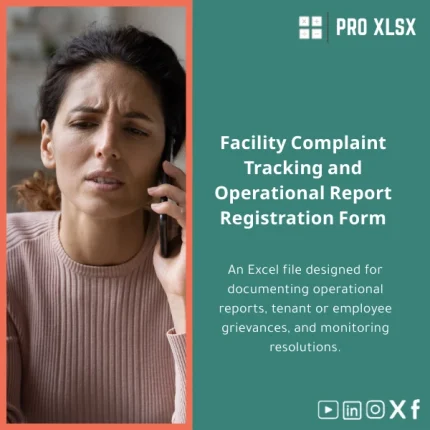
A practical Excel-based facilities complaints tracking template to log incidents, tenant and employee issues, assign actions, and measure resolution performance — designed for accountants, data analysts, and operations teams who need fast, accurate reporting without heavy software.
Key benefits & value for the buyer
What this facilities complaints tracking template delivers
This Excel template converts ad-hoc incident notes into a structured, auditable complaints register. Instead of scattered emails and paper slips, you get a single source of truth that supports:
- Faster response times: built-in status fields and SLA countdowns highlight overdue items for immediate action.
- Clear accountability: owner assignment, timestamps, and history make internal follow-up traceable for audits and billing.
- Data-driven decisions: pivot-ready data model and pre-configured charts let accountants and analysts produce monthly loss, remediation cost, and repeat-issue reports in minutes.
- Low-cost deployment: works with standard Excel (desktop) — no subscription or new software to train staff on.
Keyword focus: facilities complaints tracking template, facilities complaints log Excel, tenant complaints tracking sheet.
Use cases & real-life scenarios
Typical workflows where this template becomes indispensable
- Property management: a landlord logs tenant complaints (plumbing, noise, safety), assigns a contractor, and records costs for chargeback in the monthly statement.
- Corporate facilities: an FM manager tracks employee incident reports (slips, equipment faults), monitors resolution time, and prepares incident reports for HSE teams.
- Accounting & audit: accountants reconcile remediation expenses, link complaints to invoices, and deliver trend analysis showing top recurring failures for CAPEX planning.
- Service-level monitoring: operations teams produce SLA compliance reports to meet contract KPIs and justify vendor performance reviews.
Each scenario is supported by the template’s standardized fields, filterable tables, and ready charts — reducing spreadsheet clean-up time and eliminating manual consolidation.
Who is this product for?
The template is designed for:
- Accountants who need reliable source data for cost allocation and audit trails.
- Data analysts who want clean, model-ready tables for dashboards and trend analysis.
- Facilities and property managers who require a simple, effective complaints register.
- SMEs and larger companies in Egypt and the wider MENA region that prefer Excel-first solutions over complex FM systems.
If you need a fast, low-cost way to turn facility incidents into actionable data, this template is for you.
How to choose the right version
Compatibility & options
Available configurations:
- Standard Excel file: compatible with Excel 2016+ (desktop) and Excel for Microsoft 365 — ideal for most users.
- Advanced with VBA: includes automation (notifications, status updates, export buttons). Choose this if you want repeatable workflows and minimal manual steps.
- Custom implementation (hourly service): ProXlsx team performs data import, field customization, and dashboard tuning by the hour.
Choose the Standard file if you want immediate use. Choose Advanced or the hourly service if you require automated flows, integration, or tailored fields.
Quick comparison with typical alternatives
Common alternatives include paper logs, email threads, or enterprise FM software. Compared to those:
- Vs. paper/email: Excel provides structure, searchability, and reporting — eliminates data loss and manual aggregation.
- Vs. cloud FM systems: Excel is lower cost, faster to deploy, and under your control — ideal when budget and time are limiting factors.
- When to pick software: choose a dedicated FM system only if you need multi-user cloud workflows, mobile reporting, or heavy integrations. For most teams, this template covers 80% of operational needs at a fraction of the cost.
Best practices & tips to get maximum value
- Standardize complaint categories and priorities before you import historical data — consistent categories deliver better trend analysis.
- Use the template’s “Owner” and “SLA” fields to generate weekly lists of overdue items for team stand-ups.
- Link remediation costs to GL codes for easy accounting reconciliation; the template includes fields to support this mapping.
- If multiple users will edit the file, keep the master in a shared drive and use daily checkpoints or request ProXlsx’s hourly setup for workbook protections and simple macros.
Common mistakes when buying/using similar templates — and how to avoid them
- Buying a template without checking compatibility: ensure your Excel version supports macros if you buy the VBA-enabled file.
- Skipping configuration: out-of-the-box templates work, but spend 30–60 minutes mapping your categories and stakeholders to avoid messy data later.
- Ignoring backups: maintain weekly backups of the master register to preserve audit trails.
Product specifications
- Format: .xlsx (Standard) / .xlsm (VBA-enabled)
- Compatibility: Excel 2016+, Excel for Microsoft 365 (desktop)
- Included sheets: Intake form, Complaints log, Action tracker, Costs & invoices, Pivot summary, Dashboard (charts & KPIs)
- Languages: English (template labels editable)
- Optional: Hourly customization and data-import service from ProXlsx team
- Usage notes: Single-file master recommended; concurrent editing requires a shared drive or custom setup
FAQ
Is the template compatible with Excel Online or Google Sheets?
The standard .xlsx works in Excel Online for basic viewing and filtering, but advanced features and VBA macros require desktop Excel. Google Sheets can open the file but some formulas and layouts may not translate perfectly. For full functionality use Excel desktop.
Can I import historical complaints from another system?
Yes — the template includes a recommended CSV import layout. If you prefer, ProXlsx offers an hourly data-import service to map and clean your history into the template.
Does this template include dashboards for SLA performance?
Yes. The included dashboard has pre-configured KPIs (average resolution time, open vs closed, SLA compliance). These are linked to the complaints log and pivot tables so you can refresh with new data instantly.
What support is provided after purchase?
You receive the file and a short user guide. For hands-on setup, VBA automation, or bespoke fields, ProXlsx provides paid hourly services — ideal for integrating with your accounting codes or customizing reports.
Ready to replace scattered complaints with a single, auditable system?
Download the Facilities complaints tracking template today and start tracking incidents, assigning owners, and reporting KPIs in minutes. If you need customization, our experts are available by the hour to import data, add automations, or tune dashboards.
ProXlsx — practical Excel templates and hourly data services for accountants, analysts, and facilities teams.







Reviews
Clear filtersThere are no reviews yet.