



Events Management Template for Cultural and Artistic Activities
Original price was: $48.33.$37.53Current price is: $37.53.
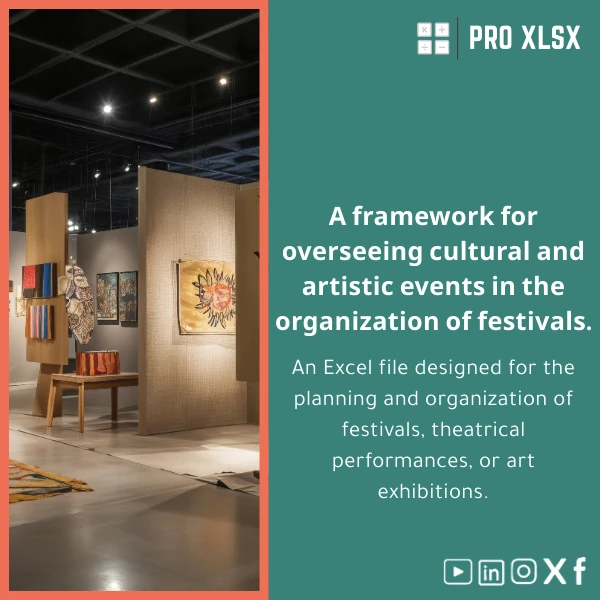
A ready-to-use events management template that helps accountants, data analysts, and operations teams plan festivals, theatre shows and exhibitions: budget, timeline, vendor management, ticketing and KPI dashboards in one structured Excel file.
Key benefits & value for accountants, data analysts and operations teams
This events management template turns fragmented spreadsheets into a single, auditable workbook designed for practical decision-making:
- Accurate financial control: pre-built budget categories, automated variance calculations, vendor payment schedule and cashflow projection—useful for grant reporting and audit trails.
- Operational clarity: Gantt-style timeline and task tracker that link to responsible teams, enabling weekly status reports without retyping data.
- Data-first reporting: structured tables and pivot-ready layout so analysts can create dashboards or export to Power BI with minimal cleanup.
- Time savings: reusable templates for recurring festivals or touring shows—set up once, adapt faster next season.
- Customizable and local-ready: English/Arabic labels, VAT handling, and optional VBA scripts for automating repetitive updates.
Use cases & real-life scenarios
Festival budget & cashflow management
Track sponsor income, ticket revenues and staged expenses across phases (pre-production, production, post). Generate cashflow alerts for upcoming vendor payments to avoid late fees.
Theatre production cost control
Use the production worksheet to allocate rehearsals, set construction and royalties to departments. Accountants can produce a clear P&L per show for stakeholders.
Exhibitions & gallery tours forecasting
Forecast footfall and ticket tiers, measure ROI per marketing channel and generate daily attendance reports during the event.
Consulting & external reporting
Export formatted financial tables and charts for sponsors, grant agencies or board packs without reformatting—saving time for analysts and consultants.
Who is this product for?
This events management template is built for professionals who need accuracy and speed:
- Accountants managing budgets and vendor payments for cultural projects.
- Data analysts preparing attendance forecasts, break-even and KPIs.
- Production managers and event coordinators who want a single source of truth.
- Consultancies and SMEs running recurring festivals, theatre seasons or exhibitions.
How to choose the right template variant
Choose based on scale and integration needs:
- Small events (single-day shows): Choose the lightweight workbook—simple budget, ticketing sheet and checklist.
- Medium events (local festivals): Use the standard template with full vendor management, cashflow and KPI dashboards.
- Large/multi-venue events: Pick the advanced workbook with multi-stage timeline, ticket segmentation, and optional VBA automation for batch invoice generation.
- Need integration or custom reports? Purchase the template and add hourly customization services from ProXlsx to tailor formulas, labels and macros.
Quick comparison with typical alternatives
When teams consider alternatives they usually choose between manual spreadsheets, cloud event platforms, or a ready Excel template:
- Manual spreadsheets: Low cost but high maintenance—no standardization and prone to errors.
- Cloud platforms: Feature-rich but often expensive and require onboarding; good for large teams with recurring needs.
- Events management template (this product): Low upfront cost, full control over data, immediate auditability, and fast customization by ProXlsx when needed.
Best practices & tips to get maximum value
- Start with the example dataset included—replace values rather than restructuring sheets to keep formulas intact.
- Use the vendor sheet to capture contract terms and dates; link those dates to payment schedules to avoid missed payments.
- Keep a separate “live” attendance sheet during the event and refresh the pivot dashboard at the end of each day for sponsors.
- If you need recurring reports, ask ProXlsx for a one-hour customization to automate the export and formatting process.
Common mistakes when buying or using event templates — and how to avoid them
- Buying the wrong scale: Choose a template that matches your event’s complexity—don’t overspend on features you won’t use.
- Not standardizing data: Define codes (e.g., expense categories, ticket types) before importing historical records.
- Ignoring backups: Save a copy before major edits and use versioned filenames to protect audit trails.
- Assuming templates replace processes: Use the workbook to support decisions, but keep governance and approvals separate.
Product specifications
- Format: .xlsx (Excel workbook)
- Compatibility: Excel 2016 and newer (Windows & Mac), partial compatibility with Excel Online
- Sheets included: Dashboard, Budget, Cashflow, Timeline, Task Tracker, Vendor Register, Ticketing, Attendance, Reports
- Features: Pivot-ready tables, conditional formatting, printable reports, example dataset
- Optional: VBA automations for invoice batching and printable schedule exports (enable macros)
- Localization: English + Arabic labels included; currency & tax fields configurable
- Support: Documentation included + optional hourly customization and data services by ProXlsx
- Usage notes: Keep macros disabled unless you require automation; follow documentation to localize VAT/tax settings.
Frequently asked questions
Is this events management template compatible with Excel Online or Google Sheets?
The workbook is fully compatible with desktop Excel 2016+ and offers partial functionality on Excel Online. Some advanced features (VBA macros, certain pivot refresh automations) require the desktop version. Google Sheets will work for simple sheets but is not supported for macros or complex pivot layouts.
Can I customise the template to match our chart of accounts or ticket categories?
Yes. The template is designed for easy customization. Small edits can be done by your team; for faster, risk-free changes, purchase an hourly customization service from ProXlsx and our experts will adapt formulas, labels and reports.
How secure is the template for financial reporting and audits?
All financial tables are structured to create clear audit trails (date stamps, vendor references, linked payment schedules). For sensitive data, we recommend using file-level encryption and following your organisation’s access controls.
What support is included after purchase?
Included: a detailed user guide and example dataset. Optional paid services: one-off customization, data entry by the hour, or full implementation for complex events—bookable directly with ProXlsx.
Ready to streamline your cultural event planning?
Download the Events Management Template for Cultural and Artistic Activities and start consolidating budgets, timelines and reports today. If you need help tailoring the workbook, our hourly services are available to customise formulas, automate reports or import historical data.
Questions before purchase? Contact ProXlsx for a short pre-sale review and recommended setup options.








Reviews
Clear filtersThere are no reviews yet.