



Evacuation Plan Template for Corporate Safety Planning
Original price was: $18.63.$13.23Current price is: $13.23.
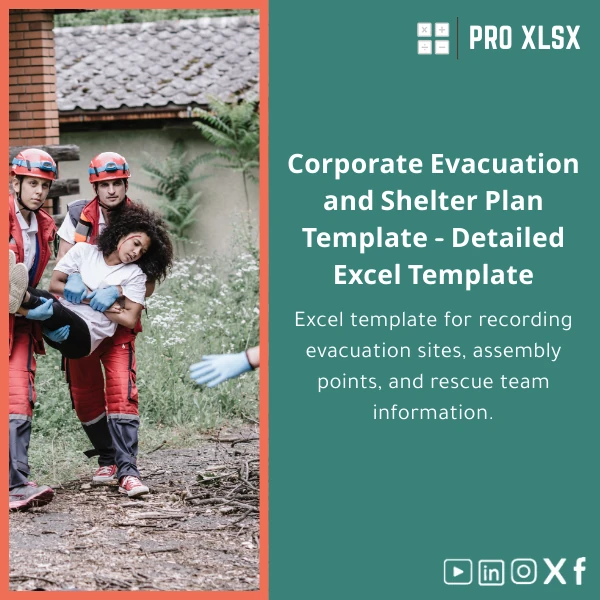
A ready-to-use evacuation plan template in Excel to document evacuation sites, assembly points, rescue-team assignments, and shelter logistics — designed for accountants, data analysts, and corporate teams who need fast, accurate, and auditable emergency documentation and reporting.
Key benefits & value for your team
More than a document: this corporate evacuation plan template turns scattered notes into a single source of truth you can maintain, print and audit. It was built with the workflows of finance teams, auditors and data analysts in mind — where traceability, version control and clear responsibility mapping matter.
Translate features into outcomes
- Structured tables: reduce ambiguity during an emergency—faster headcounts and fewer mistakes.
- Role & contact matrix: saves time when mobilizing rescue teams or contacting external responders.
- Printable evacuation maps: professional layouts that you can place on noticeboards and handouts.
- Pivot-ready data: extract KPIs (evacuation time, team response rate) for management reporting and compliance.
- Optional automation: add VBA to create email notifications, status logs or generate incident reports automatically.
Use cases & real-life scenarios
This evacuation plan template fits multiple corporate contexts — from a single-branch office to multi-site facilities.
Examples
- Finance department drill: The accounting team maintains a floor-level assembly list and runs quarterly drills; the template records attendance and identifies repeat bottlenecks.
- Data team dashboards: Analysts feed evacuation-status fields into a dashboard for live incident monitoring without complex ETL.
- Group-wide compliance: Roll out a standard corporate evacuation plan template across subsidiaries to unify reporting and evidence for insurers and auditors.
- Ad-hoc consultant work: Use the template as a deliverable when providing safety assessments to clients—fast, professional and editable.
Who is this product for?
Primary users include:
- Accountants and internal auditors who need documented, auditable evacuation records.
- Data analysts who want clean, normalized emergency data ready for analysis and dashboards.
- HR, facilities and operations managers responsible for staff safety and drills.
- Consultants and advisors delivering crisis management documentation to corporate clients.
How to choose the right version
We offer the template with flexible options to match technical comfort and organisational need.
- Standard (Excel only): Fully functional sheets, no macros — best if your IT policy restricts VBA.
- Automated (with optional VBA): Adds macros for email generation, status logs and one-click print layouts — choose this when you want time-saving automation.
- Customised service: If you need the template adapted to complex site hierarchies or integrated with payroll/HR systems, order an hourly task from ProXlsx’s services page.
Tip: pick Standard if you need immediate download and Automated if you plan to run mass notifications or automated exports.
Quick comparison with typical alternatives
When deciding between this evacuation plan template and other approaches, consider the trade-offs:
- Paper forms: cheaper but not searchable, not audit-friendly, and slow to update.
- Custom software: powerful but costly, requires installation and training—Excel keeps costs low and leverages existing skills.
- Generic spreadsheets: may lack structure and print-ready layouts; our template is designed specifically for crisis management and corporate reporting.
Best practices & tips to get maximum value
- Assign one owner for the template to ensure version control and timely updates after drills.
- Use the pivot-ready columns from day one to build a quarterly report on response times and attendance rates.
- Keep a macro-free copy for external auditors or users with restricted Excel settings.
- Integrate the template into monthly facility checks—update assembly point availability, exit obstructions, and contact changes.
Common mistakes when buying/using evacuation templates — and how to avoid them
- Buying a generic sheet: Avoid templates without clear roles and printable maps — they become paperwork rather than tools. Choose a template built for corporate evacuation planning.
- Ignoring print layouts: Digital-only plans fail when systems go down. Always test printed versions.
- Over-automating without testing: If you add VBA, validate macros in a sandbox to ensure emails and logs work under your mail server policies.
Product specifications
- Format: .xlsx (Excel workbook), macro-free and macro-enabled variants available
- Compatibility: Excel 2016, 2019, 2021, Microsoft 365 (desktop). Macro features require desktop Excel.
- Sheets included: Site index, Floor maps, Assembly points, Rescue team roster, Drill logs, Print layouts
- Automation: Optional VBA modules for notifications, status logs and one-click reports
- Language: English (editable text for localisation)
- Delivery: Instant download after purchase + optional hourly customisation service from ProXlsx
- Support: Email support for installation and basic configuration
FAQ
Is the evacuation plan template compatible with Excel on Mac and web (Office 365 Online)?
Yes, the macro-free version works on Excel for Mac and Office 365 Online. VBA automations require desktop Excel for Windows or Mac with VBA support. We provide both versions so you can choose based on your environment.
Can ProXlsx customise the template for our company?
Yes. We offer hourly customisation and data-mapping services — from adding site hierarchies to integrating the template into existing HR or payroll exports. Contact ProXlsx for an estimate and delivery timeline.
How secure are macros and external links in the template?
Macros are optional and delivered with clear documentation. We recommend running code in a controlled test environment first. The template does not contain hidden external data links by default; custom integrations are reviewed before delivery.
What if we need help after purchase?
ProXlsx provides email support for setup and basic configuration. For hands-on help, our hourly execution service can implement changes, import your existing site lists, or prepare drill reports.
Get started: prepare your team and meet compliance deadlines
Protect staff and simplify reporting with a corporate evacuation plan template that’s ready to use and easy to maintain. Choose the macro-free version for immediate compatibility or the automated variant to save time during incidents.
Need customization or bulk licensing for multiple sites? Contact ProXlsx after purchase to schedule hourly implementation.
Related products

Break-Even Analysis Template for Cost and Profit Estimation
A ready-to-use Break-Even Analysis template in Excel to calculate the sales volume needed to cover costs, model profit scenarios, and produce clear management-ready charts and a margin of safety calculator. Designed for accountants, analysts, and companies who need fast, reliable decision support without complex systems.







Reviews
Clear filtersThere are no reviews yet.