


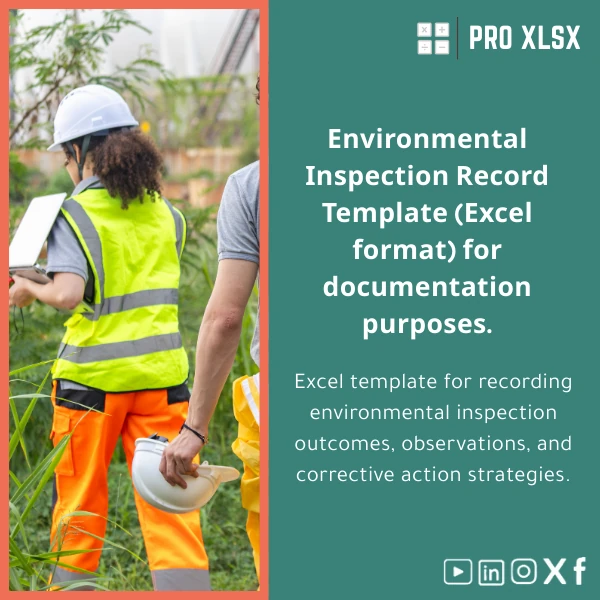
Environmental Inspection Register Excel Template
Original price was: $37.53.$26.73Current price is: $26.73.
A ready-to-use Environmental Inspection Register that records inspection results, observations and corrective actions — built for accountants, data analysts, HSE coordinators and companies that need accurate, auditable environmental records and actionable dashboards without heavy software.
Key benefits & value for accountants, analysts, and companies
The Environmental Inspection Register translates routine site checks into structured, auditable data. Rather than scattered notes, you get standardized records that integrate with financial and operational reports — useful for compliance, internal audits, and sustainability reporting.
Business outcomes you can expect
- Faster monthly reporting: pre-built pivot tables and dashboard reduce manual consolidation by hours per month.
- Clear audit trail: time-stamped entries and change-log-ready fields help during internal and external audits.
- Fewer missed corrective actions: status tracking and overdue highlights cut follow-up time and risk.
- Cost-effective: Excel-based solution that avoids licensing fees and long deployments of EHS platforms.
Use cases & real-life scenarios
Designed for immediate use across typical business situations:
1. Monthly facility inspections
Inspectors enter findings on a tablet or laptop. The register auto-classifies severity and assigns corrective owners; the HSE manager exports a monthly dashboard to PDF for site leadership.
2. Audit preparation and evidence collection
Accountants and auditors use the environmental audit log Excel sheet to extract time-stamped entries and link photographic evidence, simplifying verification during financial or compliance audits.
3. Integrated sustainability reporting
Data analysts pull trends from the register to calculate incident rates, corrective action closing rates, and to feed simple KPIs into existing financial dashboards.
Who is this product for?
- Accountants and internal auditors who need an auditable environmental inspection record
- Data analysts preparing environmental KPIs and trend analyses
- HSE coordinators and facility managers running regular inspections
- SMEs and departments that require a low-cost, Excel-based environmental audit log
How to choose the right version
Choose based on your workflow and Excel skill level:
- Basic: For manual data entry and printable checklists (no macros).
- Standard: Includes dashboards, pivot-ready structure, and formula-based status tracking.
- Advanced: Adds optional VBA automation for bulk imports, email reminders, and photo attachment workflow (requires enabling macros).
If you need custom fields or integration with accounting exports, ProXlsx offers hourly customization services to adapt the register to your exact chart of accounts or reporting requirements.
Quick comparison with typical alternatives
How this template compares to common approaches:
- Vs paper logs: Digital, searchable, auditable, and much faster to consolidate.
- Vs ad-hoc Excel sheets: Structured sheets reduce errors, ensure consistency and add dashboards and validation rules out of the box.
- Vs enterprise EHS software: Lower cost, faster deployment, and easier to customize; ideal for teams that don’t need full EHS suites.
Best practices & tips to get maximum value
- Standardize inspectors’ naming conventions to keep filtering and grouping consistent.
- Use the dashboard filters to produce stakeholder-ready PDF reports each month.
- Enable data validation lists for locations, categories and severity to reduce typing errors.
- Back up the workbook to a secure shared folder or version-control system daily.
- Consider the Advanced version if you need automated email reminders or bulk import of past records.
Common mistakes when buying/using inspection registers — and how to avoid them
- Buying complex software when a structured Excel register suffices — evaluate actual feature needs first.
- Not defining responsibility: assign clear owners for corrective actions to avoid open items piling up.
- Ignoring backups and access control: use shared drives with version history and restrict edit rights where necessary.
- Turning on macros without testing: test VBA-enabled files in a safe environment before broad rollout.
Product specifications
- File format: .xlsx (compatible with Excel 2016 and later; separate .xlsm for VBA-enabled Advanced version)
- Sheets included: Inspection Log, Dashboard, Pivot Data, Reference Lists, Sample Photos & Evidence
- Features: Conditional formatting, data validation, pivot-ready structure, printable checklists, optional VBA automation
- Language: English (easily editable labels for local language)
- Delivery: Instant digital download after purchase
- License: Single company use with optional multi-site license on request
- Support: Email support for setup and optional hourly customization services via ProXlsx
Usage notes: Test macros on a copy and follow on-sheet instructions for enabling content. Recommended backup frequency: daily for active sites.
Frequently asked questions
Can I use the template offline and on shared network drives?
Yes. The template is an Excel workbook that works offline or on shared drives. For concurrent editing we recommend using a controlled process (one editor at a time) or storing on a collaboration platform that supports file locking/version history to avoid overwrites.
Is the Advanced (VBA) version safe to use in my company?
Yes, VBA is commonly used for automation. The Advanced version’s macros are well-documented and signed where required. Test macros in a secure environment and consult your IT policy — ProXlsx can provide a macro-free alternative if your environment prohibits macros.
How long does it take to customize the register to our corporate fields?
Minor customizations (labels, additional columns) typically take 1–3 hours. Integrations or custom automation are scoped hourly and delivered as per the quoted estimate. Contact ProXlsx for a quick assessment and hourly quote.
What if we need multi-site roll-up reports?
The template is designed for single-site usage out-of-the-box. For multi-site roll-ups, choose the Advanced option or request a customization that adds a consolidation sheet or import routine to aggregate sheets across sites into a single dashboard.
Ready to replace manual logs with an auditable, report-ready register?
Purchase the Environmental Inspection Register and start recording inspections in a structured, compliance-ready format today. Need customization or hourly support? Choose the add-on during checkout or contact ProXlsx for a quote.
Related products

Break-Even Analysis Template for Cost and Profit Estimation
A ready-to-use Break-Even Analysis template in Excel to calculate the sales volume needed to cover costs, model profit scenarios, and produce clear management-ready charts and a margin of safety calculator. Designed for accountants, analysts, and companies who need fast, reliable decision support without complex systems.







Reviews
Clear filtersThere are no reviews yet.