




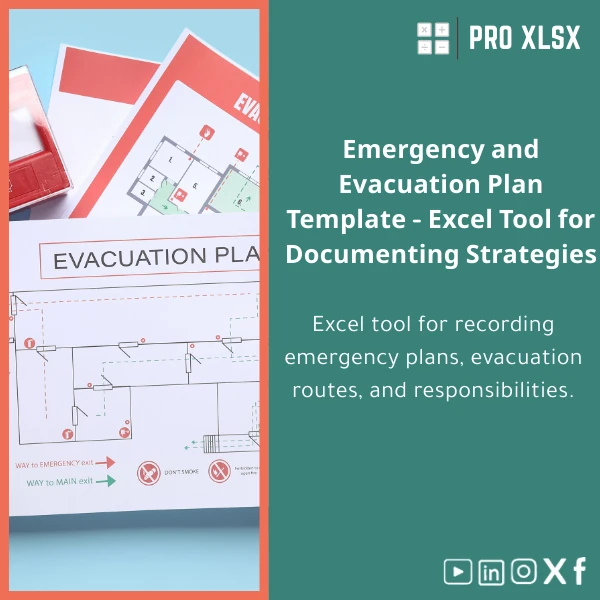
Emergency Evacuation Plan Template for Excel Documentation
Original price was: $37.53.$26.73Current price is: $26.73.
A ready-to-use Emergency Evacuation Plan Template in Excel to document scenarios, evacuation routes, roles, and post-evacuation checks — built for accountants, data analysts, and companies that need clear, auditable workplace emergency plans without complex software.
Key benefits & value for the buyer
The Emergency Evacuation Plan Template translates safety policies into operational documents that are easy to maintain, review, and present to stakeholders. It treats emergency planning as a data problem — structured fields, standardized dropdowns, and summary dashboards make it simpler for analysts and accountants to verify completeness and costs associated with preparedness.
Why this template saves time and risk
- Consistent documentation: one format for all sites reduces rework and speeds audits.
- Actionable assignment lists: responsibility matrices tie people to tasks with contact info and backups.
- Scenario analysis: separate sheets for different emergency types (fire, power failure, gas leak) with checklists.
- Printable outputs: formatted evacuation maps and quick-reference cards that staff can post on noticeboards.
Use cases & real-life scenarios
Examples of how organizations use the template:
- Accounting firm (50 staff): maps evacuation routes by floor, maintains a monthly evacuation drill log, and exports incidents summary for risk registers.
- Manufacturing site: documents hazardous zones, assigns evacuation marshals, and logs equipment shutdown procedures linked to site diagrams.
- Retail chain: central safety team distributes a master template; local store managers customize assembly points and update staff rosters.
- Consulting teams: use the workbook as an audit deliverable when assessing client emergency readiness, with time-stamped sign-off rows.
Who is this product for?
Designed for accountants, data analysts, safety officers, and companies that need a practical, Excel-based emergency evacuation plan template. Particularly useful for Egyptian businesses and regional firms that require quick, low-cost documentation and reporting without enterprise software.
- Internal auditors and compliance teams who need an auditable trail.
- Small-to-medium businesses without dedicated safety software.
- Consultants preparing tailored emergency documentation for clients.
How to choose the right template variant
Consider these factors when selecting or customizing your Emergency Evacuation Plan Template:
- Complexity of site: single-floor vs multi-floor templates. Choose multi-floor if you manage several levels or buildings.
- Automation needs: require VBA macros to generate printable route maps or prefer a macro-free workbook for IT-restricted environments?
- Reporting frequency: if you need monthly drill reports, select the variant with built-in logs and summary dashboards.
- Language & localization: templates can be localized (labels, emergency numbers) — request customization or adjust fields directly.
Quick comparison with typical alternatives
How this Excel template stacks up against common alternatives:
- Word/PDF documents: easier to update and analyze in Excel; structured data makes tracking and reporting straightforward.
- Enterprise safety software: more features but higher cost and longer rollout. The Excel template is quicker to deploy and integrates with existing reporting workflows.
- Custom development: bespoke solutions are expensive. This template offers professional structure and optional paid customization from ProXlsx for a fraction of development costs.
Best practices & tips to get maximum value
- Start with your building plan: map floors to template sheets before populating roles.
- Use dropdown fields for roles and assembly points to avoid inconsistent naming.
- Schedule a monthly drill and record outcomes in the built-in log to demonstrate compliance.
- Back up the workbook and keep a read-only distribution for staff while maintaining a master editable file for safety officers.
- If you need integration, export summary tables to CSV for upload to ERPs or reporting tools.
Common mistakes when buying or using evacuation templates — and how to avoid them
- Buying the most complex template immediately: start with a simple variant and expand. Complexity increases maintenance burden.
- Failing to localize contact information: always update emergency numbers and local assembly points before distribution.
- Not training staff on the template: run a short session so responsible staff can update the plan during personnel changes.
Product specifications
- Format: Microsoft Excel workbook (.xlsx). Optional macro-enabled version (.xlsm) available.
- Compatibility: Excel 2016 and later (Windows & macOS). Basic functionality works in Excel Online; macros require desktop Excel.
- Sheets included: Overview, Site Map, Floor Plans (multi), Roles & Responsibilities, Drill Log, Incident Log, Printable Maps.
- Language: English (easy to localize). Arabic labels can be added on request.
- License: Single-company license for internal use. Commercial redistribution restricted.
- Support: Documentation included. Paid customization and hourly data services available from ProXlsx.
- Delivery: Instant download after purchase. Customization usually delivered within 24–72 business hours depending on scope.
Frequently asked questions
Can I use the template without enabling macros?
Is this suitable for an audit or regulator review?
How quickly can I get customization (e.g., add Arabic labels or company logo)?
What if my team needs help populating the template?
Ready to document your emergency plan?
Download the Emergency Evacuation Plan Template and start documenting evacuation routes, responsibilities, and drill results today. If you need customization or on-demand help, ProXlsx offers fast, professional support and hourly execution services.
Instant download. Optional paid customization and hourly support available — choose the level of service that fits your team.
Related products

Comprehensive Accounting Program in Excel Template

Excel Cost Center Analysis Template for Allocation & Reporting

Indirect Manufacturing Costs Allocation Template in Excel

Industrial Product Pricing Template for Target-Costing in Excel

Interest Calculation Template for Excel with Cash Discounts
An Excel-ready interest calculation template that computes simple and compound interest, generates early‑payment cash discount schedules, and converts those results into clear reports and cashflow tables — built for accountants, data analysts, and finance teams who need reliable, fast answers without custom development.



Reviews
Clear filtersThere are no reviews yet.