


Educational Activities Analysis Template for Excel
Original price was: $37.53.$26.73Current price is: $26.73.
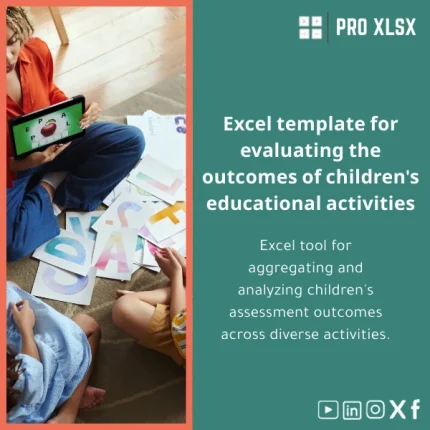
An Excel tool to compile and analyze children’s evaluation results across activities — designed for accountants, data analysts, and companies that need fast, reliable templates and turnkey analysis to turn raw assessment data into clear reports and interactive dashboards.
Key benefits & value for buyers
The Educational activities analysis template translates scattered evaluation sheets into a repeatable, auditable process. It removes manual aggregation, reduces transcription errors, and delivers consistent outputs usable in financial and operational reviews.
What you get — features turned into outcomes
- Structured data model: Standardized input sheet reduces free-text entries and enables clean reporting — save hours per week on data cleansing.
- Automated scoring & rules: Built-in formulas produce scores and risk flags (e.g., below threshold), enabling quick prioritization for interventions.
- Dynamic dashboards: Visualize trends by class, age group, teacher, or activity — supports monthly and quarterly reporting to stakeholders.
- Exportable reports: One-click summary sheets ready for PDF export or inclusion in board packs and grant reports.
- Scalable & auditable: Works with small groups or datasets of thousands of rows; formulas and named ranges make audits straightforward for accountants and auditors.
Use cases & real-life scenarios
Designed for practical, repeatable workflows used in education programs, NGOs, and corporate wellbeing initiatives.
Example scenarios
- Daycare chain (operations team): Consolidate daily activity sheets from 15 centers into a single dashboard to track developmental KPIs and resource allocation.
- Education consultant (project reporting): Produce monthly progress reports for donors with percentiles and trend lines without hiring BI developers.
- Accountant or auditor: Verify scoring rules, reproduce aggregated totals, and include Excel outputs in audit evidence packets.
- Corporate HR (learning & development): Measure effectiveness of early-learning programs offered as part of CSR or family benefits.
Who is this product for?
This template is built for professionals who need accuracy, repeatability, and speed:
- Accountants and financial controllers who include program outcomes in financial reporting.
- Data analysts who need a clean dataset and pre-built analysis logic.
- Companies and NGOs running early education activities that require regular monitoring without expensive BI tools.
- Consultants and auditors who need an auditable Excel-based workflow.
How to choose the right version
Choose based on dataset size and automation needs:
- Basic (.xlsx) — Best if you have fewer than 1,000 rows and prefer no macros. Quick to deploy and compatible with Excel for Windows and Mac.
- Automated (.xlsm) — Includes VBA for batch imports, validation, and one-click report generation. Recommended for recurring collections and large datasets (1,000+ rows). Note: macros require macro-enabled Excel and may have limited behavior on some Mac versions.
- Customized service (hourly) — If your scoring rules or output formats are unique, order ProXlsx hourly implementation to adapt the template to your workflows quickly.
Quick comparison with typical alternatives
Choose this template when you want a balance of speed, cost, and control.
- Manual spreadsheets: Faster and fewer errors than ad-hoc sheets because the template enforces structure and validation.
- Custom software/BI: Lower upfront cost and faster time-to-value. Use this template when you need results now without procurement cycles.
- Other downloadable templates: ProXlsx templates are built for professional workflows (auditable named ranges, documentation, and optional VBA) — reducing rework common with amateur templates.
Best practices & tips to get maximum value
- Map existing forms to the template’s input fields before you migrate data — this simplifies import and preserves data quality.
- Use the Automated (.xlsm) version if you plan monthly reporting — VBA saves time on repetitive steps.
- Keep a raw-data backup sheet untouched; use the template’s analysis area for reporting to avoid accidental formula overwrites.
- Document any bespoke scoring rules inside the template so auditors and colleagues can reproduce results.
Common mistakes when buying or using similar templates — and how to avoid them
- Buying the wrong file type: If you need macros, make sure to purchase the .xlsm option. Macros are disabled in .xlsx files.
- Skipping validation: Not using the template’s validation rules leads to inconsistent reports — enable and follow the input guidelines.
- Over-customizing prematurely: Start with the standard template to understand outputs; request customizations only after confirming requirements.
Product specifications
- File formats: .xlsx (non-macro) and .xlsm (macro-enabled) included where applicable.
- Compatibility: Excel 2016+, Microsoft 365. Mac users: macros may require specific permissions; non-macro version fully supported.
- Sheets included: Data entry sheet, Scoring logic, Dashboard (interactive), Summary report, Help & documentation.
- Capacity: Designed for datasets from tens to tens of thousands of rows; performance optimised for up to 50,000 rows in automated version.
- Language: English with clear Arabic-friendly numerical formats; documentation includes setup steps and example mappings.
- Support: Basic setup guidance included in documentation. Customization and implementation services available hourly from ProXlsx.
Frequently asked questions
Will this template work with my current data collection forms?
Do I need the macro-enabled version?
Can I include the template outputs in financial or donor reports?
Is there support if I need changes?
Ready to analyze results faster?
Download a professionally structured Educational activities analysis template and start producing consistent, auditable reports today. Choose the version that fits your workflow — or ask ProXlsx for a rapid customization.
Need help choosing the right version? Contact ProXlsx for quick guidance or hourly setup services to get you running in a day.





Reviews
Clear filtersThere are no reviews yet.