


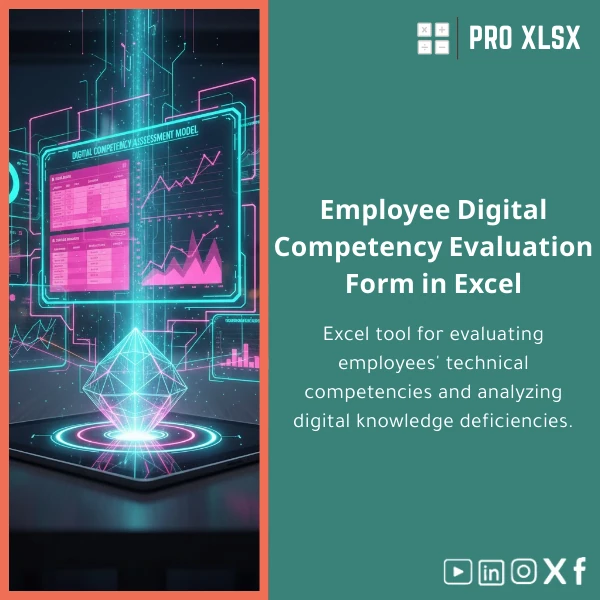
Digital Competencies Evaluation Template for Employees
Original price was: $48.33.$37.53Current price is: $37.53.
A ready-to-use Excel workbook to run employees digital skills assessment, identify competency gaps, and produce clear action plans and dashboards — built for accountants, data analysts and companies who need fast, professional results without custom software.
Key benefits & value for your organisation
The digital competencies evaluation template translates subjective skill ratings into measurable, auditable indicators that help managers and analysts prioritize training spend and track progress. It removes manual consolidation, reduces human error, and produces dashboards your finance, audit and HR teams can trust.
Benefits translated from features
- Automated scoring: Save hours of consolidation with built-in formulas and pivot-ready tables.
- Clear gap analysis: Rank skills by urgency and impact to allocate training budget where it matters.
- Customizable competency matrix: Adjust skill categories (e.g., Excel, BI tools, data privacy) to fit your business.
- Audit-ready reporting: Printable scorecards and exportable CSVs for governance and external auditors.
- Cost-effective: A fraction of custom development cost with immediate ROI through improved training focus.
Use cases & real-life scenarios
Scenario 1 — Accounting firm: standardise assessments
An accounting firm uses the template to assess staff on spreadsheet controls, reconciliation tools and cloud accounting platforms. Results feed a rolling training calendar and reduce errors on client deliverables.
Scenario 2 — Corporate finance & data teams: prioritise automation upskilling
Finance teams measure VBA, Power Query and visualization capabilities, then prioritize automation training that delivers the highest hours-saved per training pound.
Scenario 3 — HR & L&D: measure program effectiveness
Run the worksheet before and after training cycles to produce evidence-based ROI metrics and tailored follow-up plans for underperforming groups.
Who is this product for?
Built for professionals who work with numbers and processes:
- Accountants and audit teams wanting standard competency evidence.
- Data analysts and BI teams assessing technical capabilities across units.
- HR, L&D and operations managers who need fast assessments and clear dashboards.
- Small and medium companies seeking a low-cost way to map digital skills without complex LMS platforms.
How to choose the right version
The template comes in two practical configurations. Choose based on team size and automation needs:
- Standard (XLSX): Manual data entry and pivot reports — best for teams under 100 or those who prefer manual control.
- Professional (XLSX + optional VBA): Includes automated import, email-ready scorecards and one-click dashboards — recommended for larger teams or recurring assessments.
Need a custom version (Arabic labels, company branding, or integration with HR exports)? Order hourly implementation from ProXlsx and get a tailored solution quickly.
Quick comparison with typical alternatives
Compared to bespoke web platforms or LMS tools, this Excel template offers:
- Lower cost: No subscription or deployment fees.
- Faster setup: Deploy in hours instead of weeks.
- Full control: Your data stays in Excel — easy to audit and export.
- Trade-offs: Not a full LMS — if you need automated course delivery and tracking, combine this template with your LMS or request a custom integration.
Best practices & tips to get maximum value
- Define 6–10 critical competencies to avoid assessment fatigue.
- Train raters on a simple scoring rubric (e.g., 1–5 scale with behaviour examples).
- Use filters and pivot slicers to compare departments and seniority levels.
- Run baseline and 3-month follow-up assessments to measure progress.
- Export findings to PDF for leadership and to CSV for HR systems.
Common mistakes when buying or using similar products — and how to avoid them
- Too many competencies: Keep it focused. More items mean lower completion rates.
- No rater calibration: Use examples so managers rate consistently.
- Ignoring action plans: The template includes a prioritized training list — use it to convert insight into action.
- Assuming automation eliminates oversight: Review automated outputs regularly and keep an audit trail.
Product specifications
- Format: Excel workbook (.xlsx) — optional VBA-enabled file on Professional version.
- Compatibility: Microsoft Excel 2016 and later (Windows and Mac). Some features (VBA) work best on Windows.
- Includes: Competency matrix, raw data sheet, pivot-ready reporting tabs, dashboard (heatmap, scorecards), printable PDF export templates.
- Language: English (easy to translate labels for Arabic/localisation).
- Delivery: Instant download after purchase + optional hourly customization by ProXlsx.
- Support: Documentation included; paid implementation and hourly support available.
Frequently asked questions
Can I customise the competency categories and scoring?
Is the template suitable for Arabic-language use and right-to-left layouts?
Do I need programming skills to use the Professional (VBA) features?
How secure is the data inside the workbook?
Ready to start measuring digital skills?
Get the Digital Competencies Evaluation Template for Employees today and begin turning subjective assessments into clear actions. Choose standard download or request professional setup — ProXlsx supports both immediate use and customised implementation.
Prefer assistance? After purchase you can request hourly support from ProXlsx for quick integration, Arabic localization, or automated reporting.








Reviews
Clear filtersThere are no reviews yet.