


Database Inventory Template for Management and Backup Tracking
Original price was: $37.53.$26.73Current price is: $26.73.
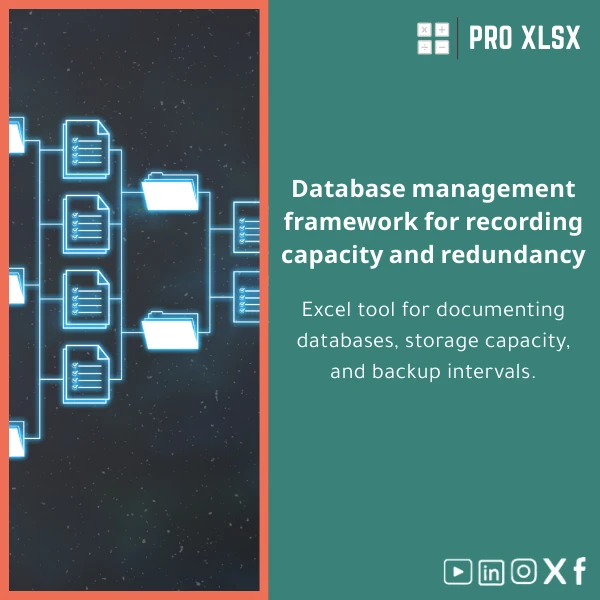
A ready-to-use database inventory template in Excel to document databases, record capacity, and track backup frequency — designed for accountants, data analysts and companies that need accurate, auditable database registers with minimal setup.
Key benefits & value for your team
The Database inventory template reduces time spent chasing information across spreadsheets and emails. It delivers a single, auditable register that teams can use for operational decisions, cost allocation, and compliance reporting.
What you get (features translated into outcomes)
- Accurate documentation: Standard fields and validation reduce errors — useful for accountants preparing chargebacks or auditors verifying controls.
- Risk visibility: Highlighted backup gaps and near-capacity databases let operations act before incidents occur.
- Faster reporting: Pre-built filters, pivot-ready structure and export-friendly layouts cut reporting time from hours to minutes.
- Flexible updates: Designed for manual entry, CSV imports, or scheduled refresh with Power Query — fits small teams and growing departments.
- Customizable: Editable columns and optional VBA snippets for teams that want automation (ProXlsx hourly services available if you prefer us to implement).
Use cases & real-life scenarios
How different teams use the database inventory template in practice:
- Accountants: Allocate database storage costs by business unit using the capacity fields and simple formulas for cost per GB.
- Data analysts: Maintain a discovery log of datasets, owners, and refresh cadence to accelerate analysis handoffs.
- IT managers: Track backup frequency, last backup status, and retention policies to meet SLAs and prepare for audits.
- Audit & compliance: Produce printable registers and change-tracking notes during audits without building custom reports.
- SMEs without an ERP: Use the template as an affordable, low-complexity alternative to heavy asset-management systems.
Who is this product for?
The template is tailored to accountants, internal auditors, finance teams, data analysts, and IT administrators who need a clear database register and backup frequency log without investing in complex software. It works for:
- Small-medium businesses managing tens to hundreds of databases.
- Consultants preparing documentation for clients.
- Companies migrating to cloud and needing an inventory before migration.
How to choose the right edition
Though a single file covers most needs, choose based on these criteria:
- Size of environment: For under 200 records use the Standard sheet; larger environments benefit from the “Large register” layout with split tabs and Power Query-ready structure.
- Automation needs: If you want scheduled imports or automated status flags, pick the version with optional VBA or request ProXlsx execution-by-hour services to implement automation.
- Reporting style: Need ready dashboards? Choose the bundle that includes pre-built pivot dashboards and printable reports.
Quick comparison with typical alternatives
Choosing between a spreadsheet template and alternatives:
- Manual spreadsheets (ad-hoc): Cheaper initially but error-prone and inconsistent; our template adds validation, structure, and audit fields.
- Full CMDB/Asset systems: Powerful but costly and slow to deploy; the template is fast, affordable, and export-friendly for migration later.
- Custom database apps: Flexible but require development; use our template as a prototype or interim register while development proceeds.
Best practices & tips to get maximum value
- Define ownership & update cadence — assign a responsible person and a monthly (or weekly) check to keep the register current.
- Use the backup frequency log to drive automated alerts — add a simple conditional format or a weekly filter to show databases without recent backups.
- Keep a CSV import template — export from monitoring tools and import into the register to avoid manual re-entry.
- If you need faster adoption, order ProXlsx hourly support: we can map your existing lists to the template and implement automation in a single session.
Common mistakes when buying or using similar templates (and how to avoid them)
- Buying a “one-size-fits-all” sheet: Avoid templates without validation or export options. Choose a structured template — like this one — that supports imports and exports.
- No ownership model: A register without an owner becomes stale. Assign responsibility from day one.
- Skipping backups reconciliation: Don’t rely on “last backup” notes only; use the backup frequency log to reconcile with backup system logs periodically.
Product specifications
- Format: Excel (.xlsx) — compatible with Excel 2016+, Microsoft 365, LibreOffice (view/edit limited).
- Sheets included: Register, Backup Frequency Log, Change Log, Capacity Summary, Pivot-ready Export.
- Fields: Server, Instance, Database Name, Owner, Environment, Size (GB), Growth Rate, Last Backup Date, Backup Frequency, Retention Policy, Notes.
- Automation: Optional VBA snippets included for experienced users; Power Query friendly layout for scheduled imports.
- Localization: English; Arabic-friendly column names available on request via ProXlsx hourly service.
- Delivery: Instant digital download after purchase; optional implementation-by-hour available.
Frequently asked questions
Is this template compatible with my Excel version?
Can I import existing inventory data into the template?
What support do you provide after purchase?
Can this template be adapted for cloud databases or hybrid environments?
Ready to get control of your databases?
Download a professional database inventory template that saves time, improves audit trails, and reveals backup gaps before they become incidents. Instant download — start documenting today.
Buy this template now
Download & implement
Need customization or automation? Contact ProXlsx for implementation-by-hour to map your existing lists, add Power Query imports, or create VBA automation.









Reviews
Clear filtersThere are no reviews yet.