



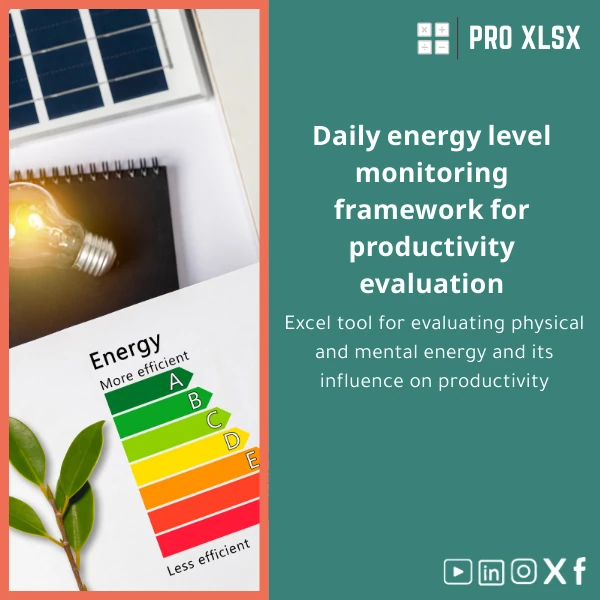
Daily Energy Levels Tracking Template for Productivity Assessment
Original price was: $18.63.$13.23Current price is: $13.23.
A compact, audit-ready Excel workbook to log mood, physical and mental energy, and correlate them with output — built for accountants, data analysts, and teams who want measurable productivity insights without complex systems.
Key benefits & value for accountants, analysts, and teams
This daily energy levels template turns subjective mood logs into objective, auditable data. It’s designed to integrate with accounting and operational workflows so you can:
- Link effort to output: Compare personal or team energy levels with billable hours, task completion, or productivity KPIs.
- Spot trends fast: Built-in charts and week-over-week summaries surface recurring low-energy periods or high-performance windows.
- Reduce subjective bias: Standardized scales and timestamped entries make performance discussions data-driven and defensible.
- Save analyst time: Pre-built formulas and pivot-ready tables cut downstream cleaning and reporting effort by up to 70%.
Use the template as a personal productivity tracker, an employee wellbeing log, or an operational diagnostic for process improvement.
Use cases & real-life scenarios
1. Accountancy firm — improving billable efficiency
Accountants track daily energy and task-level output to identify when teams are most productive. Combine the template’s daily energy tracking Excel sheets with time logs to plan complex work (audits, year-end) around high-energy windows.
2. Data analyst — testing correlation between mood and deliverables
Analysts can use the template to compute correlation coefficients between self-reported energy and completed deliverables, export cleaned tables to Power BI, or include visuals in client reports.
3. Small company — operational diagnostics
Operations managers deploy the mood and energy log across departments to detect systemic issues (meetings overload, mismatched task allocation) and run short interventions with measurable results.
Who is this product for?
- Accountants and audit teams who need structured, auditable productivity data.
- Data analysts who want a ready dataset for correlation and time-series analysis.
- SMEs and managers seeking low-cost, immediate insight into workforce performance without new SaaS subscriptions.
- Consultants and coaches who provide evidence-based productivity recommendations.
How to choose the right configuration
Options included with the template let you match the workbook to your workflow:
- Single-user template: Lightweight, ideal for personal productivity tracking and trialing the method.
- Team-ready template: Includes consolidation sheet for multiple users and simple protection settings for shared use.
- Automation add-on (hourly service): VBA scripts to auto-import time logs, send weekly summary emails, or export CSV for BI tools — available as a paid ProXlsx implementation.
Pick single-user to test, upgrade to team-ready when scaling, or request a custom implementation if you need integration with your timekeeping system.
Quick comparison with typical alternatives
Common alternatives are manual notebooks, generic templates, or subscription wellness apps. Compared to these, the Daily energy levels template offers:
- More control than apps: Data stays in your files — exportable and auditable.
- Less setup than custom software: Immediate use and Excel-native formulas for analysis.
- Better structure than ad-hoc sheets: Standardized fields and built-in charts reduce noisy data and save analyst time.
Best practices & tips to get maximum value
- Define a single scale for energy and mood (e.g., 1–10) and document it in the template’s instruction sheet for consistency.
- Log at consistent times (start of day, midday, end of day) to reduce noise when comparing across team members.
- Combine with task-level data (task name, billable minutes) for richer analysis — use provided mapping sheet.
- Schedule a weekly review: use the template’s auto-summary to highlight actions rather than retroactive criticism.
Common mistakes when buying/using similar templates and how to avoid them
- Mistake: Starting with inconsistent scales. Fix: Use the template’s default scale and share guidance with users.
- Mistake: Expecting instant causation from correlation. Fix: Use the template as diagnostic input and validate with controlled experiments.
- Mistake: Over-automating without checks. Fix: Keep a simple manual log for the first two weeks to validate automation rules.
Product specifications
- File format: .xlsx (Excel 2016 and later recommended)
- Sheets included: Instructions, Daily Log, Weekly Summary, Charts & Dashboard, Consolidation (team), Mapping (task codes)
- Formulas: Standard Excel formulas, pivot-ready structure, built-in correlation and trend formulas
- Macros: No macros in base file (optional VBA automation available as paid add-on)
- Localization: English; customizable labels for Arabic/other languages
- Delivery: Instant download after purchase + PDF instructions
- Support: Basic email support; hourly implementation services available from ProXlsx
FAQ
Is this template compatible with older versions of Excel?
Yes — the base template uses standard formulas compatible with Excel 2016+. Some advanced chart features work best in newer versions; if you need compatibility with Excel 2010/2013 we can provide a backwards-compatible export on request.
Can the template be adapted for a team of 50+ people?
Yes. The team-ready configuration consolidates multiple user logs into a single dashboard. For large deployments we recommend our hourly implementation service to set up import routines and simple protections to prevent accidental overwrites.
Will this help measure billable productivity?
Yes. The template includes fields to map energy and mood entries to billable hours and tasks. Analysts can run correlations and produce weekly summaries suitable for internal improvement or client reporting.
What if I need custom fields or integration with my timekeeping software?
ProXlsx offers customization and integration as an hourly service. We can add fields, create import scripts, or deliver VBA automation so the template fits your existing processes.
Ready to start tracking energy and improving productivity?
Download a structured, analyst-friendly daily energy tracking Excel file and begin turning subjective wellbeing into measurable improvements. If you want tailored integration or automation, ProXlsx offers hourly implementation services to adapt the template to your systems.
Instant download. Includes PDF guide and email support. Optional paid customization available.









Reviews
Clear filtersThere are no reviews yet.