




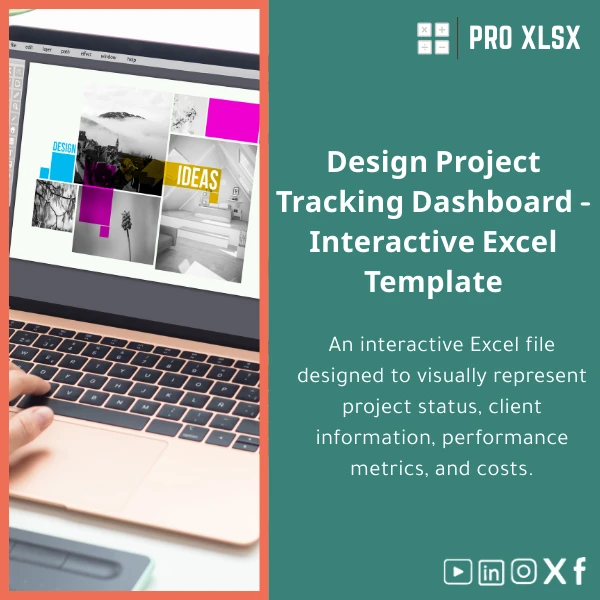
Interactive Creative Projects Dashboard Template for Designers
Original price was: $48.33.$37.53Current price is: $37.53.
A ready-to-use creative projects dashboard in Excel that centralizes studio clients, project timelines, budgets and cost analysis into one interactive file — built for accountants, data analysts and companies that need precise financial and operational tracking without heavy BI systems.
Key benefits & value for your studio or finance team
This creative projects dashboard template transforms scattered spreadsheets into a single source of truth. It was designed to make financial and operational analysis fast, accurate and repeatable.
What you’ll gain
- Faster month-end reporting: Pre-built summary tables and pivot-ready structures cut reconciliation time by hours.
- Clear client profitability: Compare billed revenue, tracked costs, and margins per client and project.
- Operational control: Track deadlines, resource allocation, and scope changes visually to reduce overruns.
- Low overhead: Uses Excel features you already have — no need for new subscriptions or training-heavy BI tools.
Use cases & real-life scenarios
Below are practical examples of how teams use the creative projects dashboard in daily operations:
- Design studio finance: Reconcile billed invoices with time logs to calculate true project margins and identify loss-making jobs.
- Agency project managers: Use the interactive timeline to prioritize deliveries and flag projects at risk based on cost burn.
- Accountants & auditors: Export summarized ledgers for audit, and trace every cost to source records with structured tables and comments.
- Business owners: Get weekly KPI snapshots (revenue by client, average project margin, overdue items) on a single page for quick decisions.
Who is this product for?
The template is built for:
- Accountants and financial consultants supporting creative businesses.
- Data analysts tasked with operational reporting for studios and agencies.
- Small to mid-sized design companies that want robust tracking without enterprise expenses.
- Freelance designers who need consolidated client and project finance dashboards.
How to choose the right version
We offer flexible delivery depending on your needs:
- Standard (Download): Interactive Creative Projects Dashboard template — immediate download, editable tables, no macros.
- Pro (Automated): Includes macros/VBA for data import, automated report refresh and template protection options — ideal for recurring reporting.
- Custom (Hourly Service): Ask ProXlsx to adapt the template to your chart of accounts, local tax rules, Arabic-labeled sheets, or add bespoke KPIs.
Choose Standard for fast deployment, Pro if you automate imports and reporting, or Custom if you need studio-specific logic.
Quick comparison with typical alternatives
How this creative projects dashboard stacks up:
- Manual spreadsheets: Faster setup, fewer errors, and built-in summaries compared with ad-hoc files.
- Paid BI tools: Lower cost and quicker to deploy; ideal when you need control and simplicity instead of full-scale BI.
- Custom software: Less expensive and immediately usable; customize later with ProXlsx hourly services if needs grow.
Best practices & tips to get maximum value
- Maintain a single “Transactions” table: import time logs, invoices and expenses into one sheet to keep calculations consistent.
- Use the built-in data validation for client names and project codes to avoid mismatches.
- Protect calculated sheets and keep an editable input sheet for daily entries.
- Schedule a weekly refresh and reconcile bank or billing exports against the dashboard totals.
- If you need automation, choose the Pro version or request an hourly update from ProXlsx for custom VBA routines.
Common mistakes when buying or using dashboards — and how to avoid them
- Buying a generic file: Ensure the template maps to your billing model (hourly, fixed price, retainer) — use the Custom service if it doesn’t.
- Ignoring data hygiene: The dashboard assumes structured inputs; spend time consolidating client and project codes first.
- Expecting instant automation: Some repetitive imports require macros; select the Pro automated version or order customization.
- Not budgeting for change: Allocate one afternoon to adapt labels and accounts — or book ProXlsx hourly service for a hands-off setup.
Product specifications
- Product type: Interactive Excel template (creative projects dashboard)
- File format: .xlsx (Standard) / .xlsm (Pro with macros)
- Compatibility: Excel 2016+, Excel for Microsoft 365 (Windows & Mac partial support for versions without VBA)
- Sheets included: Dashboard (overview), Transactions, Clients, Projects, Cost allocation, Reports
- Languages: English (labels editable; Arabic customization available on request)
- Automation: Optional VBA for imports, refresh and exports (Pro version)
- Support: Documentation + optional hourly customization and data-migration services from ProXlsx
- Usage notes: Requires basic Excel skills; recommended monthly reconciliation workflow
FAQ
Is this creative projects dashboard template compatible with Arabic Excel and right-to-left layouts?
Yes. The template uses standard Excel tables and formulas that work in Arabic-language Excel. If you require full right-to-left layout and Arabic labels, choose the Custom service and we will adapt sheet names and labels for you.
Does the Pro (automated) version contain macros? Are they safe?
The Pro version uses VBA macros to automate imports and refreshes. All macros are documented, signed where possible, and can be reviewed before use. If company policy prohibits macros, use the Standard .xlsx without automation.
Can you connect the dashboard to our time-tracking or accounting export?
Yes. ProXlsx offers hourly customization to map exports (CSV, XLSX) from common time-tracking or accounting tools into the dashboard. We typically deliver a tested import routine within 1–3 hours for standard formats.
What kind of support or customization is available after purchase?
Documentation is included with the template. For hands-on changes, ProXlsx provides hourly services: data import, VBA automation, localization and bespoke report design. Contact us to request a quote based on the scope.
Ready to centralize your studio’s clients, projects and costs?
Buy a practical, accountant-friendly creative projects dashboard today and start producing reliable reports in hours — not weeks. If you prefer a tailored setup, add ProXlsx hourly customization to match your chart of accounts and reporting cadence.
Related products

Budget Planner Excel Template for Actual and Variance Analysis

Comprehensive Accounting Program in Excel Template

Customers Suppliers Tracking Template for Excel Invoices and Payments

Excel Fixed Assets Management Template with Auto Depreciation

Excel Payroll Calculation Template for Deductions and Taxes

Financial Analysis Template for Key Financial Ratios in Excel

Financial Statements Template for Easy Preparation of BS, P&L & Cash Flows

Interest Calculation Template for Excel with Cash Discounts
An Excel-ready interest calculation template that computes simple and compound interest, generates early‑payment cash discount schedules, and converts those results into clear reports and cashflow tables — built for accountants, data analysts, and finance teams who need reliable, fast answers without custom development.

Reviews
Clear filtersThere are no reviews yet.