




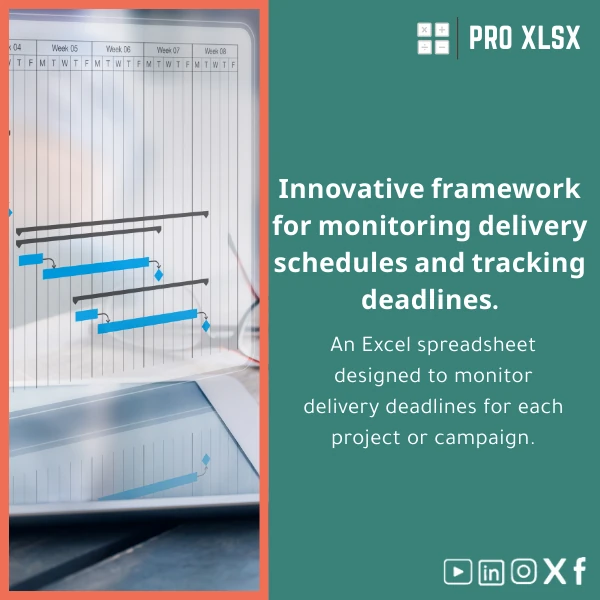
Creative Deliverables Schedule Template for Projects & Campaigns
Original price was: $37.53.$26.73Current price is: $26.73.
Deadlines Tracker — Projects & Campaigns. A ready-to-use Excel solution that turns scattered task lists into a clear creative deliverables schedule template with automated alerts, centralized status tracking, and a compact dashboard — built for accountants, data analysts, project managers and companies that need reliable, audit-ready scheduling and reporting.
Key benefits & value for the buyer
This creative deliverables schedule template transforms manual tracking into a repeatable process that saves time and reduces missed deadlines. For accountants and data analysts the template provides:
- Structured data: Consistent columns for deliverable IDs, owners, versions, due dates and financial codes — ready for pivot tables and audit trails.
- Actionable insights: Built dashboard shows overdue items, upcoming milestones, and capacity bottlenecks at a glance.
- Time savings: Pre-built formulas and conditional formatting remove repetitive setup work so teams can focus on delivery.
- Report-ready exports: One-click filtered exports to CSV or PDF for management and client reports.
Use cases & real-life scenarios
Marketing campaign coordination
Map every creative asset (copy, design, video) to a single schedule. Use the calendar and status columns to coordinate handoffs between agency and internal stakeholders and reduce last-minute rushes.
Finance-friendly project reporting
Accountants and analysts can attach cost codes and invoice status to deliverables, creating a direct link between tasks and expenditures — ideal for monthly reconciliations and audit periods.
Small agency operations
Agencies use the template to track billable milestones, allocate resources, and generate client-ready timeline reports without heavy PM tools.
Who is this product for?
The template is designed for:
- Accountants who need a clear view of deliverable-dependent costs and invoices.
- Data analysts who prepare project performance reports and dashboards.
- Companies and agencies that require a lightweight Excel schedule for creative teams.
- Project managers seeking a simple creative deliverables tracker that integrates with existing financial spreadsheets.
How to choose the right template & compatibility
Choose this creative deliverables tracker when you want Excel-native control, auditability and fast customization. Consider these points:
- If you use Excel 2016 or later (desktop) or Excel Online, the template will run smoothly. For Excel for Mac, features work but check macros compatibility.
- Need automation? Select the version with optional VBA modules or request an hourly customization service from ProXlsx.
- For multi-user editing choose the cloud-friendly variant (Excel Online) and use shared permissions to avoid overwrite conflicts.
Quick comparison with typical alternatives
Compared to generic task lists or heavy PM platforms, this Excel schedule strikes a balance:
- Versus manual spreadsheets: pre-structured, reduces setup time and errors.
- Versus full PM tools: no subscription, immediate ownership of data, and easier integration with finance systems.
- Versus bespoke development: lower cost and immediate delivery; bespoke work is available if you need deeper integration or automation.
Best practices & tips to get maximum value
- Standardize deliverable naming and cost codes before importing historical data.
- Use the priority and status filters to create weekly “at-risk” reports for stakeholders.
- Schedule a short onboarding session (we offer hourly implementation) to map your chart of accounts or client codes into the template.
- Enable version control: keep a master copy and create dated exports before major updates.
Common mistakes when buying/using similar templates and how to avoid them
- Buying the wrong format: Verify Excel compatibility; ask for a sample screenshot if unsure.
- Ignoring data standards: Inconsistent naming makes reporting unreliable — standardize first.
- Overcomplicating the template: Add fields only when they are required for reporting; start simple and expand.
Product specifications
- File format: .xlsx (Excel workbook), optional .xlsm for VBA-enabled variant
- Sheets included: Deliverables, Calendar, Gantt View, Resources, Dashboard, Export, Instructions
- Compatibility: Excel 2016+ (Windows), Excel Online, Excel for Mac (limited macro support)
- Languages: English (easy to translate labels)
- License: Single-company commercial use; contact ProXlsx for multi-seat or white-label licenses
- Support: Email support and hourly customization services available from ProXlsx
- Delivery: Instant download after purchase; optional on-demand setup by the hour
Frequently asked questions
Can I connect the template to our accounting system?
Yes. The template exports to CSV and can be mapped to most accounting systems. For direct integration or automated exports we offer hourly customization and VBA scripts to automate the process.
Does the template support multiple projects and cross-project reporting?
It does. Use the Project column and the dashboard filters to aggregate across campaigns. The included pivot-ready sheet enables cross-project summaries required by finance and management.
What happens if multiple users edit the file at the same time?
For concurrent editing use the Excel Online variant stored on SharePoint/OneDrive. For desktop use, maintain a master file and control edits through versioned exports. ProXlsx can help set up an approval workflow if needed.
Is there post-purchase support if we need changes?
Yes. ProXlsx provides paid hourly support for customization (data import, VBA automation, dashboard changes). Typical setup or small changes are completed within a few hours.
Ready to simplify project tracking?
Buy a practical, audit-ready creative deliverables schedule template built for professionals who need clarity and control. Instant download — start tracking in minutes or request customization on the same day.
Prefer help? Contact ProXlsx for hourly setup and automation services after purchase.








Reviews
Clear filtersThere are no reviews yet.