



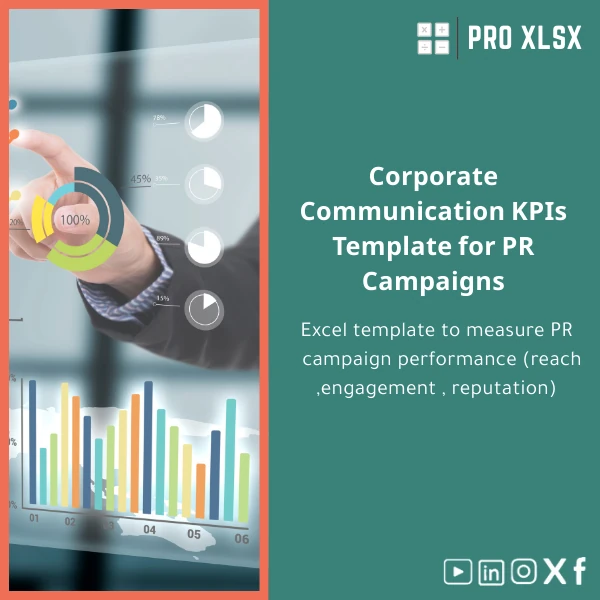
Corporate Communication KPIs Template for PR Campaigns
Original price was: $42.93.$32.13Current price is: $32.13.
A structured, ready-to-use Corporate Communication KPIs template in Excel to measure PR campaign reach, engagement and reputation — built for accountants, data analysts and corporate teams who need reliable, audit-ready dashboards without complex systems.
Key benefits & value for the buyer
This Corporate Communication KPIs template converts raw PR metrics into actionable information — quickly, consistently and in a format finance teams trust. The template is designed to reduce manual work, enforce consistent definitions, and produce visuals suitable for board and management reporting.
What you’ll get — translated into outcomes
- Time savings: Eliminate repetitive Excel work — typical users save 3–8 hours per campaign on data consolidation and charting.
- Consistent KPIs: Standardized calculations for Reach, Engagement Rate, Share of Voice and Reputation Score ensure comparability month-to-month.
- Decision-ready reports: Executive-friendly dashboards and exportable charts for presentations and financial reviews.
- Auditability: Each KPI links to source rows and transformation steps, making it easy for accountants and auditors to validate results.
- Flexible delivery: Download a ready .xlsx, or request hourly customization when you need integration with your internal data sources.
Use cases & real-life scenarios
PR agency delivering monthly reports to clients
Import earned media mentions and social metrics; the template automatically calculates reach, engagement and sentiment. Create a client-ready PDF in minutes, instead of manually reworking multiple exported files.
Corporate communications aligning with finance
Accountants and financial analysts can combine PR exposure metrics with revenue or cost data to estimate media ROI and correlate communications activity with financial outcomes — using the template’s tabular exports and pivot-ready structure.
In-house comms measuring reputation changes
Track sentiment trends and reputation score across campaigns to show executives how messaging and earned media affect stakeholder perception over time.
Who is this product for?
The Corporate Communication KPIs template is tailored for:
- Accountants and financial controllers who need PR metrics that reconcile with financial records.
- Data analysts who want clean, normalized inputs and formulas for further modeling.
- Small to mid-size companies and communications teams in Egypt and the region that prefer Excel-based solutions over expensive BI systems.
- Consultants and auditors requiring transparent, documented calculations.
How to choose the right template & options
Choose based on your data sources and desired automation level:
- Basic (.xlsx): No macros, ideal if your environment blocks VBA. Manual refresh of data imports.
- Macro-enabled (.xlsm): Includes optional VBA utilities for importing CSVs, refreshing charts and simple automation—choose this when you want faster recurring workflows.
- Customization (hourly service): If you need connectors to specific monitoring tools, custom KPIs, or localized Arabic labels, order an hourly customization from ProXlsx’s team.
Quick comparison with typical alternatives
Alternatives include manual spreadsheets, generic templates, or full BI platforms. Here’s where this template fits:
- Vs manual spreadsheets: Standardized calculations reduce errors and accelerate reporting.
- Vs generic templates: Built specifically for PR campaign KPIs and auditability instead of vague marketing metrics.
- Vs BI tools: Much lower cost, fast implementation, and works inside Excel where accountants and analysts already operate.
Best practices & tips to get maximum value
- Define your KPI dictionary before importing data (what counts as “reach”, “engagement”, “mention”).
- Map data sources to the template’s “Source” column so every figure is traceable.
- Use the macro-enabled option if you refresh data weekly to save manual steps.
- Keep a snapshot of previous reports to measure trends and campaign lift.
- Use ProXlsx hourly services for initial setup — a 1–2 hour configuration session often removes the steepest startup friction.
Common mistakes when buying or using similar templates — and how to avoid them
- Mistake: Buying a generic marketing template that doesn’t separate earned vs owned media. Fix: Use a PR-specific template with clear source fields.
- Mistake: Assuming counts are enough — ignoring sentiment or reputation trends. Fix: Use the Reputation Score and sentiment tabs included.
- Mistake: Over-automating before KPIs are defined. Fix: Start with manual imports, validate definitions, then add automation.
Product specifications
- Files included: Template.xlsx (no macros) and Template-macro-enabled.xlsm (optional automation)
- Main sheets: Raw Data, Normalized Data, KPI Calculations, Reach Dashboard, Engagement Dashboard, Reputation & Sentiment, Exports
- Supported Excel versions: Excel 2016+, Excel for Microsoft 365 (Windows & Mac basic compatibility — macros require Windows Excel)
- Languages: English (labels can be customized on request)
- Delivery: Instant digital download after purchase; hourly customization services available from ProXlsx
- Usage notes: Keep backups before enabling macros; follow included setup guide for first import
Frequently asked questions
Is this template compatible with Google Sheets?
The core .xlsx file opens in Google Sheets, but complex charts and macro-enabled features will not work there. For full functionality, use Excel on desktop. If you need a Google Sheets version, ProXlsx offers conversion and customization by the hour.
Can I integrate this template with media monitoring tools or CSV exports?
Yes — the template accepts CSV imports and has mapped columns for common monitoring outputs. For direct connectors or scheduled imports, order the hourly customization service to automate the workflow.
How long does customization take and how much does it cost?
Typical customization (connect one data source, add 2–3 KPIs, set up basic automation) takes 2–6 hours. ProXlsx charges hourly execution services; contact us with your requirements for a precise estimate.
Are the KPI formulas documented so an auditor can verify them?
Yes — every KPI includes a “calculation note” section and links back to the source rows. This template was built with auditability in mind to meet accounting and compliance needs.
Ready to standardize your PR measurement?
Download the Corporate Communication KPIs template now and start producing consistent, finance-friendly PR reports today. If you prefer hands-off setup, add our hourly customization service at checkout — we’ll import your first dataset and configure your dashboard.
Files delivered instantly. ProXlsx support available for setup and customization.
Related products

Break-Even Analysis Template for Cost and Profit Estimation
A ready-to-use Break-Even Analysis template in Excel to calculate the sales volume needed to cover costs, model profit scenarios, and produce clear management-ready charts and a margin of safety calculator. Designed for accountants, analysts, and companies who need fast, reliable decision support without complex systems.








Reviews
Clear filtersThere are no reviews yet.