


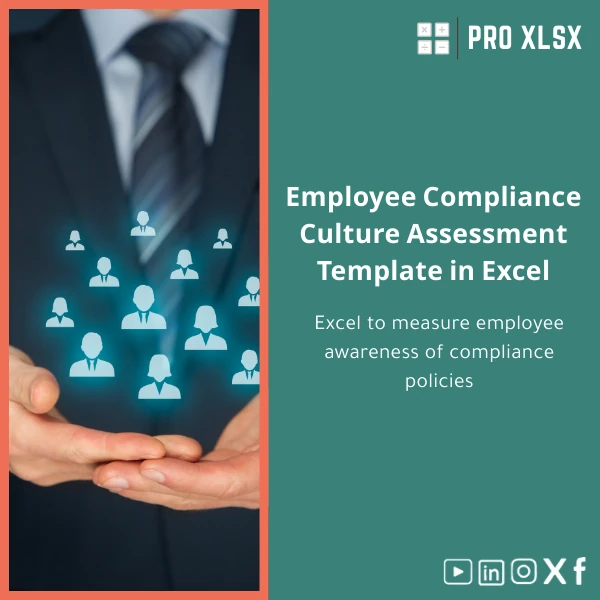
Employee Compliance Culture Assessment Template in Excel
Original price was: $48.33.$37.53Current price is: $37.53.
A ready-to-use Compliance Culture Assessment Template to measure employee awareness of compliance policies, convert responses into clear scores and dashboards, and produce audit-ready reports — built for accountants, data analysts, and companies that need fast, practical Excel tools.
Key benefits & value for accountants, analysts and compliance teams
The Compliance Culture Assessment Template turns subjective survey responses into objective, repeatable insights. It reduces manual work and elevates the quality of your internal compliance reports with structured scoring, visual dashboards, and exportable charts.
What you gain
- Faster assessments: Deploy a validated compliance culture questionnaire immediately — no design work required.
- Consistent scoring: Built-in scoring algorithm and normalization ensure comparable results across periods and business units.
- Clear prioritization: Heatmaps and risk buckets identify where training or process changes are most needed.
- Audit-ready documentation: Response logs, question metadata, and printable summaries reduce follow-up effort during reviews.
- Cost-effective customization: If your organization needs changes, ProXlsx offers hourly Excel services to adapt the template to local policies, languages, or reporting formats.
Use cases & real-life scenarios
How teams use this Compliance Culture Assessment Template in daily operations:
- Internal audit: Quarterly assessments across departments to spot weak control areas and track improvement over time.
- Onboarding: Measure new-hire understanding of conflicts of interest, anti-bribery, and data protection policies.
- Regulatory readiness: Produce consolidated reports showing workforce awareness for regulators or board committees.
- Training effectiveness: Compare pre- and post-training scores to validate learning impact and tailor follow-up modules.
- Risk scoring: Combine with operational loss data for a composite risk view used by finance and compliance leaders.
Example: An accounting firm ran the template across 120 staff members, used the dashboard to target three departments with weak scores, and reduced policy breaches by 30% in the next audit cycle.
Who is this product for?
This template is designed for:
- Accountants and internal auditors who need a repeatable compliance culture audit template.
- Data analysts who want a tidy, formula-driven Excel workbook they can extend with pivot tables and visualisations.
- Companies (SMEs and larger) looking for an affordable, Excel-based compliance culture questionnaire and reporting tool without investing in a full GRC platform.
- Consultants and compliance officers who require a professional employee compliance awareness form they can brand and deliver to clients.
How to choose the right variant
There are three commonly requested configurations; choose based on scale and customization needs:
- Standard: Questionnaire + scoring + dashboard — best for small teams and first-time audits.
- Advanced: Multi-department inputs, pivot-ready tables, printable management reports — best for mid-size companies.
- Customized (hourly service): Localized language, additional questions, automated VBA exports — best for regulated industries and enterprise rollouts.
If you’re unsure which fits you, start with Standard and request targeted customization later; the workbook is designed to be extensible.
Quick comparison with typical alternatives
Common options and why the Excel template often wins:
- Manual surveys + manual scoring: Slow, error-prone. Template automates scoring and summarization.
- Online survey tools only: Good for collection but often lack direct audit-ready scoring and Excel-native dashboards. This template combines collection formats with built-in analysis.
- Full GRC platforms: Powerful but expensive and complex. The template provides focused, affordable outputs that meet most compliance reporting needs without heavy implementation.
Best practices & tips to get maximum value
- Use consistent answer scales (e.g., 1–5) across questions to keep scoring meaningful.
- Map questions to policy areas (e.g., conflicts, data privacy) so the dashboard aggregates by theme.
- Run a pilot with a small team before full deployment to refine wording and thresholds.
- Save raw response sheets and use the dashboard only for summary — this preserves audit trails.
- Leverage ProXlsx hourly services for localization, language translation, or integrating results into financial models.
Common mistakes when buying or using compliance templates—and how to avoid them
- Mistake: Buying a tool without a scoring plan. Fix: Define thresholds for action before you collect data.
- Mistake: Overcomplicating the questionnaire. Fix: Start with core policies, then expand by evidence of need.
- Mistake: Treating the Excel file as a one-time deliverable. Fix: Plan periodic reviews and store previous versions for trend analysis.
- Mistake: Not protecting formulas. Fix: Use the template’s protected sheets and provided instructions to prevent accidental changes.
Product specifications
- Format: Microsoft Excel workbook (.xlsx)
- Compatibility: Excel 2016, Excel 2019, Excel for Microsoft 365 (Windows & Mac with limited VBA support)
- Contents: 40+ validated questions, scoring engine, dashboard sheets, printable management report, response log
- Language: English (template structure ready for translation)
- Customization: Optional hourly customization and VBA automation services by ProXlsx
- Delivery: Instant digital download after purchase
- Usage notes: Save backups; enable content for macros if using VBA-enabled features
FAQ
Is the template suitable for Arabic-language surveys or local policies?
Yes. The workbook is structured so question text can be replaced or translated. For hands-off localization (labels, reports, right-to-left adjustments), ProXlsx offers hourly customization to adapt layout and language.
Can I combine results from multiple branches into a single dashboard?
Yes. The Advanced variant includes pivot-ready tables and aggregation logic. If you need automated consolidation from multiple files, we can provide an hourly service to set up imports or a simple VBA routine.
What if I need different scoring rules or additional policy areas?
The scoring logic is transparent and editable in the workbook. If you prefer to keep formulas protected, request a customization and our team will implement your scoring rules while preserving workbook integrity.
How do you handle support after purchase?
Support includes clear setup instructions inside the workbook and email guidance for common questions. For bespoke adjustments, ProXlsx provides paid hourly services to ensure the template matches your processes.
Ready to measure and improve your compliance culture?
Download a professionally designed Compliance Culture Assessment Template that accountants, analysts, and compliance teams trust. If you need custom fields, languages, or automated consolidation, our hourly Excel services are available to deliver changes fast.
Related products

Break-Even Analysis Template for Cost and Profit Estimation
A ready-to-use Break-Even Analysis template in Excel to calculate the sales volume needed to cover costs, model profit scenarios, and produce clear management-ready charts and a margin of safety calculator. Designed for accountants, analysts, and companies who need fast, reliable decision support without complex systems.







Reviews
Clear filtersThere are no reviews yet.