


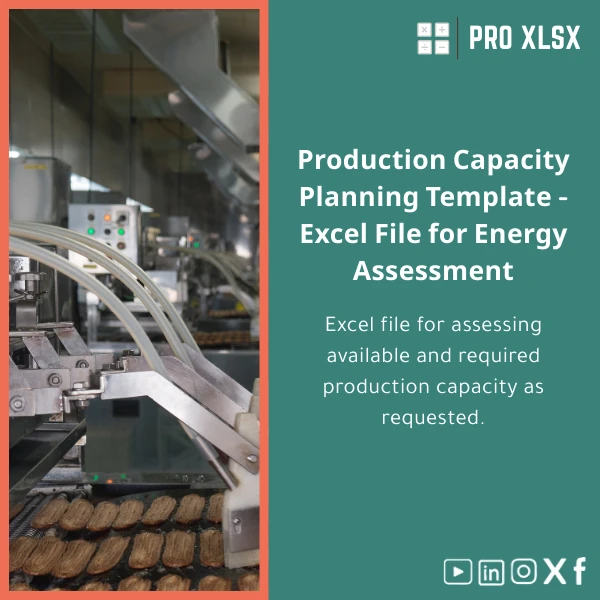
Demand-Driven Capacity Planning Template for Effective Operations
Original price was: $48.33.$37.53Current price is: $37.53.
A practical capacity planning template built in Excel to estimate available and required capacity by demand, convert forecasts into production requirements, and produce scenario-ready schedules for operations teams, accountants and analysts.
Key benefits & value for the buyer
This capacity planning template is designed to reduce the time between demand signal and operational decision. It converts sales forecasts or orders into:
- Required production hours: Per line, per day/week/month with automatic aggregation.
- Workforce loading: Shows direct labour needs and overtime implications by shift.
- Utilization & bottleneck identification: Highlights resources running above safe utilization thresholds.
- Cost impact: Calculates variable production cost per scenario so finance teams see the P&L effect of capacity changes.
For accountants and analysts, the template preserves auditability: clear formula logic, unhidden calculation sheets, and a change log section so every planning revision is traceable.
Use cases & real-life scenarios
Manufacturing ramp-up
A medium-sized manufacturer expects a 30% sales increase next quarter. Using the production capacity template, planners test whether current lines can absorb the load, whether weekend shifts are required, and what the incremental labour cost would be — all within a single workbook.
Seasonal demand for FMCG
For seasonal spikes, the capacity planning excel model simulates multiple demand curves and suggests the minimal additional temporary capacity to meet service-level targets without overinvesting in fixed assets.
Service operations (back-office)
Accountants and operations analysts use the template to convert invoicing forecasts into staff hours required for month-end closing, enabling temporary hires to be budgeted accurately.
Who is this product for?
The template is built for professionals who need practical, fast capacity answers in Excel:
- Production planners and operations managers in light-to-medium manufacturing.
- Accountants and financial controllers needing to link capacity to cost and cashflow forecasts.
- Data analysts who prepare operational dashboards and want a robust capacity module.
- Consultants and SMEs in Egypt seeking quick, affordable capacity planning without heavy ERP implementations.
How to choose the right version
The template comes in two delivery options:
- Standard (Excel workbook): Fits most needs — demand input sheets, capacity calculations, bottleneck dashboard, scenario selector. Best if you plan to adapt the model yourself.
- Professional (Excel + VBA automation): Includes macros for bulk import of forecasts, automated scenario runs and printable schedules. Choose this if you handle large datasets or want repeatable automation.
Choose Professional when your monthly forecast rows exceed ~10,000 cells or if you want one-click scenario exports. If you need a bespoke configuration, ProXlsx provides hourly customization services to adapt the model to your UOMs, shift patterns, or multi-site planning.
Quick comparison with typical alternatives
When deciding between this capacity planning template and other options, consider:
- ERP modules: ERP capacity tools are powerful but costly and slow to implement. This Excel template gives immediate visibility and integrates with existing spreadsheets and forecasts.
- Generic spreadsheets: Many generic templates lack scenario logic and audit trails. Our template provides structured inputs, validation rules and a change log tailored to production and financial metrics.
- Custom development: Fully custom apps are flexible but expensive. The template plus ProXlsx hourly customization offers a practical middle ground — fast, lower cost, and delivered by Excel experts.
Best practices & tips to get maximum value
- Start with accurate demand: the template’s outputs are only as good as the forecasts you load. Use rolling 12-month forecasts where possible.
- Define lead times and changeover times explicitly — they materially change capacity needs for batch manufacturing.
- Use scenario labels (conservative/base/optimistic) and save snapshots after each run to maintain a planning history.
- For finance integration, export the cost-summary sheet and map it to your budgeting workbook for quick P&L impact analysis.
Common mistakes when buying/using capacity templates — and how to avoid them
- Buying a one-size-fits-none template: Verify the template supports your production units, shift patterns and lead times before purchase. Use the pre-purchase checklist or request a short customization engagement.
- Over-reliance on averages: Use variability (stdev) and safety capacity rather than simple averages to avoid underestimating peak loads.
- Ignoring auditability: Keep formulas visible and maintain a change log so finance and auditors can trace decisions.
Product specifications
- Format: Microsoft Excel (.xlsx). Optional .xlsm for VBA-enabled Professional version.
- Compatibility: Excel 2016, Office 365, Excel 2019+ (Windows & Mac; macros require Windows Excel for full automation).
- Included modules: Demand input, Routing & lead times, Capacity engine, Utilization dashboard, Cost-summary, Scenario manager, Change log.
- Time horizons: Daily, weekly and monthly aggregation (configurable).
- Support: Documentation (English), sample data file, and optional hourly customization by ProXlsx professionals.
- Security: Calculation sheets editable; optional password protection for final reports upon request.
FAQ
Is the template compatible with my Excel version?
The standard .xlsx version works in Excel 2016, 2019 and Office 365 on Windows and Mac. The Professional .xlsm version includes VBA macros that require Windows Excel for full functionality; the macros will be disabled on Mac but the core calculations still work.
Can ProXlsx customize the template for my factory or reporting structure?
Yes. ProXlsx provides hourly customization services — from simple label changes to full reconfiguration of routings, multiple plants, and automated imports. Custom work is billed hourly and can be quoted after a short scoping call.
What about data security and formula transparency?
All formulas are left visible by default so accountants and auditors can review them. If you request locked reports or password protection, ProXlsx can apply protection while keeping a master unrestricted copy for internal auditing.
Do you offer a demo or sample before purchase?
A sample workbook with anonymized sample data is available on request to verify layout and logic. Contact ProXlsx support to receive the sample and a checklist to validate fit.
Ready to convert demand into capacity decisions?
Download the Demand-Driven Capacity Planning Template today and start testing scenarios in Excel. If you prefer hands-off setup, order ProXlsx hourly services to import your data and configure the workbook for your environment.
Related products

Break-Even Analysis Template for Cost and Profit Estimation
A ready-to-use Break-Even Analysis template in Excel to calculate the sales volume needed to cover costs, model profit scenarios, and produce clear management-ready charts and a margin of safety calculator. Designed for accountants, analysts, and companies who need fast, reliable decision support without complex systems.







Reviews
Clear filtersThere are no reviews yet.