




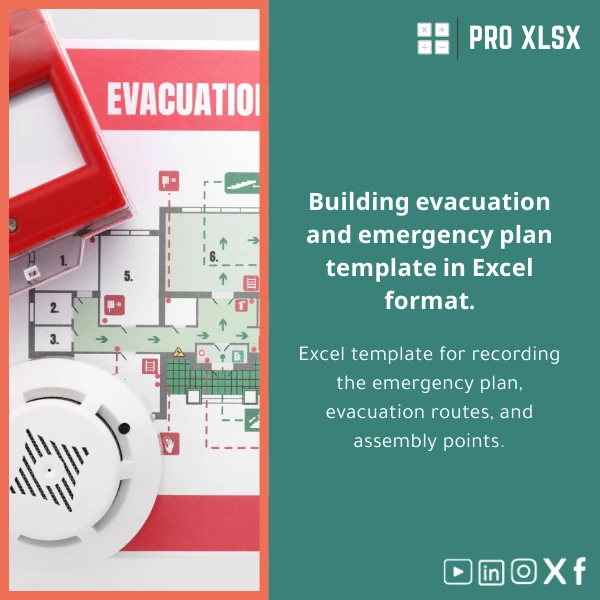
Building Evacuation Plan Template for Emergency Preparedness
Original price was: $18.63.$13.23Current price is: $13.23.
A professional, editable Excel template that documents emergency procedures, maps evacuation routes, and records assembly points — built for accountants, data analysts, and operations teams who need accurate, auditable emergency plans delivered quickly and ready for internal reporting or regulatory review.
Key benefits & value for buyers
The Building evacuation plan template converts disparate emergency notes into a single, maintainable Excel file that team members can update without special software. For accountants and data analysts this means:
- Consistent documentation: Standardized sheets make audits and compliance checks faster, reducing time spent preparing reports.
- Clear accountability: Responsibility fields and completion dates turn vague plans into measurable tasks.
- Data-driven readiness: Use occupancy data and staff lists to generate targeted evacuation instructions and assembly allocations.
- Low cost, high control: No subscription systems — one purchase delivers an editable Excel file you host and control.
Use cases & real-life scenarios
Scenario 1 — Multisite SME with central finance team
The finance team consolidates floor occupancy and emergency contacts from multiple branches. The template becomes the single source for evacuation maps and contact lists, enabling quick distribution to local managers and auditors.
Scenario 2 — Audit preparation for compliance
Internal auditors need documented evacuation procedures and evidence of drills. Use the template’s drill log and status columns to produce exportable summaries showing compliance dates and corrective actions.
Scenario 3 — Integrated operational dashboards
Data analysts can link the template to occupancy tables or rotas to automatically highlight at-risk floors, create printable maps by department, or feed counts into EHS dashboards.
Who is this product for?
The template is designed for:
- Accountants and compliance teams preparing audit-ready emergency documentation;
- Data analysts who want to combine occupancy and risk data with evacuation maps;
- Facilities managers, HSE officers, and consultants who must produce clear, printable building emergency plans;
- Small-to-medium companies wanting a cost-effective alternative to expensive SaaS safety systems.
How to choose the right version
We offer flexible options to match technical needs and budgets:
- Standard (download): Editable .xlsx file with map templates, checklists, drill logs — best if you have Excel skills in-house.
- With VBA automation: Adds buttons for printing, exporting summary reports, and automated status coloring — choose this if you want repeatable outputs without manual formatting.
- Customization service (hourly): Order ProXlsx experts by the hour to import your floor plans, populate contact lists, or integrate with your existing spreadsheets.
If you need help selecting, purchase the standard file and add hourly support later — we keep everything modular so you only pay for what you need.
Quick comparison with typical alternatives
Compared to drawing tools or cloud safety platforms, this building emergency plan Excel template offers:
- Faster setup: Start with structured sheets instead of building layouts from scratch.
- Lower running cost: One-off purchase vs. recurring platform fees.
- Better data control: Your data stays in your files — ideal for finance teams that must protect sensitive staff data.
If you need interactive web dashboards or multi-user cloud editing, combine the template with ProXlsx hourly services to export reports or create a synchronized workflow.
Best practices & tips to get maximum value
- Start by importing your staff roster and floor occupancy to auto-populate assembly allocations.
- Use the template’s checklist fields during drills and keep a drill history for audit trails.
- If you have custom floor plans, request the customization service to convert them into editable Excel shapes for accuracy.
- Save a master copy and maintain a read-only distribution file for personnel to prevent accidental changes.
Common mistakes when buying or using similar templates — and how to avoid them
- Buying an inflexible file: Avoid templates that lock editing. This product is fully editable; choose VBA only if you need automation.
- Skipping data integration: Not linking rosters and occupancy reduces usefulness. Map your data first to get accurate assembly counts.
- No version control: Always keep a dated master copy to track changes after drills or updates.
Product specifications
- File format: .xlsx (Microsoft Excel 2010 and later; fully functional in Excel 365)
- Sheets included: Overview, Floor map templates, Evacuation routes, Assembly points, Drill log, Action checklist, Contacts
- Optional add-ons: VBA automation pack, Custom floor plan conversion, Hourly implementation support
- Localization: English (template labels editable for Arabic/other languages)
- Delivery: Instant digital download after purchase; customization delivered per agreed hourly scope
- License: Single-company use with ability to request multi-site licensing for larger organizations
Frequently asked questions
Is this building evacuation plan template compatible with Excel for Mac?
Can ProXlsx populate the template with our staff and floor data?
How secure is the data in the template?
What if the template doesn’t fit our building layout?
Ready to standardize your emergency plans?
Purchase the Building evacuation plan template today and create audit-ready, maintainable emergency documentation in Excel. If you want hands-on help, add ProXlsx hourly support for fast customization and integration.
Instant download | Optional hourly setup & VBA automation | Support available for Egyptian companies and regional clients








Reviews
Clear filtersThere are no reviews yet.